%201.svg)


.png)

What Is Manufacturing ERP Software?
Manufacturing ERP Software (ERP standing for Enterprise Resource Planning) is a tool that is designed to centralize all your business information, so every department and team is operating with the same real-time data.
So, whereas some businesses opt for having departments and teams organize and manage their specific tasks and responsibilities with separate tools for managing production, inventory, purchasing, finance, and fulfillment, a manufacturing ERP connects all of these functions, so your entire business can be managed from one place.
ERPs nowadays come in all shapes and sizes, and some are built to help businesses within a specific industry. Take, for example, a manufacturing ERP — whether you're a business following a discrete manufacturing workflow or running a continuous production line, a manufacturing ERP will be able to support your manufacturing process, unlike a generic ERP, which is mostly focused on the macro business management. ERP manufacturing software comes with everything you need to manage:
- Production planning and scheduling
- Bill of materials management
- Shop floor control
- Material requirements planning
- And more
By implementing a manufacturing ERP solution into your business, you will be able to efficiently manage your machines and workers to decrease the likelihood of bottlenecks occurring, track your raw, WIP, and finished goods inventory in real time to eliminate stockouts and reduce carrying costs — all the while keeping your financial data like job costs and invoices tied directly to production activity.
The reason manufacturers opt for using manufacturing ERP software is that, at some point, spreadsheets and disconnected tools start to accumulate inaccurate data, which starts to lead to problems on the shop floor and manifests as lost sales. An ERP solves this problem by giving you a single source of truth where purchasing, production, inventory, and finance are always aligned.
If you’re looking to get started with an ERP, here is a quick glance at what we consider to be the best manufacturing ERP systems.
Pro tip: If you’re looking for an MRP system instead, we recommend checking out this article: The 6 Best MRP Software for Manufacturers.
The 5 Best Manufacturing ERP Systems
Here are our 5 top choices for the best manufacturing ERP systems available on the market right now — we compiled this list so that regardless of what size your manufacturing operations are at, there’s something out there for you.
1. Digit
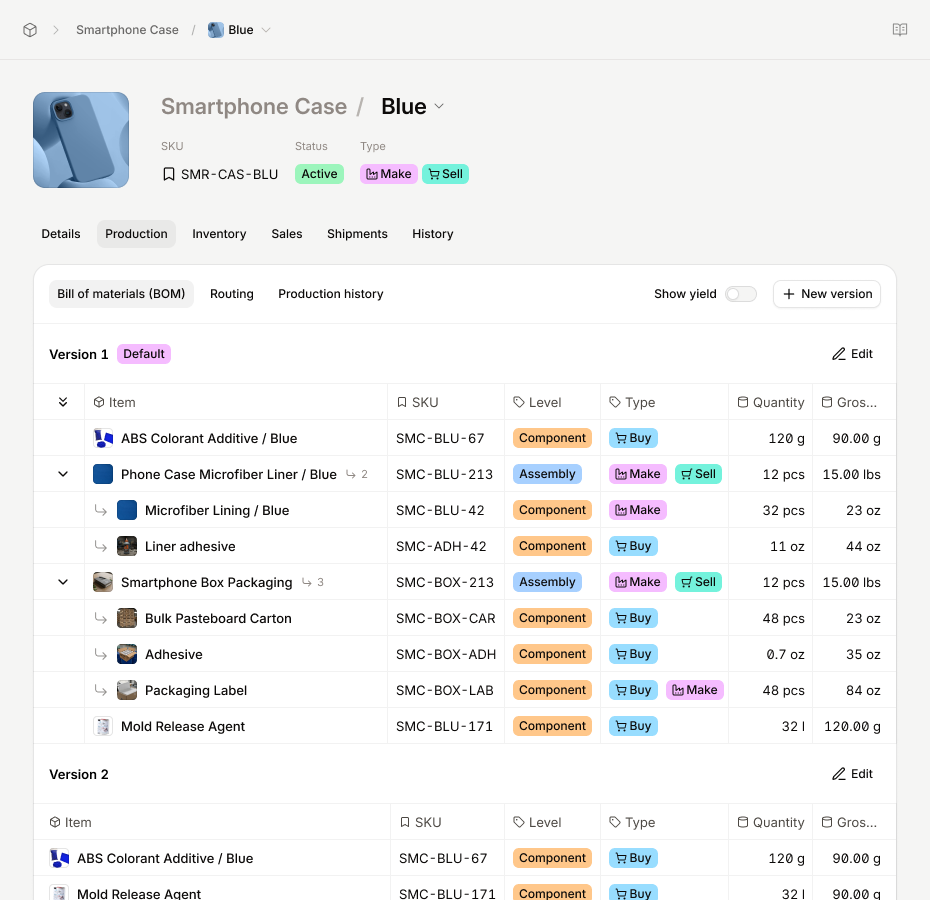
Digit is the best manufacturing ERP software for small manufacturers and distributors.
Rating: 4.9/5
Pricing: Starts at $199/month
Digit is a relatively new software when compared to others featured on this list, but that doesn’t make it any less capable, and it has quickly found its place as one of the best ERP software for manufacturing.
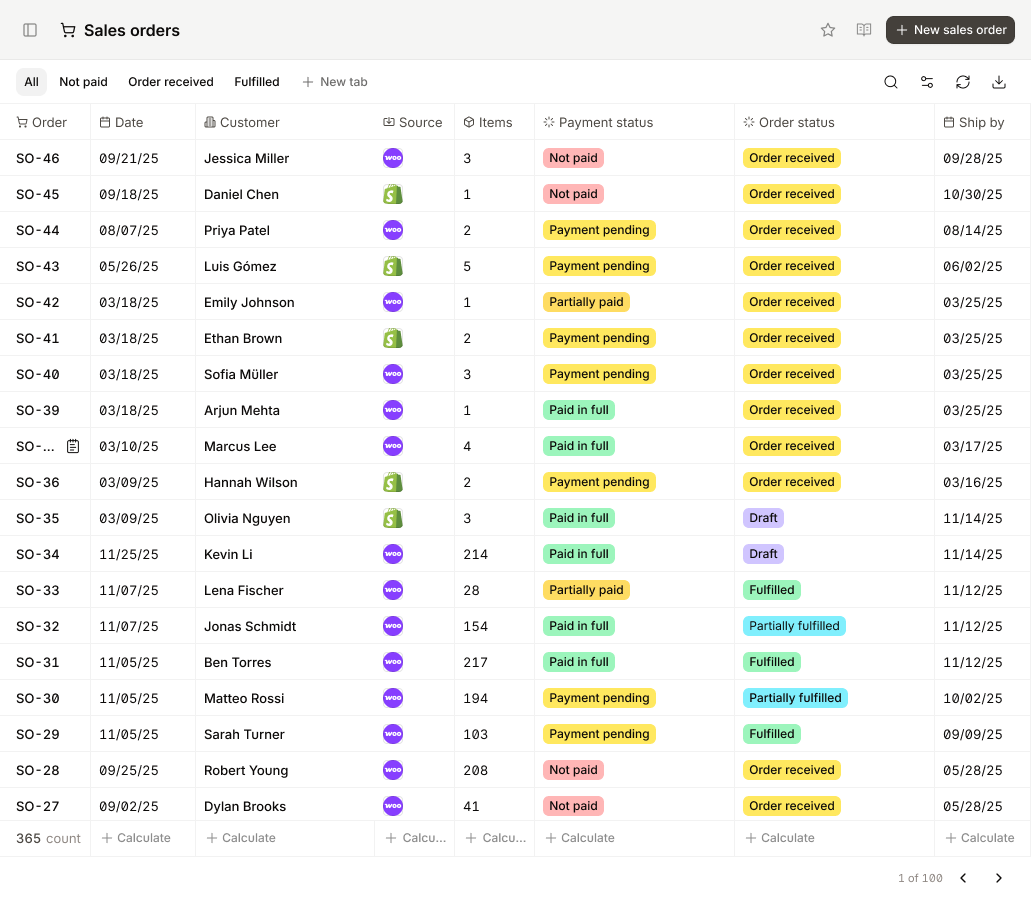
Digit is a cloud-based solution that gives manufacturers all the tools they need to manage their entire business from one system, helping you easily manage your:
- Procurement
- Production
- Inventory
- Fulfillment
If you’re a smaller manufacturer looking to scale but are currently struggling with spreadsheets or a legacy ERP system, Digit is an affordable upgrade that rivals even the most expensive solutions.
Core Features
- Single and multi-level Bill of Materials (BOM) management
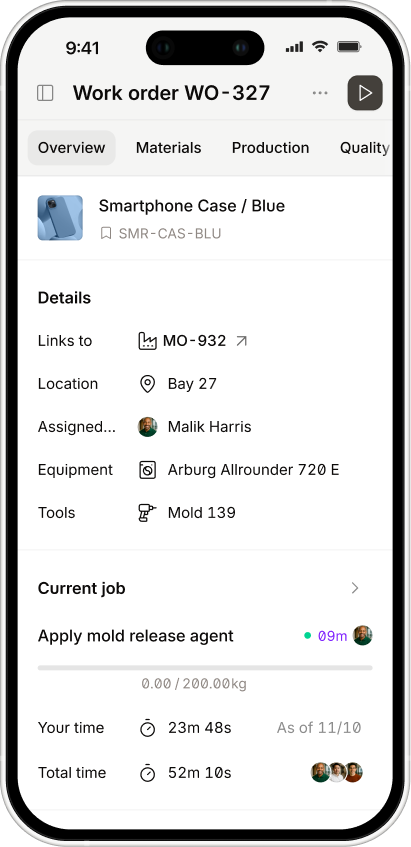
- Production planning, scheduling, and shop floor control
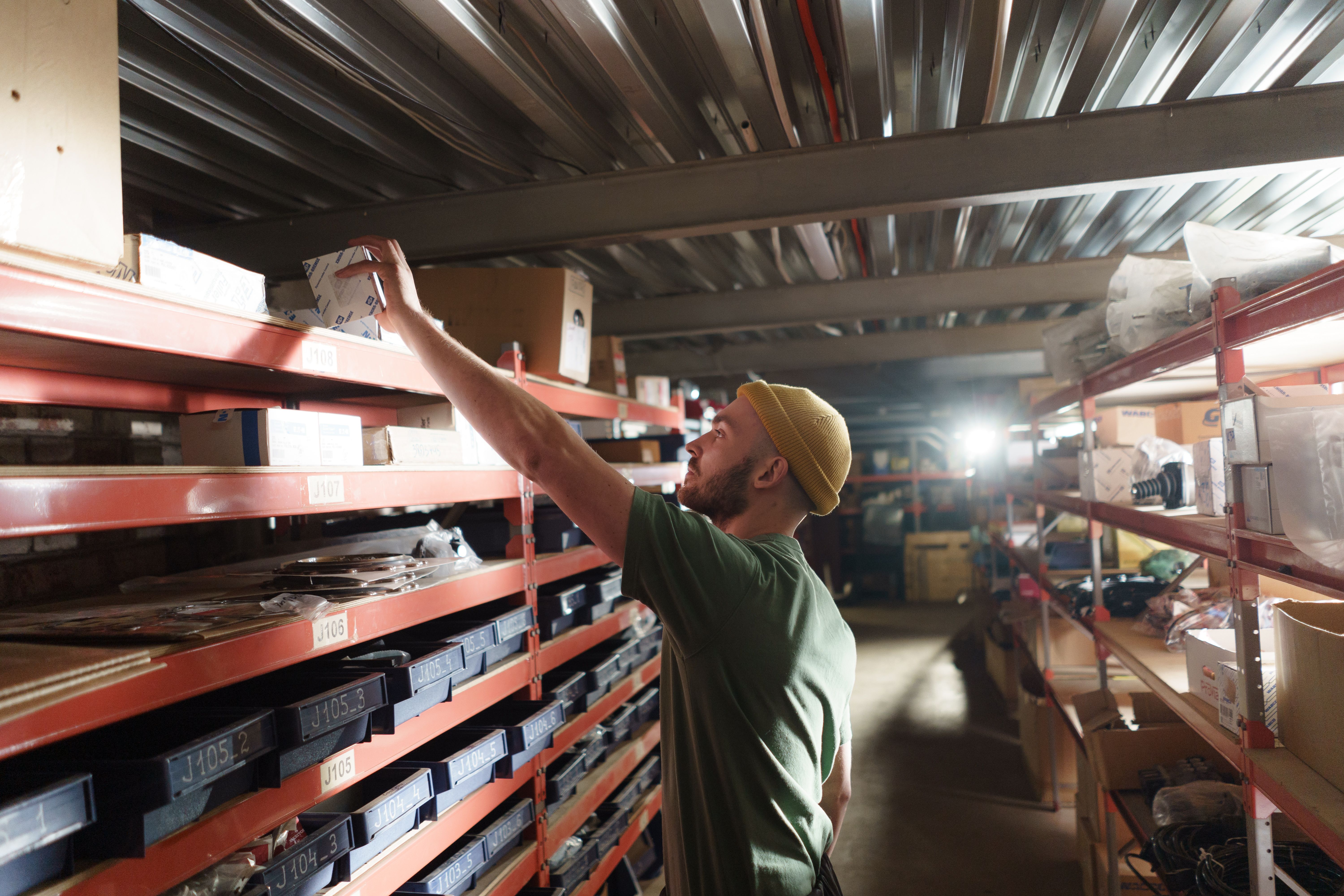
- Barcode-driven inventory tracking across raw materials, WIP, and finished goods
- Job costing with costs tied directly to production activity and financial records
Why Does Digit Win Best Manufacturing ERP Overall?
Although young, Digit comes jam-packed with the features available in the more established ERPs, but is designed to get you and your team up and running as soon as possible with its intuitive interface and easy-to-follow onboarding guides.
Typically, especially if a business goes with a bespoke on-premise solution, companies spend tens of thousands of dollars and months of implementation time getting a system working, but with Digit, your team will be operational in around 30 days.
If you head over to review sites, you'll see that users consistently praise Digit for its:
- Rapid implementation (days, not months)
- Extremely intuitive UI
- Best-in-class customer support
- Real-time, barcode-driven inventory accuracy
Want to see how Digit fits your operation? Book a demo, and we'll walk a live PO-to-ship flow against your current setup, and you'll come away knowing:
- Where Digit fits your workflow (and where it doesn't — we'll be straight with you)
- How it plugs into the tools you already run on (QuickBooks, Shopify, ShipStation, and others)
- What a 2-6 week rollout would look like for a team that operates like yours
2. NetSuite ERP
Best for large or complex manufacturers needing a full ERP.
Rating: 4.2/5
Pricing: Contact vendor (but be ready to fork over a lot of money)
Free trial: Not available
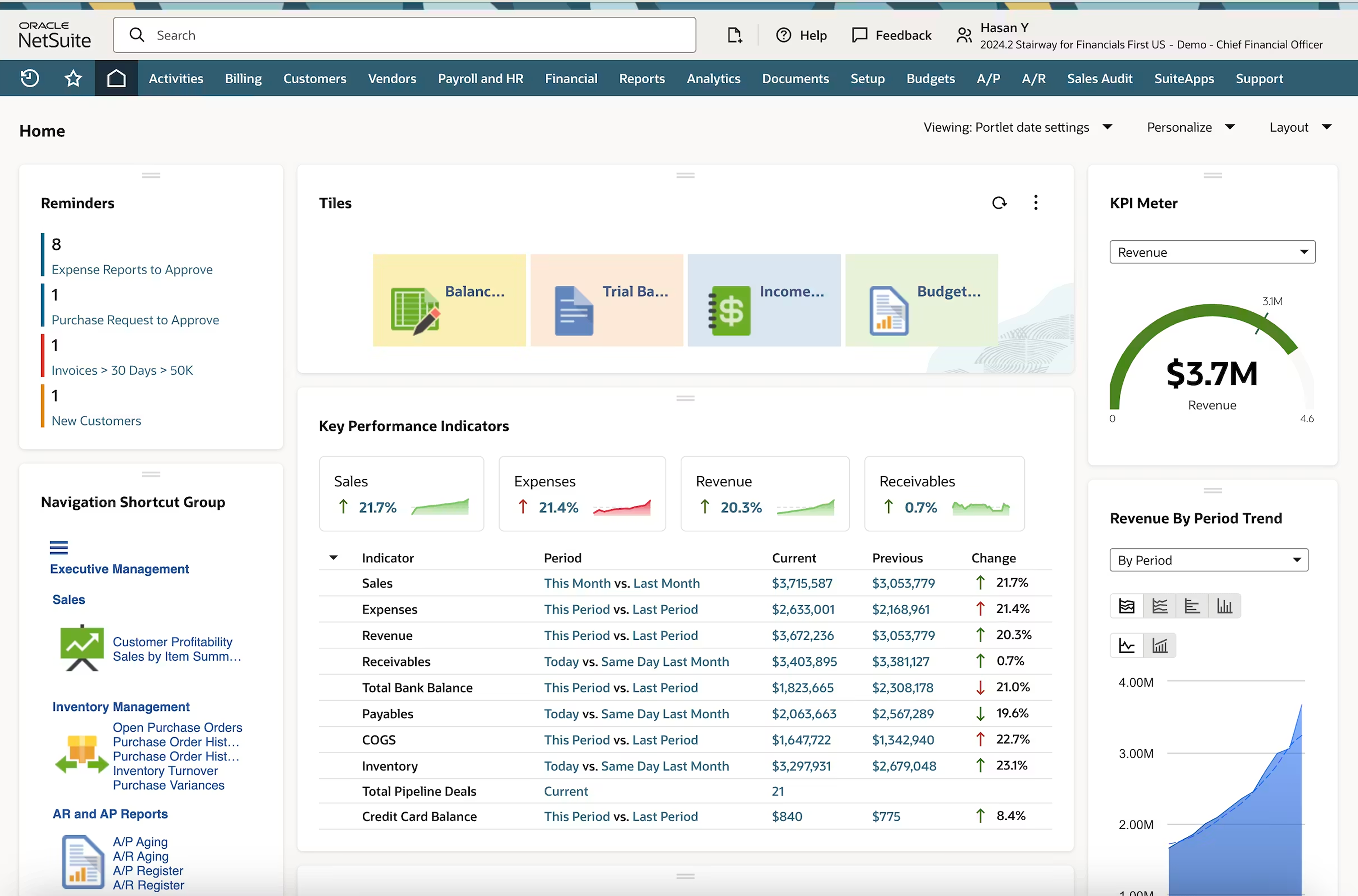
NetSuite is a cloud-based ERP from Oracle that combines manufacturing operations, financial management, inventory control, and back-office functions into a single, unified system.
It's one of the most widely adopted ERP platforms in the mid-market and enterprise space, and for manufacturers dealing with multiple locations, complex supply chains, or high transaction volumes, it's one of the few platforms that can handle that level of operational complexity without requiring a system change as you grow.
Core Features
- Multi-location inventory tracking with real-time visibility
- Demand planning and replenishment management
- Lot, batch, and serial number tracking
- Purchase order and supplier relationship management
- Billing, invoicing, and financial reporting
Pros
- Brings manufacturing, inventory, and financials into one system, removing the need to reconcile data across separate tools
- Scales reliably as your business grows in volume, headcount, and operational complexity
- Strong traceability controls make it well-suited for regulated industries or businesses managing perishable goods
Cons
- Significantly more expensive than lighter ERP or standalone tools, with additional costs tied to modules, users, and support tiers
- Implementation typically takes multiple quarters and will almost certainly require paid consultants or external partners
- The interface carries a steep learning curve, and advanced configuration often demands dedicated technical expertise
NetSuite Summary
For manufacturers that have outgrown lighter tools and need a system that can unify production, inventory, procurement, and financials under one roof, NetSuite has the depth to deliver. The trade-off is significant as the cost and implementation effort mean it's really only viable for businesses with the internal resources and runway to commit to a proper rollout.
3. Epicor Kinetic
Best for discrete and industrial manufacturers with complex production needs.
Rating: 3.8/5
Pricing: Contact vendor
Free trial: Not available
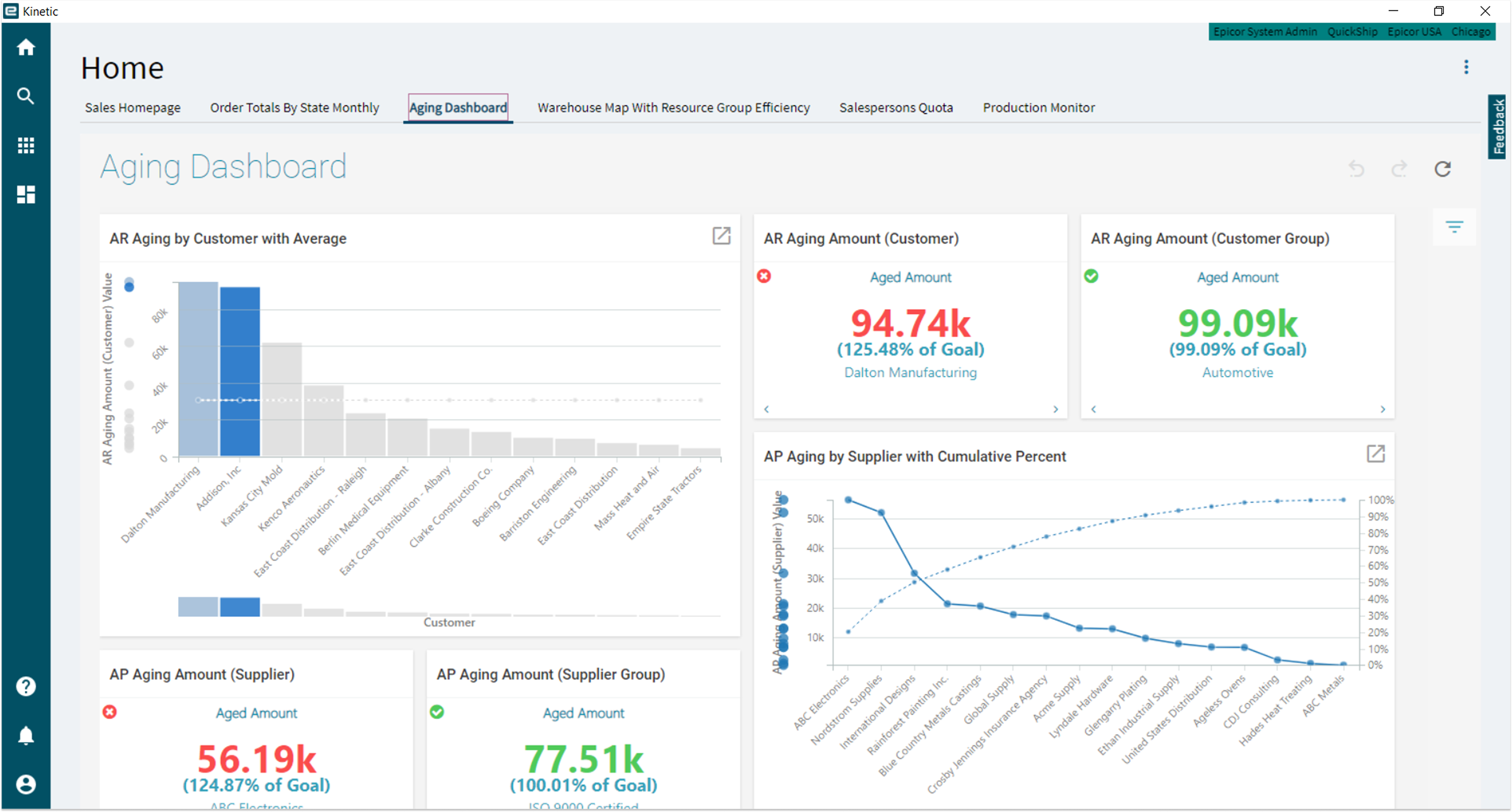
Epicor Kinetic is a cloud-based solution first, but can be deployed as an on-site only solution too, built more for manufacturers that follow a discrete or make-to-order workflow.
Most similar mid-market ERP systems give users a broad range of features to manage different business functions, but Kinetic goes deep on the manufacturing side of things to give you more control over production, supply chain, and financials, with things such as:
- Embedded AI
- Business intelligence
- IoT integrations
Core Features
- Advanced production planning and scheduling
- End-to-end supply chain and financial management
- Configurable system for cloud or on-premise access
Pros
- A great choice for discrete or make-to-order manufacturing businesses
- Deep functionality across production, supply chain, and financials for businesses that need that level of coverage
- Built-in AI, analytics, and IoT capabilities without requiring third-party tools for advanced operations
Cons
- Customer support is a consistent complaint in user reviews, given the implementation complexity
- Steeper learning curve and heavier implementation than lighter ERP systems
- Costs can escalate as customization, modules, and ongoing support requirements grow
- The interface can feel dated and less intuitive compared to other platforms in this list
Epicor Kinetic Summary
As already touched upon, if you’re a mid-market discrete manufacturer, then the production planning features of Epicor are going to give you what you need to manage your production runs as well as other areas of your business. However, the issue will be how long it takes to see a return on investment, as the implementation window is months-long and will require you to pay consultants to help you get it all set up.
4. Acumatica Cloud ERP
Best for growing small to mid-sized manufacturers that want to scale without per-user licensing costs.
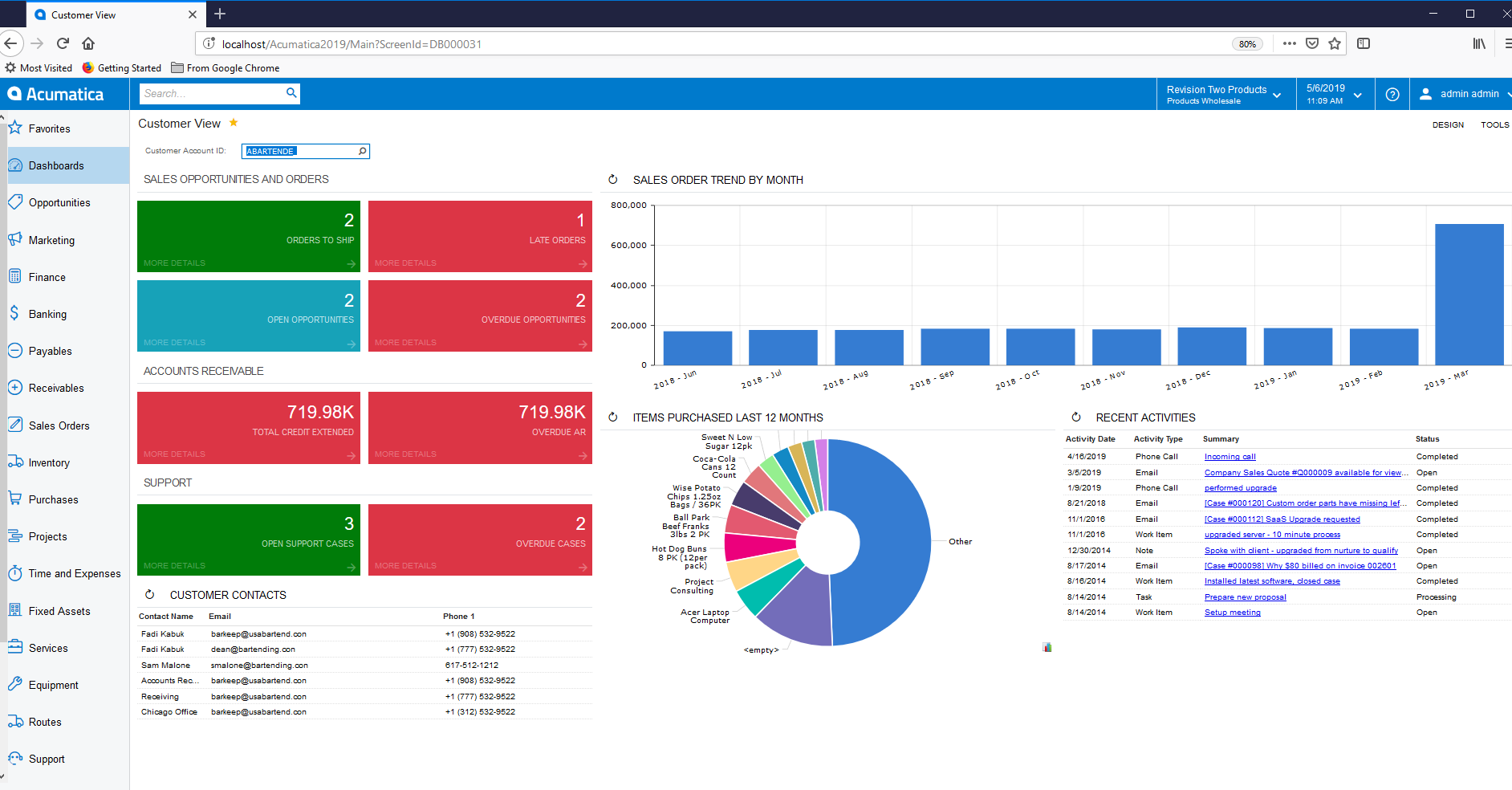
Visual input: Screenshot of Acumatica's homepage.
Rating: 4.4/5
Pricing: Contact vendor (consumption-based pricing model)
Free trial: Not available
Moving away from the larger businesses and focusing on the small to mid-sized ones, we have the cloud-based ERP platform Acumatica, which is not only one of the best ERP for manufacturing, but supports other industries too, such as:
- Distribution
- Construction
- Retail
The reason we selected this as one of the best ERP software systems for manufacturing is because of the way it prices its product. Most ERPs are priced based on the number of users with access. Acumatica went a different direction and priced based on how much your business actually uses the software. This means that if you’re looking for an ERP but want to roll it out gradually across your business (or you're expecting your headcount to grow in the future), it helps you keep costs low and only start paying more once you need to use the software more.
Core Features
- Inventory management and real-time tracking across multiple warehouses
- Financial management, including general ledger, accounts payable and receivable, and cash management
- Sales order, procurement, and fulfillment management
- Open API for integrating accounting, e-commerce, shipping, and other business-critical tools
Pros
- Unlimited user access under the consumption-based model makes it cost-effective for businesses with large or fast-growing teams
- Highly flexible and customizable through its open API, giving businesses room to adapt the system without always needing a developer
- Consistently praised in reviews as a platform that can grow alongside a business without forcing a system change
Cons
- Complex and time-consuming to implement, with most businesses needing a certified partner to configure it properly
- Reporting and analytics capabilities are limited out of the box, and filling that gap typically means turning to additional tools
- The consumption-based model works in your favor early on, but as transaction volumes grow and modules are added, costs can climb to a point where the value proposition starts to erode
Acumatica Summary
Deciding on using Acumatica will be worth it if you’re planning to onboard a lot of people as you introduce it into the company, as the costs will be lower at first. The cost will come later however as your business starts to grow and you require more computing resources to manage orders, and you’ll also struggle with the reporting limitations until you get set up with another tool to handle your reports.
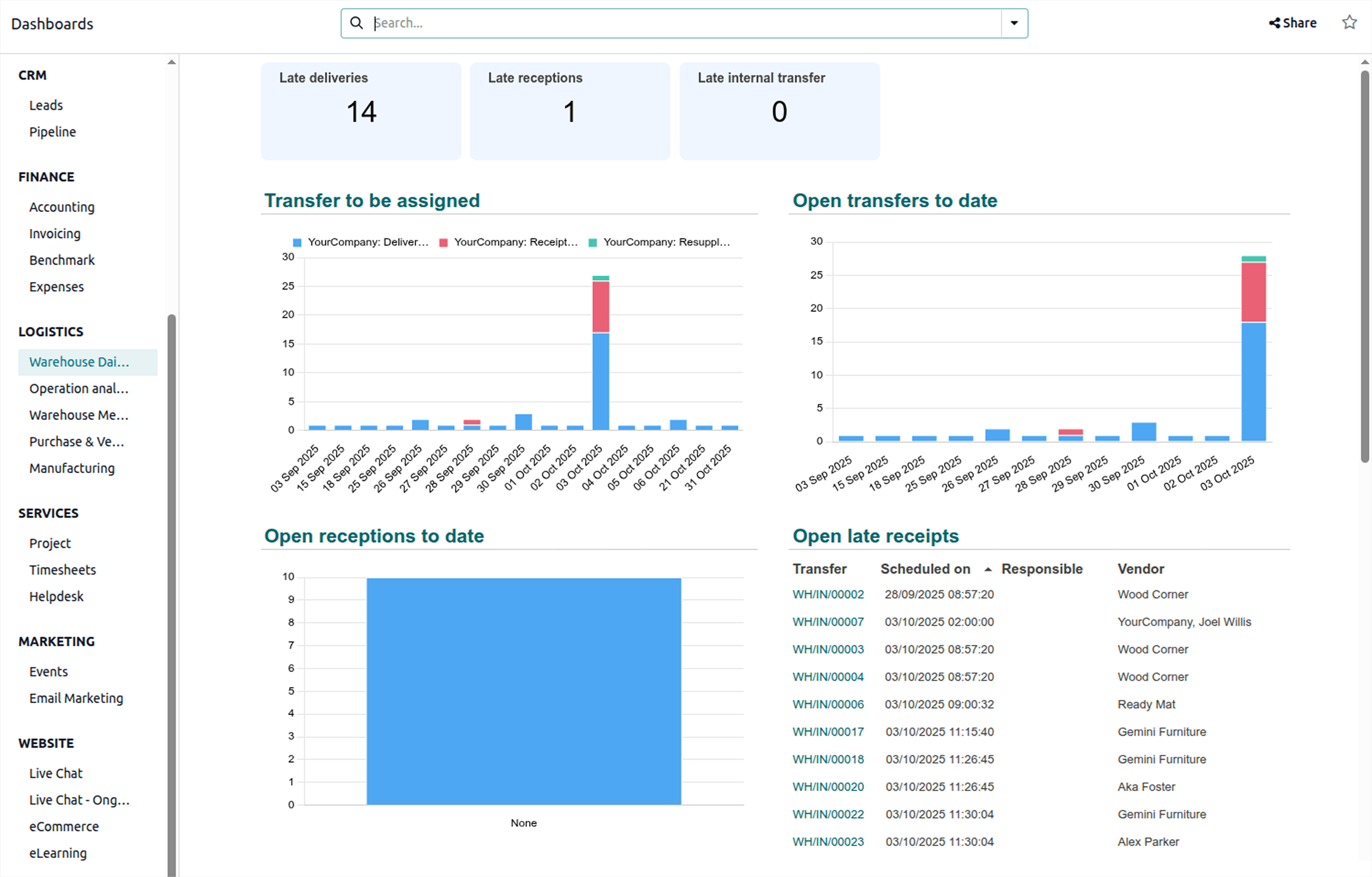
5. Odoo
Best open-source and modular ERP option for manufacturers.
Rating: 4.2/5
Pricing: Free Community plan; paid plans start at around $31/user/month
Free trial: Free Community edition available
And last but not least, for the best manufacturing ERP systems, we have the household name of Odoo, an open-source ERP that almost any business type can use to configure an ERP system that best serves their business use case, including:
- Manufacturing
- Inventory
- CRM
- Accounting
We wanted to give Odoo a shout-out in this best manufacturing ERP systems article because it’s the only one that doesn’t bundle all its features into one package and instead lets you build the system around your business workflows. What this means is that if you want inventory management but don’t need serialized number tracking, you can pick and choose the modules you need and only pay for the ones you use.
Then, if you decide you would like to introduce traceability into your workflows, you pay for the module to be included in your system.
Core Features
- Modular manufacturing, inventory, procurement, and financial management
- Free Community edition with access to core modules
- CRM, accounting, and e-commerce modules are available as your needs expand
- Open-source codebase allowing deep customization for businesses with development resources
Pros
- The modular structure means you only pay for what you need, making it one of the most flexible platforms on this list
- The free Community edition gives manufacturers an opportunity to test the platform before committing to payments
- Scales across your business function by function as operations grow
Cons
- The technical setup has a steep learning curve and will typically require developers or certified partners to configure properly
- Users frequently report bugs and difficulties during version upgrades
- Costs can rise faster than expected as apps, users, and hosting requirements are added
- Customer support quality is inconsistent, particularly on lower-tier plans
Odoo Summary
Odoo took this spot on our choice for the best ERP software systems for manufacturing due to it being modular, meaning you essentially get a bespoke product without the costs of a personally customized solution.
For a micro- or small-scale manufacturer with limited resources, Odoo gives you the chance to get your hands on a manufacturing ERP solution while keeping costs low. Unfortunately, Odoo faces the same problems as almost all other solutions on this list: it is complicated to set up and will require time and effort from you and your team to run properly.
And there you have it!
The best manufacturing ERP systems available online right now. But knowing that there are 5 out there is one thing. The next step is to determine which is best for your business.
How to Choose the Right Manufacturing ERP
If you’re looking to implement a manufacturing ERP into your business, you can start with the 5 above — theoretically.
But, realistically, that wouldn’t make sense. For example, if you have a budget of only $2,500, almost all tools are excluded. Or if a software is built to fit a specific manufacturing flow and you don’t use those processes, then it’s another reason not to proceed.
Sitting down and determining exactly what you need from the software will help you choose the best manufacturing ERP system for your business. You can use the following as a guide to help you define some criteria:
Start with Your Manufacturing Process
Your manufacturing process will need software that can support it, so it makes sense to start with this as a filter when you begin looking.
As this article points out, ERP systems aren’t built with the same set of functionalities or capabilities, as some are designed for a specific type of workflow (like Epicor Kinetic). You should narrow your shortlist to providers that can support your manufacturing processes, as doing so now will save you a significant amount of configuration effort down the line.
Pro tip: Some solutions, like Digit, can support different workflows and even industries like distribution — the trick is to make sure that it’s not a specialized tool that only focuses on one way of working.
Define What You Need
Don’t rush into demos or even sign up for trials — the first thing you should do (after identifying your manufacturing processes) is to outline the bottlenecks and problems you want to solve.
Once you have these documented, you can define measurable targets on how they should be fixed, and use those targets or goalposts in your evaluation criteria for software. This will help you ask the right questions or stress-test the systems to determine whether the vendor’s solution can solve your problems, without having to trust their sales deck.
Plan for the Total Cost of Ownership — Not Just the License Fee
When it comes to the majority of ERPs online, it's an unfortunate reality that the price indicated on their website is not the same as the money you'll end up paying.
You’ll likely pay double or a lot more than the sticker prices, especially for the more complex systems, because you’ll have to fork out money for:
- Implementation
- Data migration
- Training
- Integration work
- Ongoing support
When deciding which ERP solution to go with, try to map out a realistic cost picture across the first two to three years of using a system, speak with current users if possible, and get a concrete idea of the implementation timeline — you can even ask the vendors directly for this, and be skeptical of them if they struggle to give you a clear answer.
Run a Real Workflow As Your Final Test
You have your shortlist, you're talking to vendors, and the final step is pressure-testing each one against your actual operation, your edge cases, your integrations, your team's day-to-day.
The best way to do that is to sit down with each vendor and have them walk a complete workflow against your setup. You're listening for:
- Where the integrations break (or where they're missing entirely)
- Where the UI gets in the way of your team
- What the system can't do that you need it to
And that's it for our best manufacturing ERP systems. If you'd like Digit to run that test for you, book a demo, and we'll walk a live PO-to-ship flow against your operation and be straight about where we fit and where we don't. Any other questions, feel free to reach out.



.jpg)