

Manage your entire business and supply chain all from one place, accessible via the cloud, with Digit.












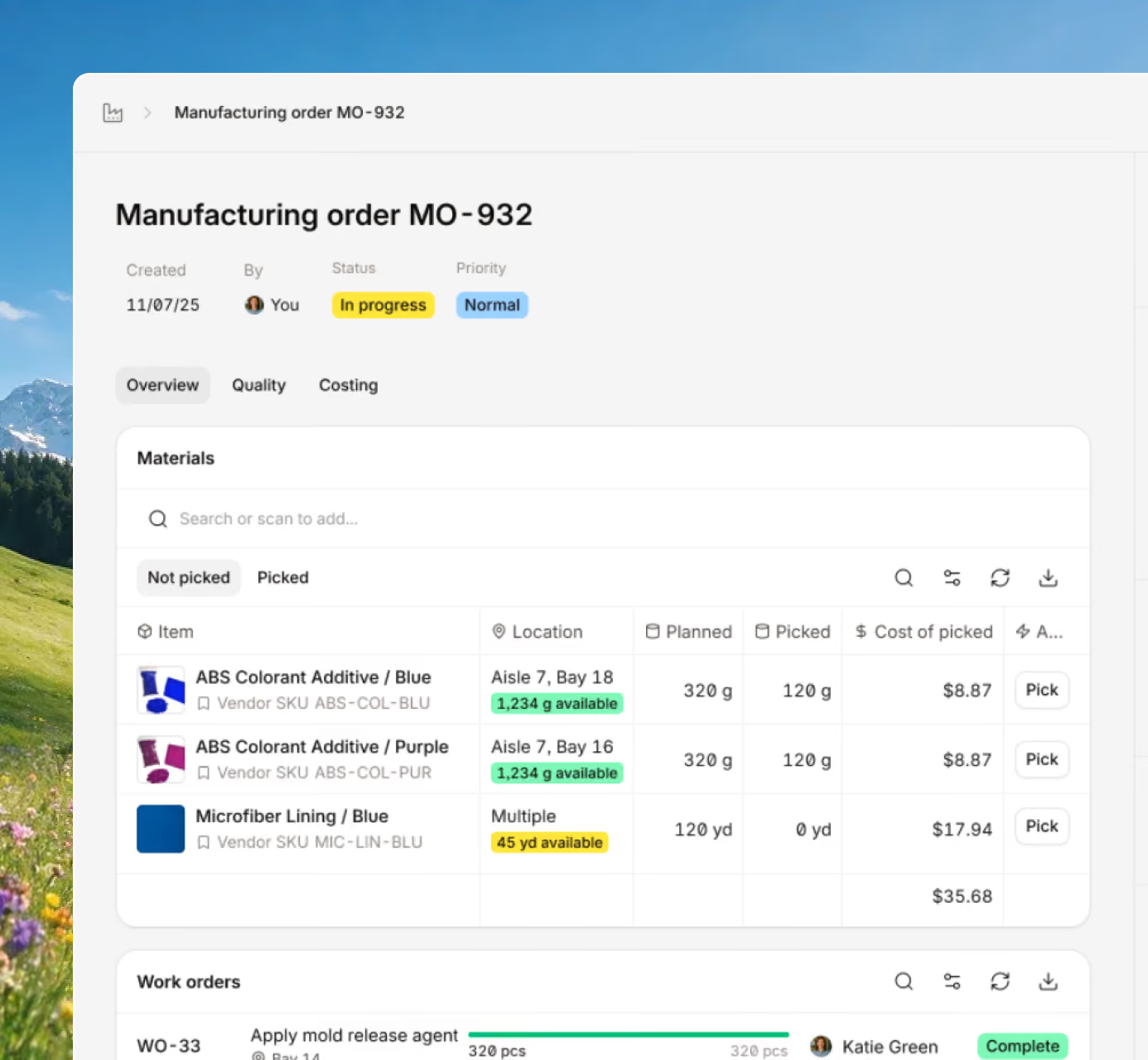







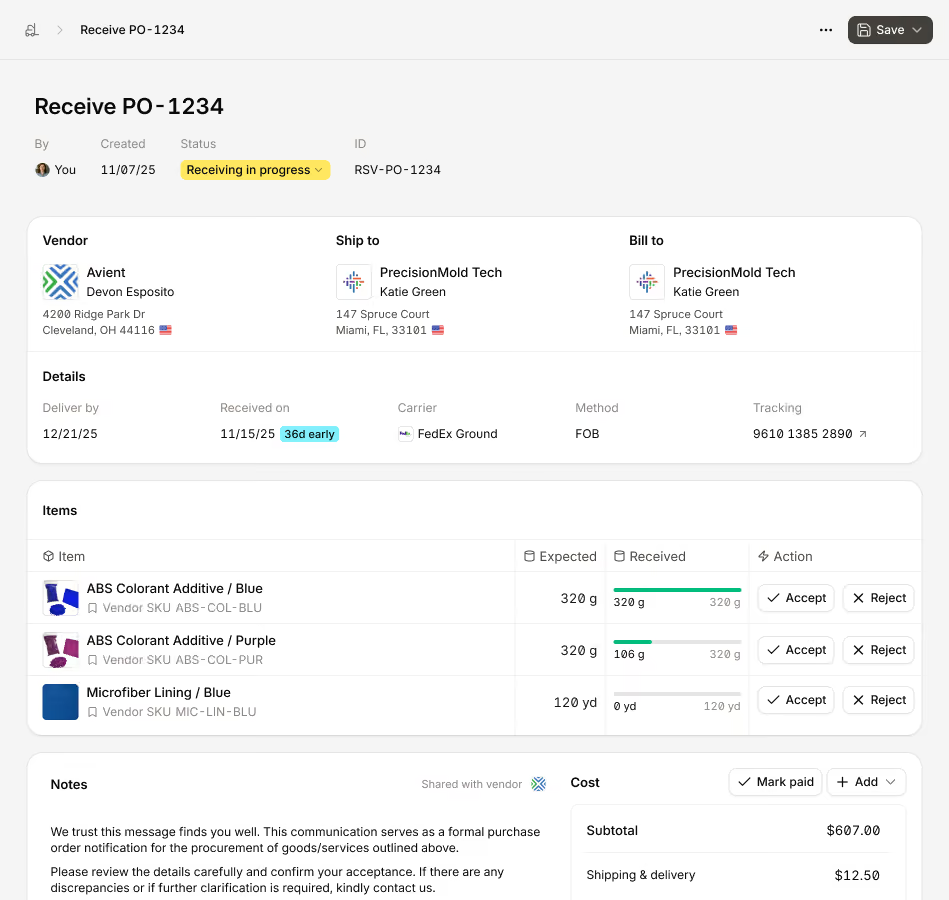
See live inventory counts the moment items are received, moved, or shipped. Keep totals accurate across sites and bins without having to manually update.

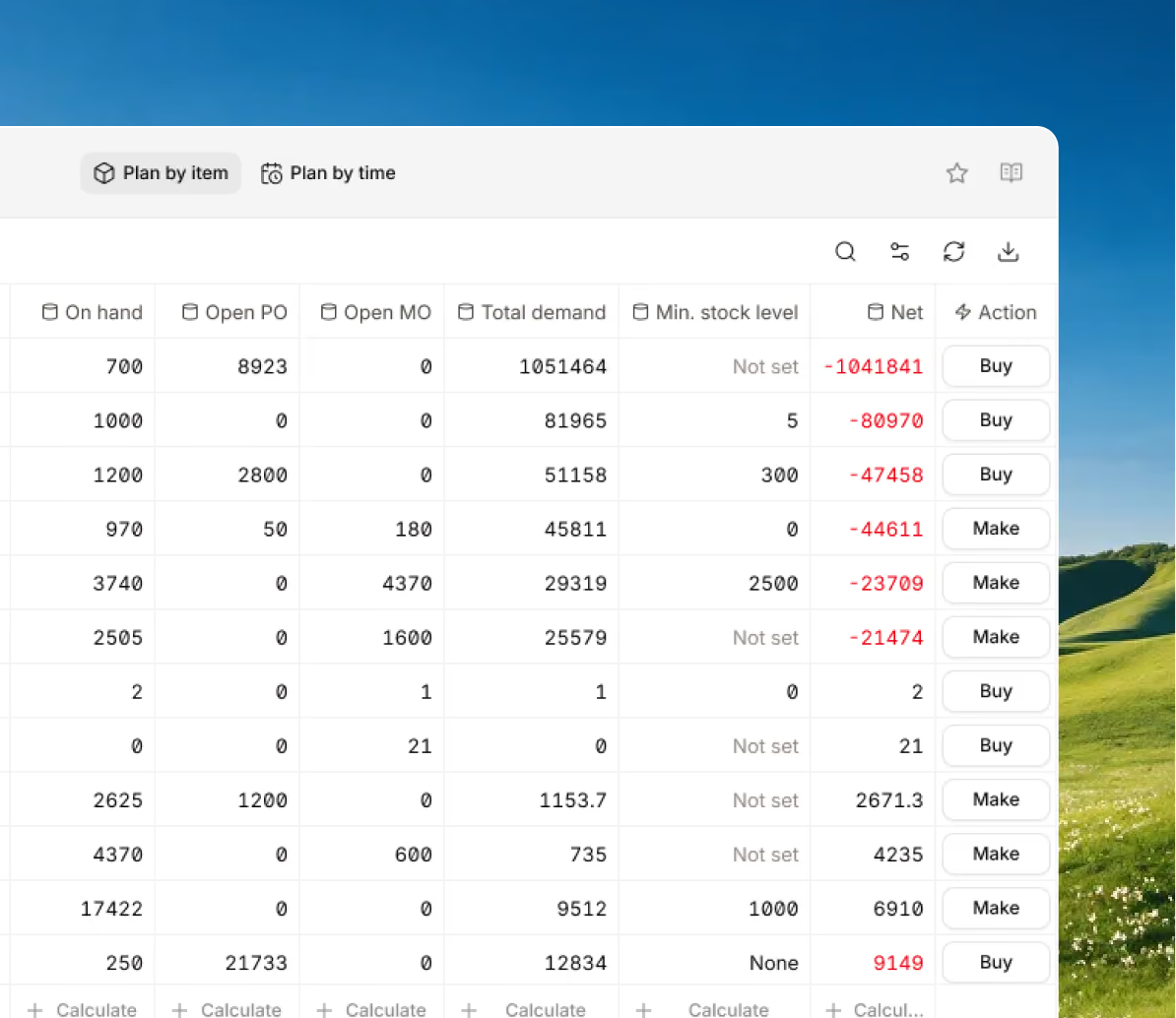
Plan, release, and track work with clear routing and deliverables. Stay on schedule with an MO calendar and built-in job scheduler.
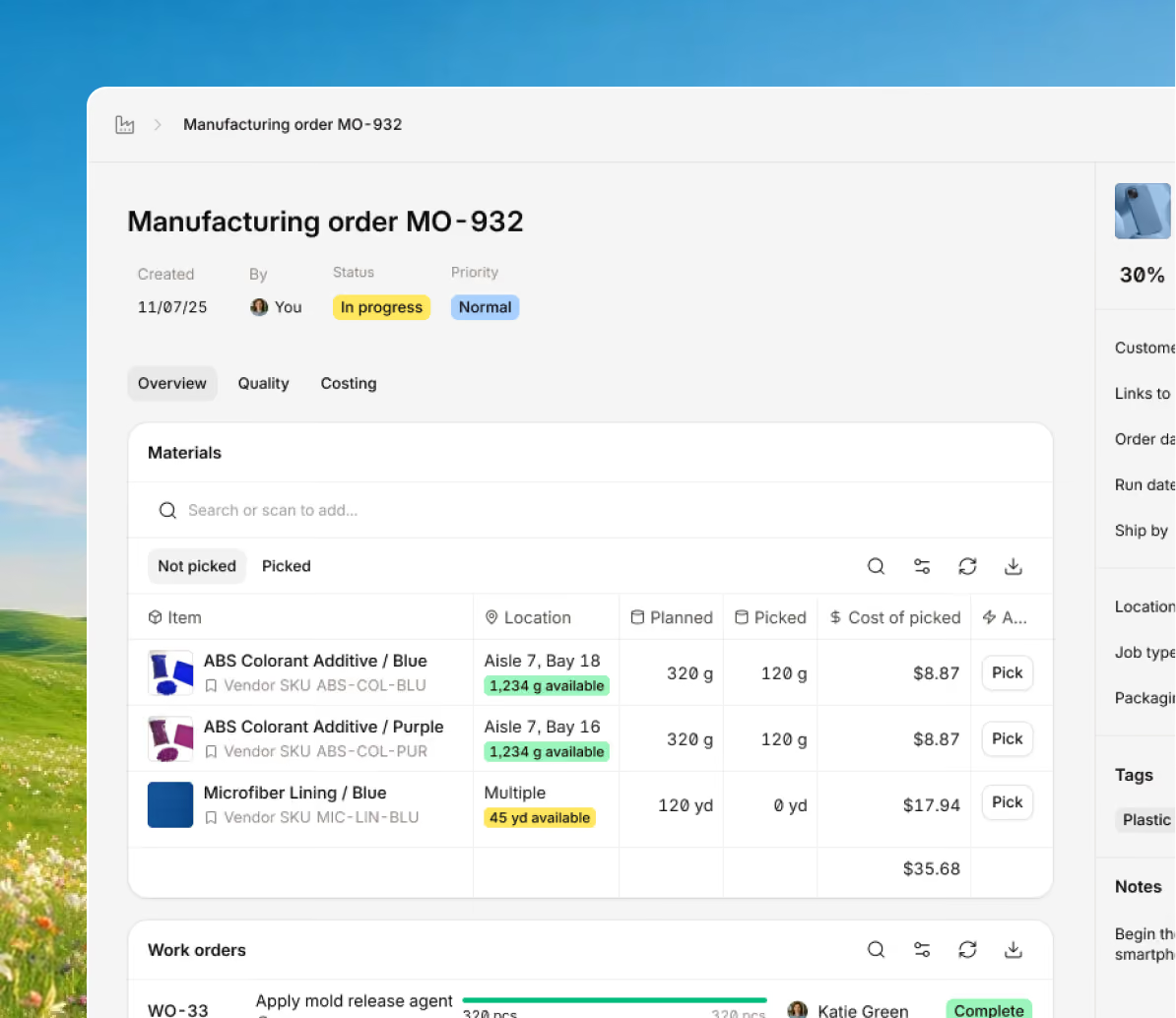
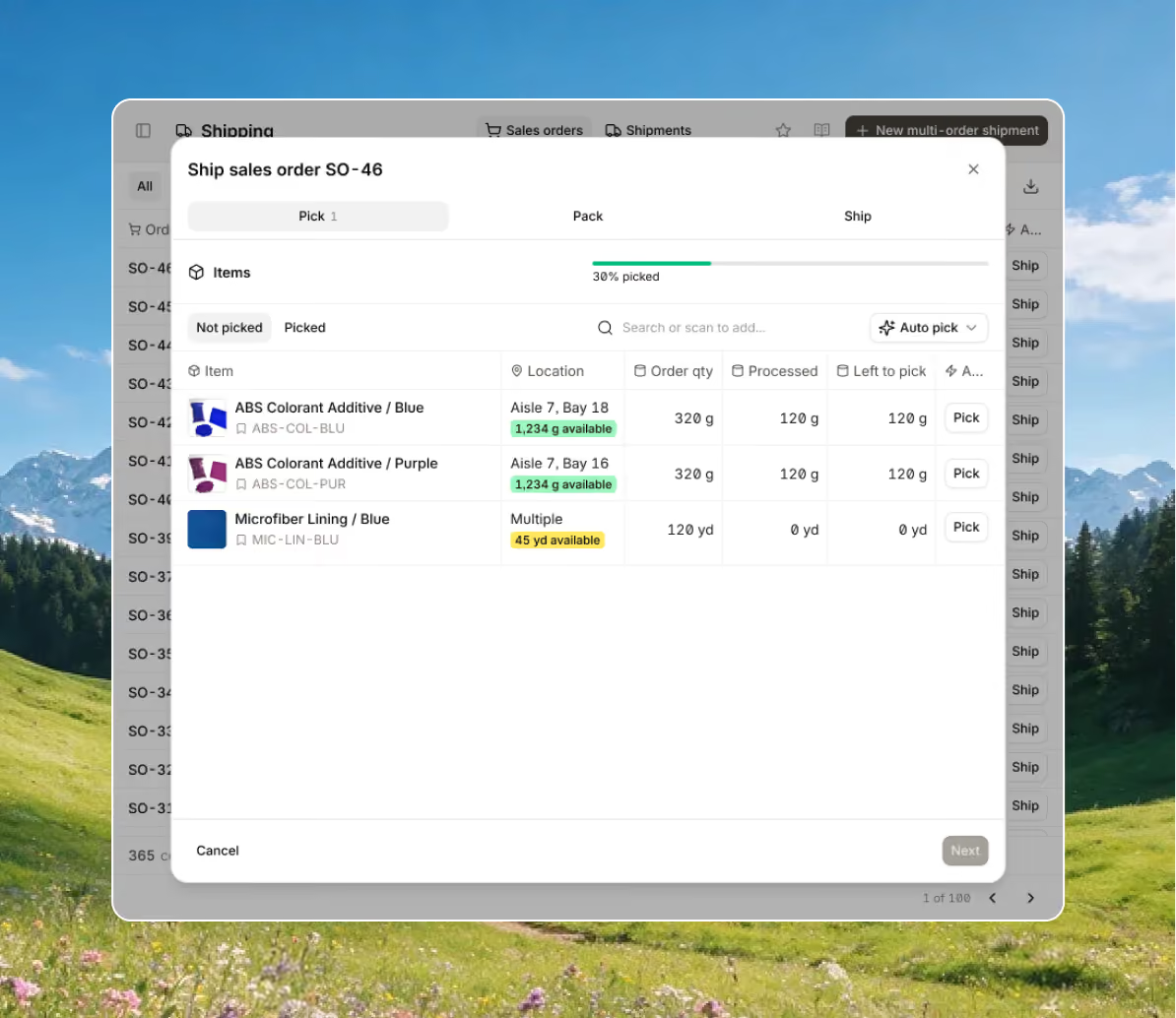
Create pick lists, confirm each item at pack, and ship with correct documentation so nothing gets missed. Orders go out right the first time.
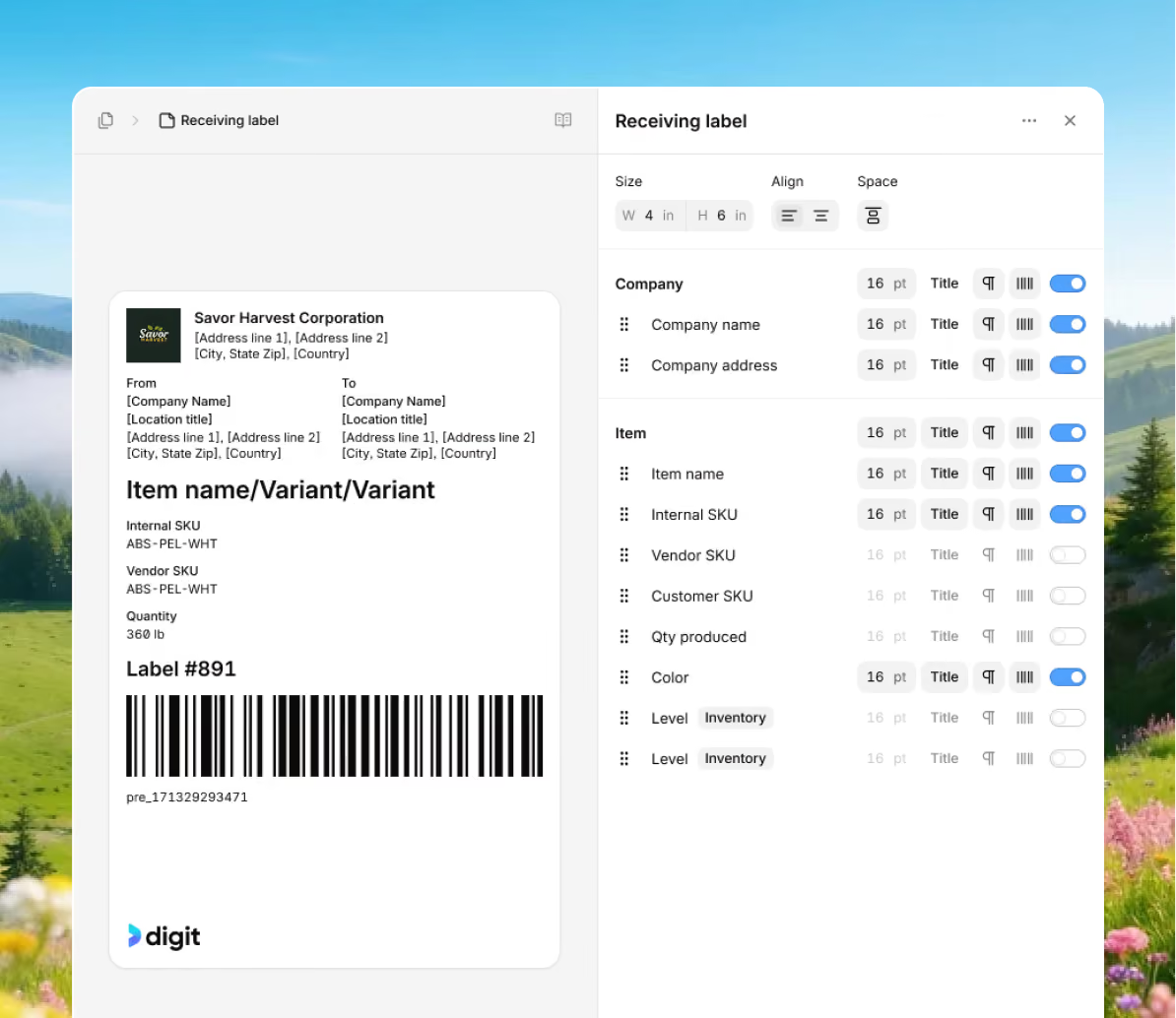
Cut errors with scanning and print the highly customizable labels you need, place them on items or bin locations to turn your inventory tracking into point-and-click.
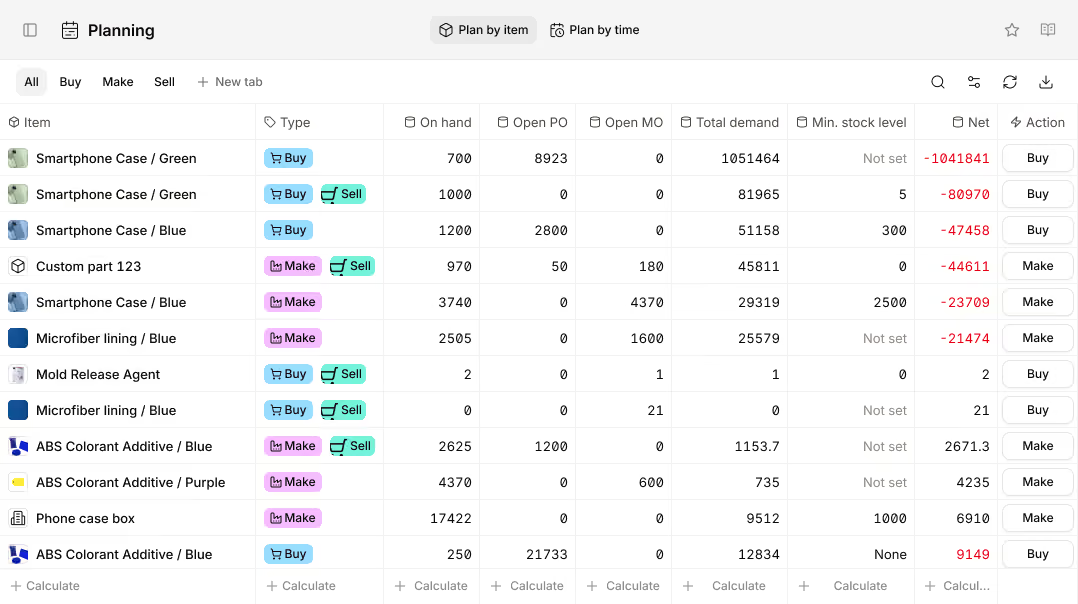
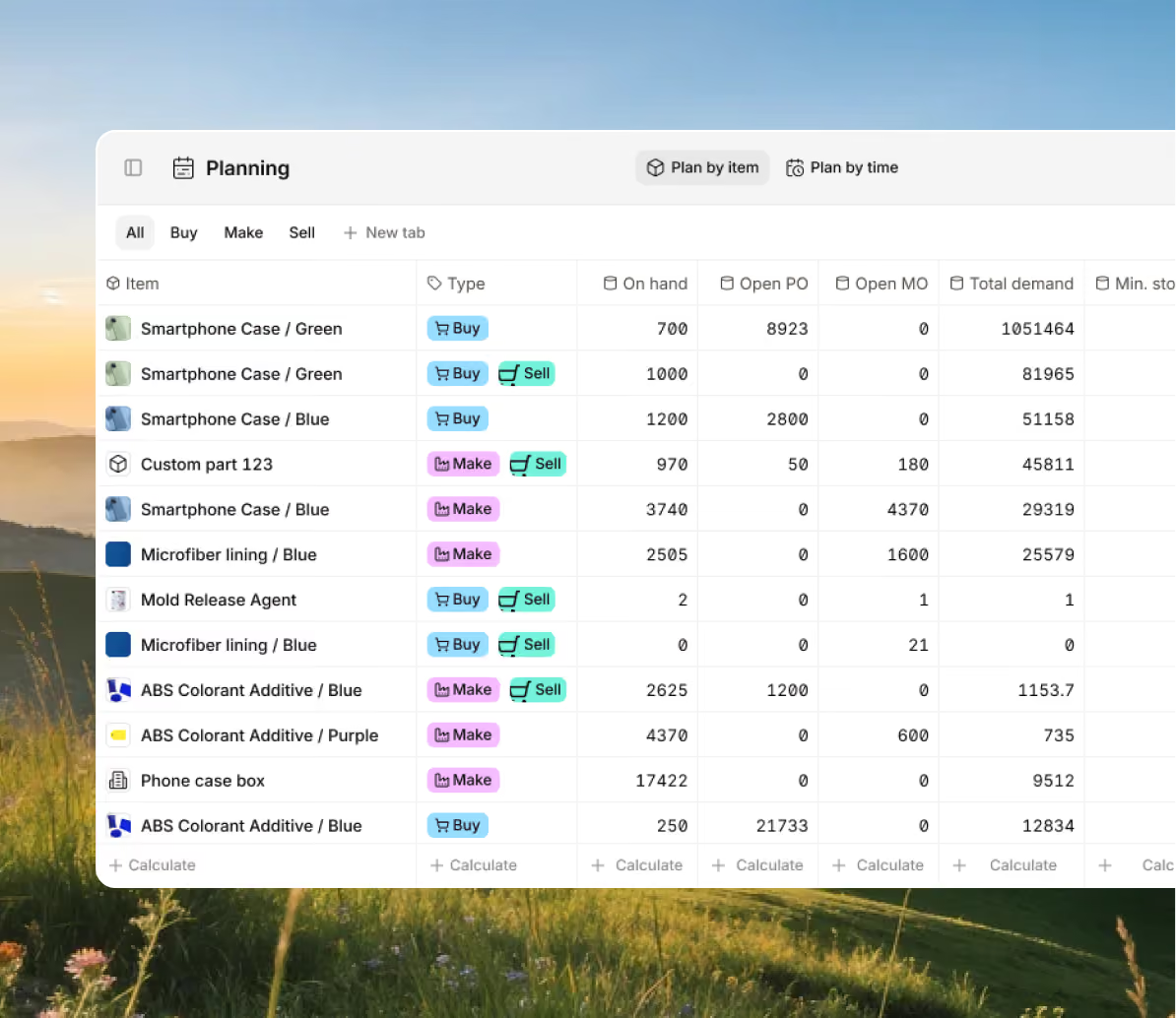
See what you need and when. Align purchasing, manufacturing, and inventory level to meet demand without overstocking or production stopping stockouts.
Build complex products with accurate, controlled BOMs that keep costs and versions in check.
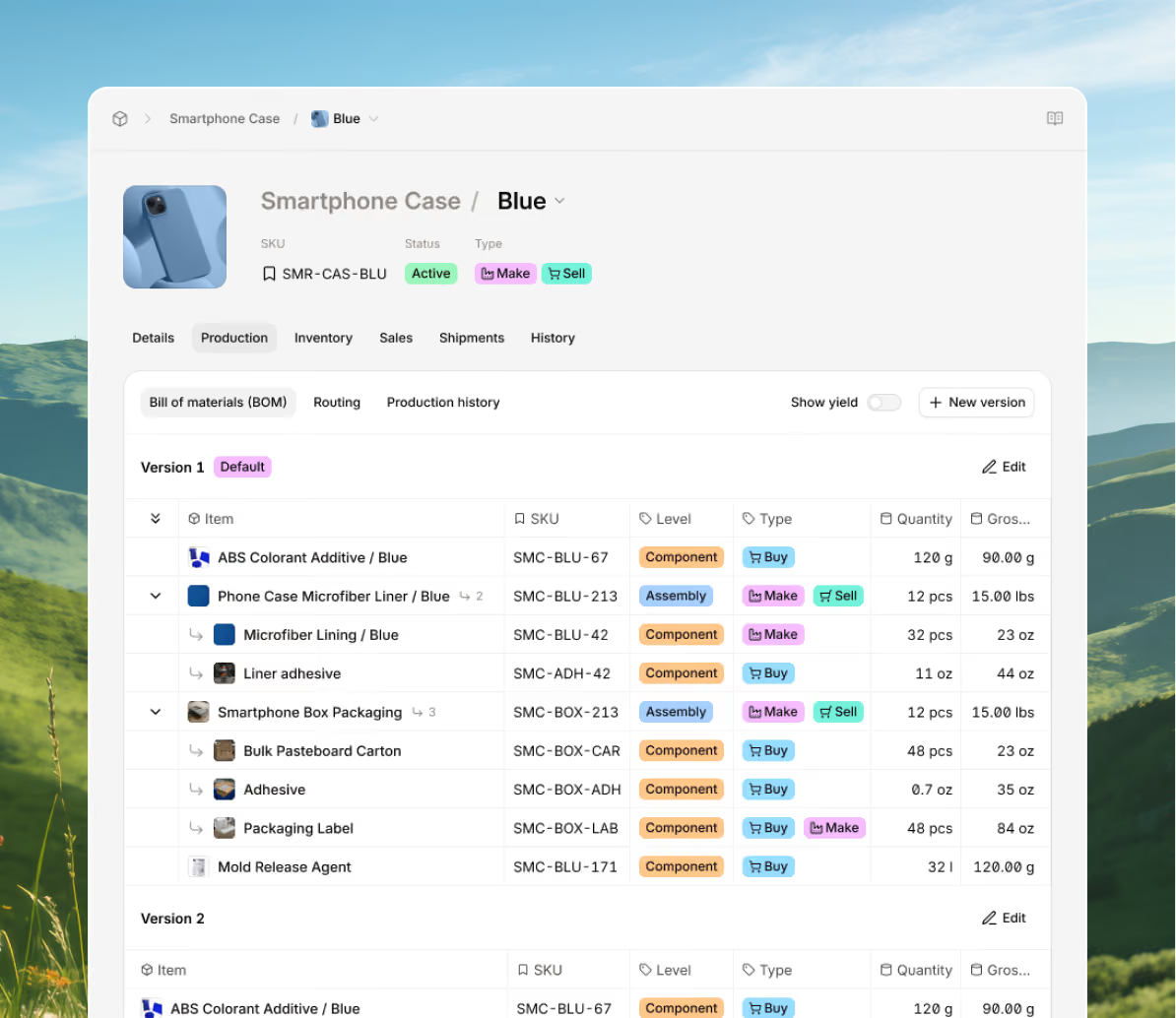
Bring every sales channel and accounting tool together in one system with seamless syncing and flexible API access.





Bring your inventory, accounting, and production together in stock management software built for manufacturers. Keep every part of your business connected, accurate, and easy to track.


100+ manufacturers and distributors have replaced spreadsheets and legacy ERPs with Digit.

If I can capture two seconds across 19 machines across a 24-hour span, I'll save the customer thousands of dollars.
Chris Johnson


“The impact Digit has had has been enormous, saving a lot of time, capturing a lot of data, streamlining a lot of processes, with a system that everyone loves to use.”
Tanner Thomas

“Digit has given us the insight into current and upcoming stock on our ingredients and raw materials needed for production. This allows us to procure more before we stock out and to be confident that we have enough to finish any upcoming production run.”
Adam Davis
"Digit is the most adaptable, user-friendly software we have ever used."
Joe Watkins
%2520(1).webp)
"With Digit, everything from our inventory to our production data is the word of truth. I can trust it. I can rely on it."
Joshua Burris


Your most frequently asked questions, all in one place. If you don’t see what you need, reach out to us.
ERP software improves manufacturing efficiency by connecting people, processes, and data in one system.
It gives managers and shop floor workers the tools to manage production, materials, and costs more accurately while reducing repetitive work and communication gaps. However, it goes beyond the production lines, by helping to unite other departments on a shared, real-time platform, ERP eliminates the need for manual entry and separate tools.
Automation plays a major role in improving efficiency within your manufacturing.
Tasks such as monitoring and updating stock movements, creating purchase orders, and updating schedules can easily be automated with an ERP, saving time, reducing errors, and allowing staff to focus on higher-value work. A single source of truth means teams from any department can access the same information, making approvals faster and coordination easier.
Most ERPs also come with advanced planning and scheduling features.
Features that allow manufacturers to see available materials, active jobs, and machine capacity in real time. The system automatically adjusts when new orders arrive or stock levels change, keeping production balanced and avoiding costly delays. Linking sales forecasts to production capacity improves planning accuracy and prevents shortages.
You can also benefit by getting better insights into your inventory and supply chain, as a manufacturing ERP system tracks every material movement, from receiving to shipping, and updates stock levels in real time, helping to maintain the right balance between supply and demand while avoiding waste or overstocking.
The three key features to look for in manufacturing ERP software are production planning, inventory control, and cost tracking. But almost all solutions go beyond just those three, and to find the right for yourself, here are a bunch of other things that the best ERP for manufacturing will contain:
Integrated cost tracking: Manufacturing ERP software provides full visibility into material, labor, and overhead expenses. Real-time cost tracking helps managers evaluate profitability, adjust pricing, and plan future budgets more accurately.
A manufacturing ERP system supports a wide range of industries that rely on efficient production, accurate inventory control, and, most importantly, compliance with regulations.
General Manufacturing: Connects purchasing, production, and sales to improve efficiency, cost control, and decision-making.
When searching for manufacturing software, you’ve probably seen the terms MRP and ERP.
MRP stands for Material Requirements Planning. Both systems help manufacturers organize and manage operations, but they focus on different levels of the business.
ERP manufacturing software connects all parts of a company, including finance, HR, sales, purchasing, and manufacturing, in one centralized platform.
This allows everyone in the company, regardless of if they work on the manufacturing side of the business or not, to access the same data, improving collaboration and decision-making across the board. It’s not just horizontal communication and understanding that improves, but managers and c-suite can monitor performance, identify problems, and plan growth using accurate insights. Nowadays cloud manufacturing ERPs are available, meaning they can be accessed anywhere and expanded with new tools as the business grows.
MRPs on the other hand are designed and focus primarily on production.
It helps manufacturers plan material requirements and production planning. You’d want to use an MRP if you’re looking for something to help you manage materials, manufacturing orders, and inventory to keep production efficient and uninterrupted. It is especially useful for smaller or mid-sized manufacturers that need to balance stock levels, reduce waste, and keep production on time.
Digit combines the strengths of MRP and ERP in one connected cloud system.
It helps manufacturers plan materials, schedule jobs, and track production like an MRP, while also managing finance, sales, and supply chain data like an ERP.
At a certain point as a business grows, an ERP becomes essential. It’ll give you a single system to manage everything from production to payroll across multiple locations or departments. With ERP, you can:
MRP is ideal if your main challenges involve:
It gives manufacturers control over purchasing, inventory, and scheduling so that materials are available when needed and costs stay manageable.
