

Create and manage single- or multi-level bills of materials, ensuring consistent quality across all your operations. Digit gives you the tools to manage BOM versions and track actual yield after production runs.












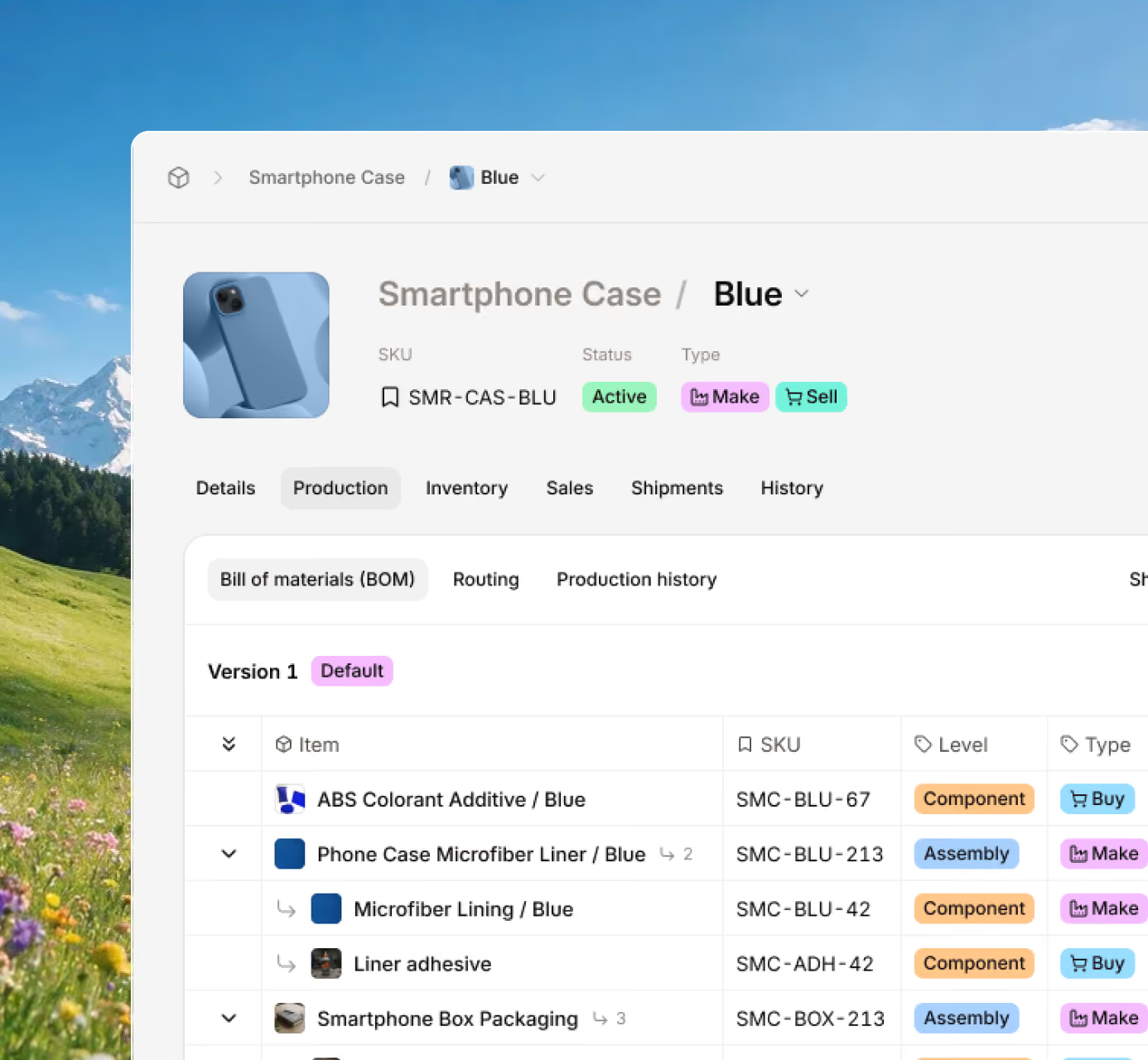







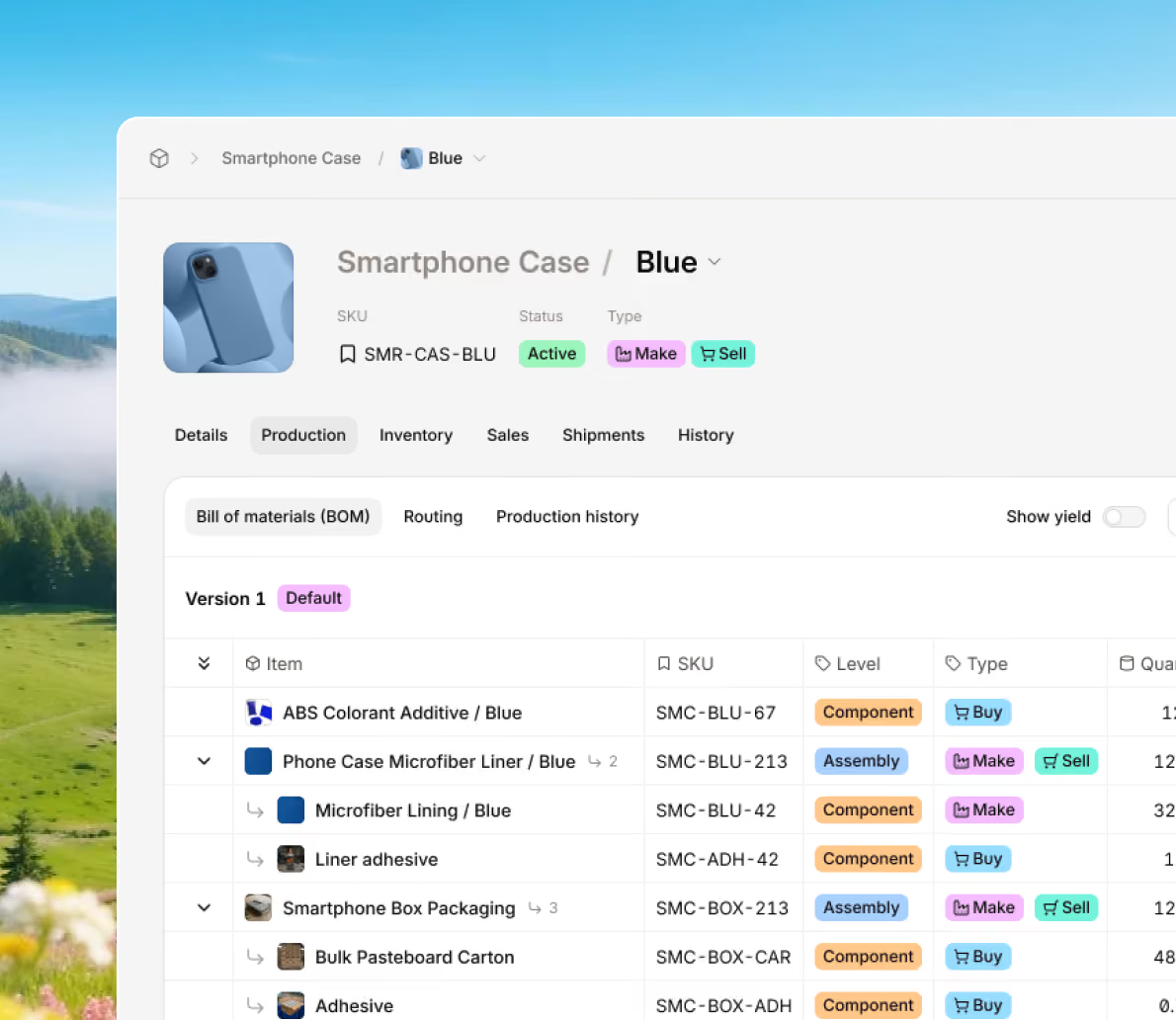
Support your production runs with the exact details you need to make a product. Digit provides you with simple and multi-level BOMs, so you can include all the important details needed for building your products.

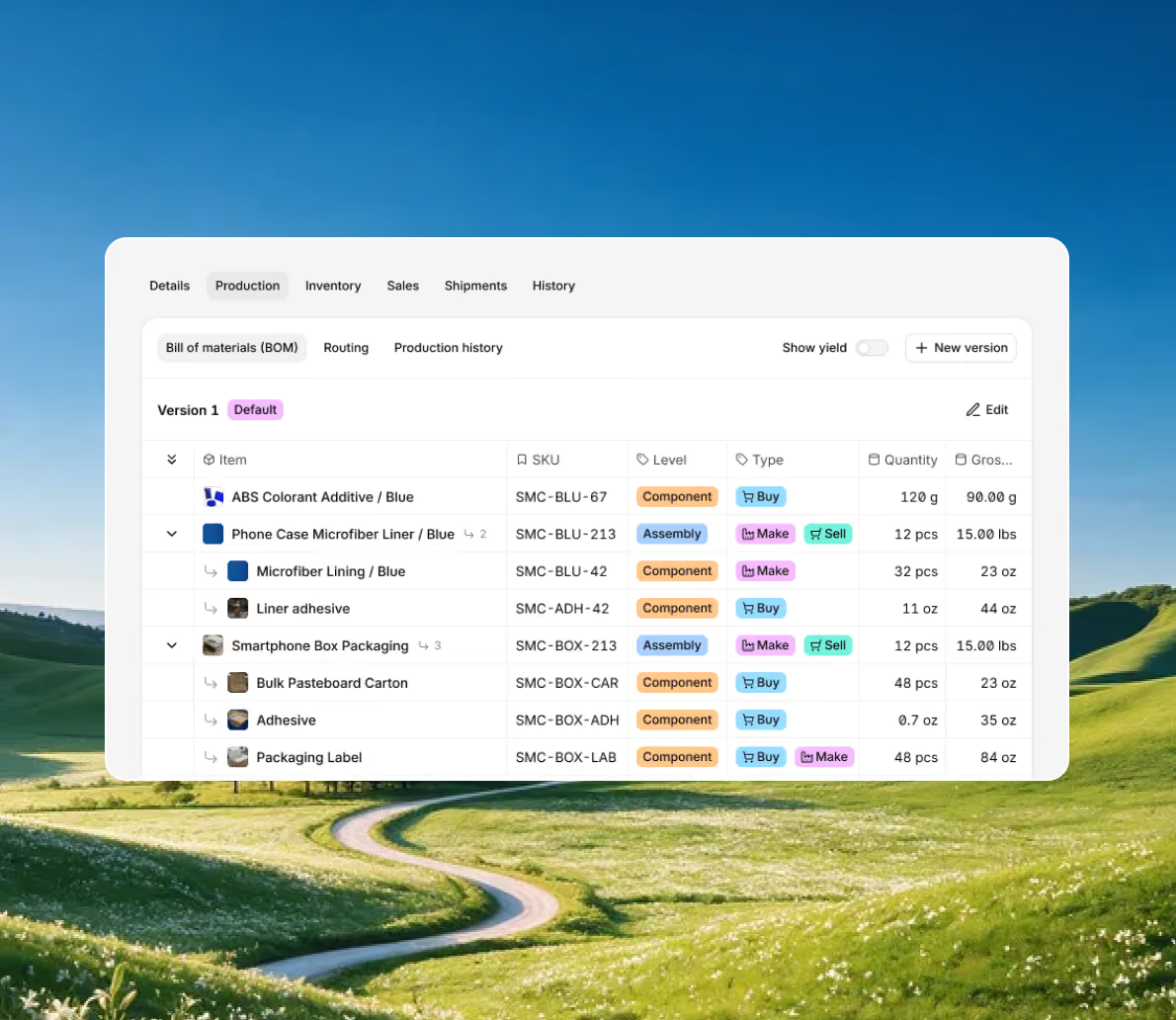
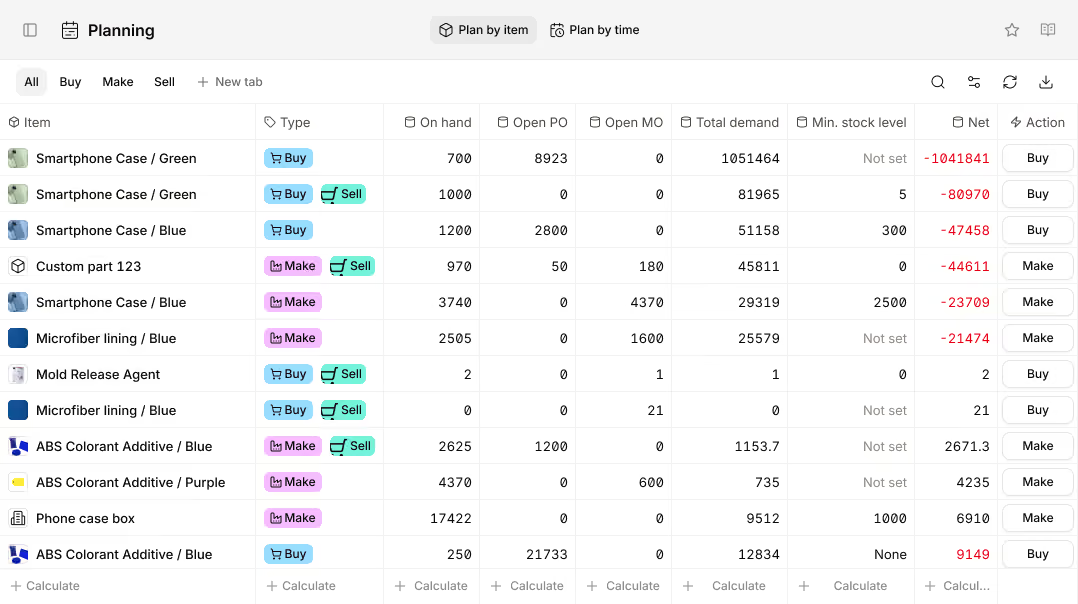
Get automatic weight and cost total calculations for every item and component, and set up quantities, units, and notes. Easily plan material usage accurately and analyze the actual yield of production runs with Digit.
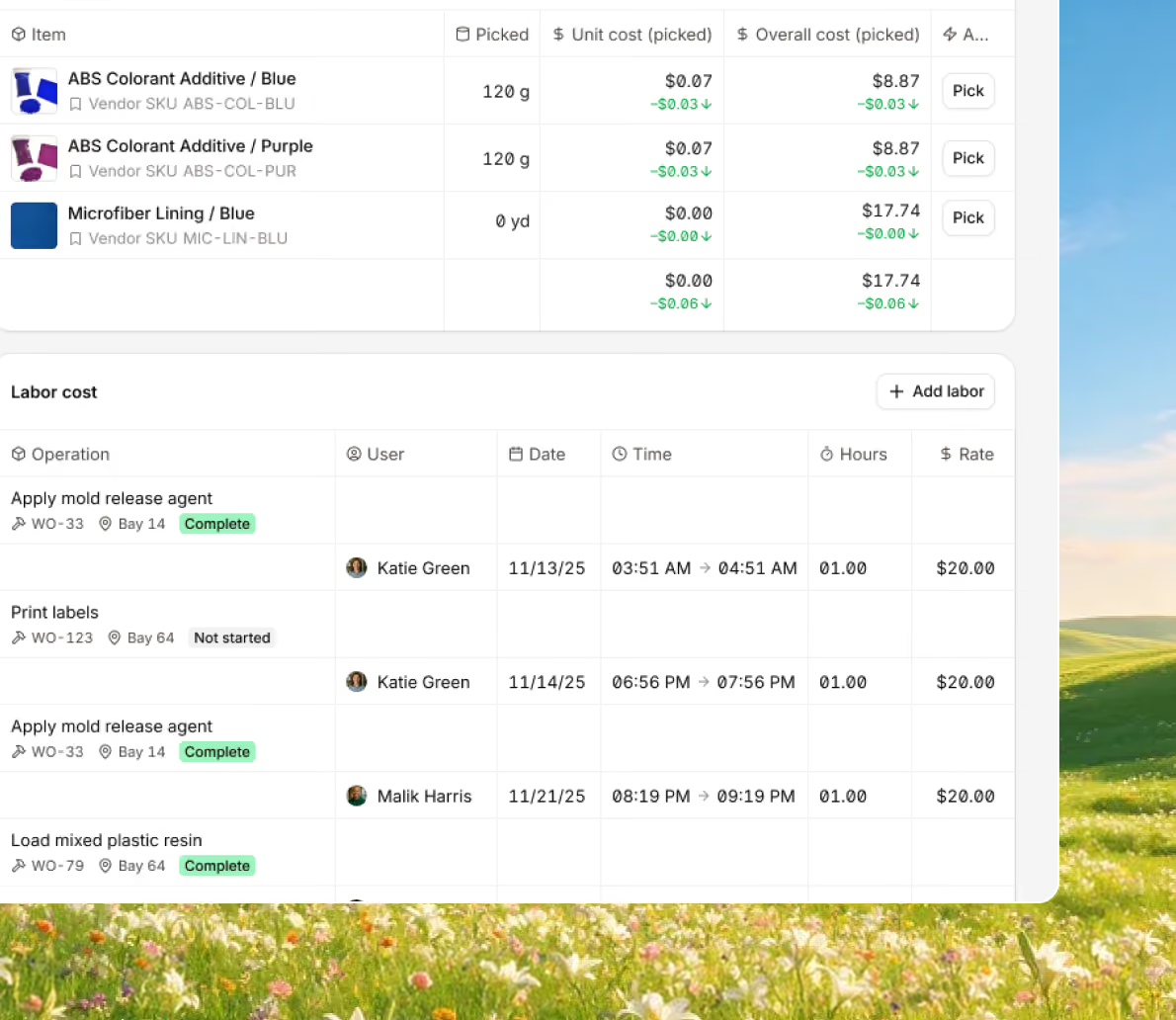
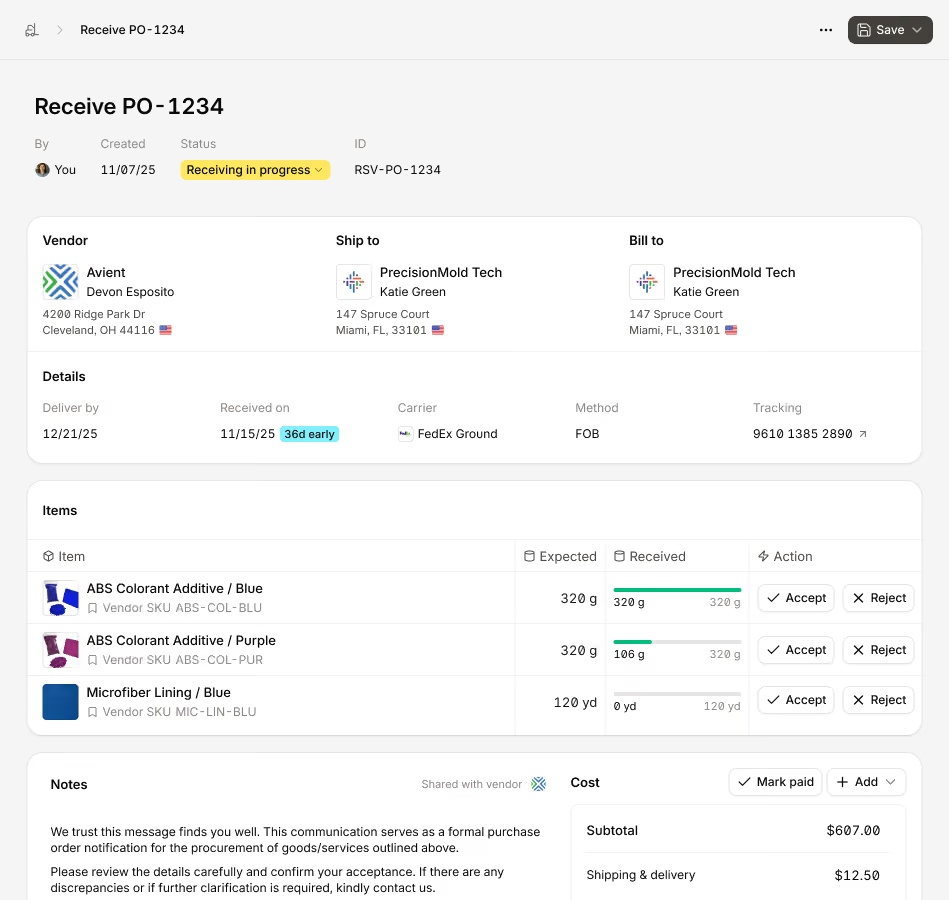
Give your workers detailed input and guidance to understand how to make a product. Create routes containing information on workstations, resources, and processes to help ensure that you’re shipping high-quality products.
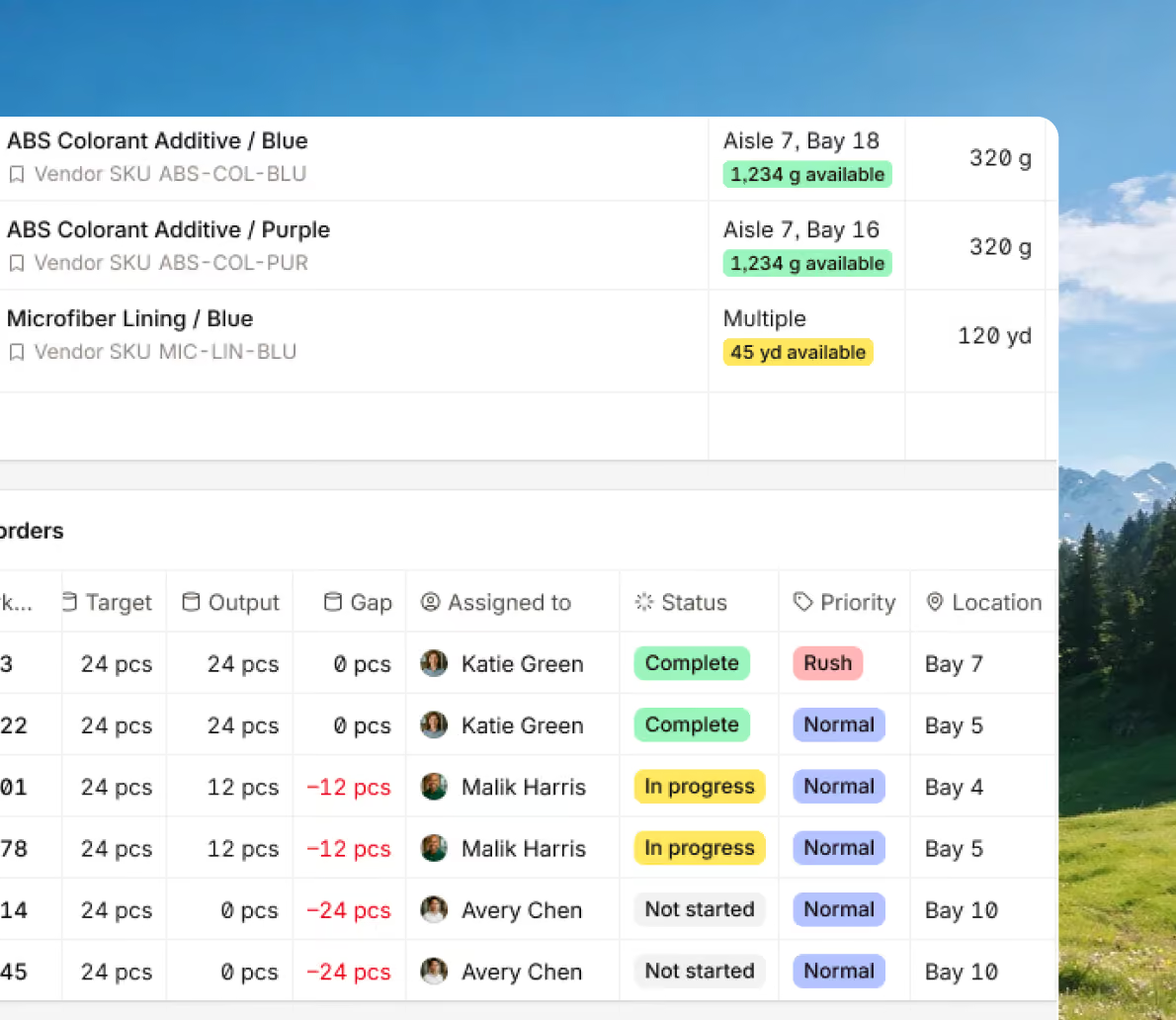
Make sure that your BOMs are updated when something changes while retaining the history to easily revert back. Having different BOM versions helps you manage your design changes and product variations.
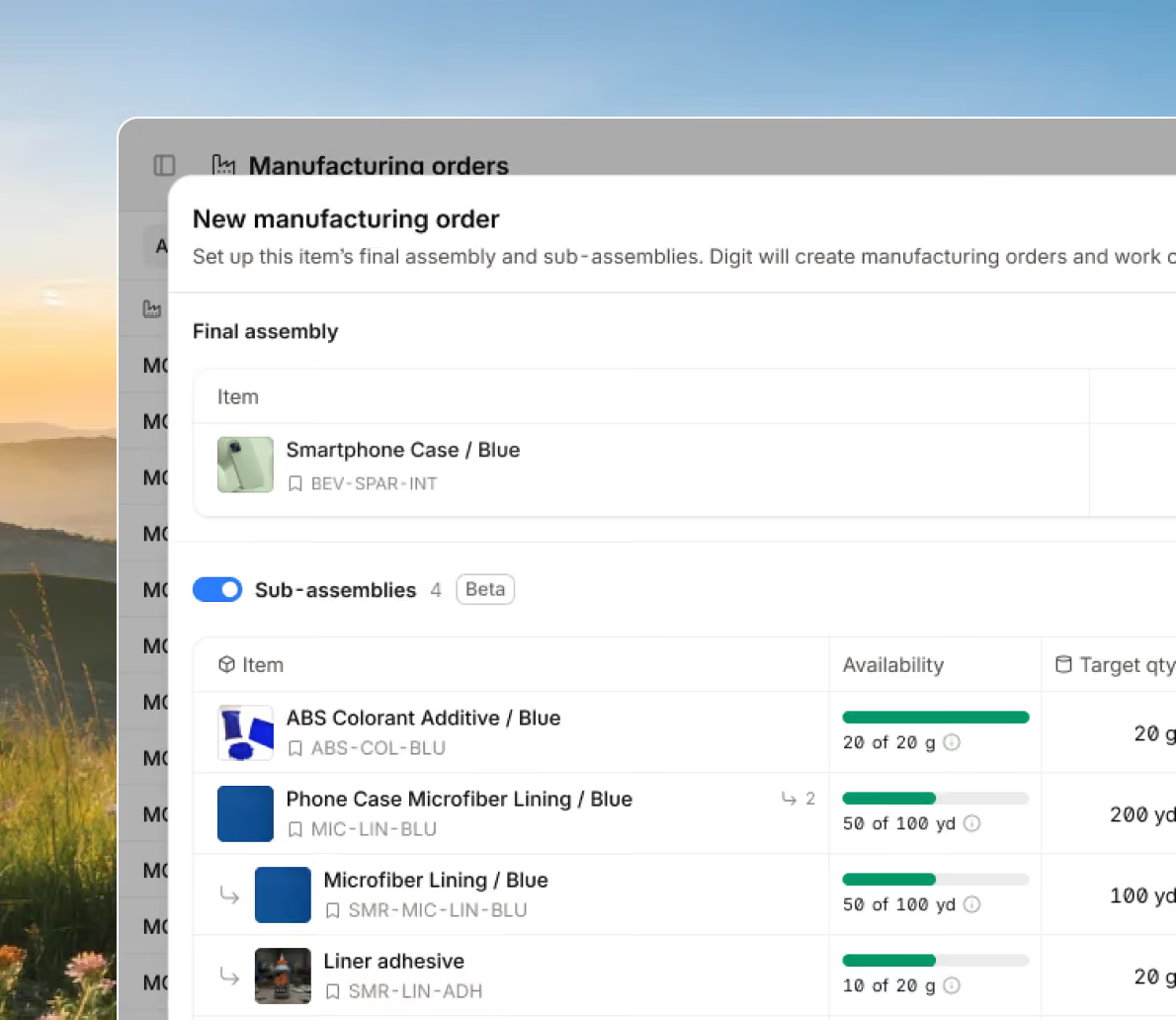
Build complex assemblies in less time with Digit’s Subassembly Creation Wizard. Automatically generate subassembly manufacturing orders, review available stock, and create buffer builds all in one step.
Bring every sales channel and accounting tool together in one system with seamless syncing and flexible API access.





Bring your inventory, accounting, and production together in stock management software built for manufacturers. Keep every part of your business connected, accurate, and easy to track.


100+ manufacturers and distributors have replaced spreadsheets and legacy ERPs with Digit.

If I can capture two seconds across 19 machines across a 24-hour span, I'll save the customer thousands of dollars.
Chris Johnson


“The impact Digit has had has been enormous, saving a lot of time, capturing a lot of data, streamlining a lot of processes, with a system that everyone loves to use.”
Tanner Thomas

“Digit has given us the insight into current and upcoming stock on our ingredients and raw materials needed for production. This allows us to procure more before we stock out and to be confident that we have enough to finish any upcoming production run.”
Adam Davis
"Digit is the most adaptable, user-friendly software we have ever used."
Joe Watkins
%2520(1).webp)
"With Digit, everything from our inventory to our production data is the word of truth. I can trust it. I can rely on it."
Joshua Burris


Your most frequently asked questions, all in one place. If you don’t see what you need, reach out to us.
Yes. Digit’s Subassembly Creation Wizard can automatically generate subassembly manufacturing orders based on your BOM structure. It shows current subassembly quantities, recommends target builds, and lets you add buffer stock in one click, saving hours of manual setup time.
Yes. Digit lets you add routing steps directly inside the BOM, including equipment and tooling assignments. This ensures your process documentation, material planning, and production data are all connected in one place.
Yes. Digit compares estimated material usage from your BOM with the actual consumption data from manufacturing orders. You can see yield differences, monitor waste, and adjust future planning to improve accuracy.
Yes. You can version your BOMs to accommodate alternate materials, regional builds, or improved designs. Every version is stored with its full history, and you can set one as the default active BOM for production while keeping others available for reference or compliance.
What's the difference between a manufacturing BOM and an engineering BOM?
A manufacturing BOM is, in its essence, a detailed list of the materials, components, and subassemblies your workers will need to create a finished product, sometimes detailing the quantities and processes needed to make the thing.
An Engineering BOM can be found in a design tool like a CAD or a PLM. It shows all the parts needed to make the product and how they all fit together according to the design, but it does not show the actual manufacturing process. The eBOM list is usually arranged in a way that engineers can easily picture and plan the making of the product in their minds.
To simplify and understand the difference between a manufacturing BOM and an eBOM, think of it like this:
A company would use an eBOM to make sure a product's design is correct and to help teams stay aligned on the design intent.
A Bill of Materials system defines all the materials, subassemblies, and processes needed to build a finished product. In Digit, you can create single or multi-level BOMs, attach routing steps, assign equipment, and connect each BOM directly to manufacturing orders. When production begins, the system automatically calculates required materials and costs based on your BOM setup.
There really aren’t that many industries that don’t benefit from product or assembly BOM software. If you take a log and carve it down into a children’s toy or you manufacture jet engines for planes, each (vastly different in what they produce) can benefit from BOM tools.
This is because to make most products, they require materials and step-by-step processes, and if you want to scale your operations, you’re going to need a document that another person can follow to replicate the steps and produce the same quality of product.
However, it’s worth mentioning that industries that build complex products like jet engines or rely on detailed supply chains gain the most value from BOM software. These industries depend on accurate material and component lists, a high level of collaboration and coordination between teams, and need tight control over material usage and costs. Even more important for industries that need to meet strict compliance requirements.
For example, electronics and industrial equipment manufacturers need BOM management software because they manage thousands of parts within layered assemblies. These tools help ensure engineers and production teams work from the same approved components and enable the prevention of errors that can occur when dealing with large, changing parts and inventories.
Automotive and aerospace are other industries that also rely heavily on BOM tools. Their products contain massive numbers of parts and require strict traceability and regulatory compliance, making accurate BOM management essential for safety and quality.
Pharmaceutical manufacturers use BOM software to track exact ingredient quantities and document every step required for compliance.
But as already mentioned, a general manufacturer that depends on accurate component data, consistent revisions, and efficient production planning gains value from implementing BOM software like Digit to improve design accuracy, support smoother production, strengthen supply chain planning, enhance quality control, and help manage costs.
A multi-level BOM (or indented BOM) is a document that shows a layered list of every part of a product, and how it relates to the other parts, often referred to as a parent-child relationship. It somewhat resembles a family tree structure to help you and your team understand which item or component is nested under other materials needed to assemble the product.
Unlike a single-level BOM, which is a flat list, the multi-level BOM starts at the top with the finished product and works downward through the assemblies, subassemblies, parts, and raw materials.
Using a BOM software that allows you to use multi-level BOMs makes it easier to break the product down into sections to simplify the production of complex builds and prevent mistakes from occurring when handling subassemblies. Having this level of detail on how a product is made also helps businesses improve tracking, costing, and planning, as each level shows the part quantities, descriptions, and other key details.
Product BOM software tools like Digit can create and manage multi-level BOMs so teams can work from one central source of truth to keep production smooth, predictable, and consistent as products and operations grow.
A single-level BOM lists only the direct components used to make one product. A multi-level BOM includes subassemblies, each with its own components and dependencies. Digit supports up to ten levels deep, giving you full visibility across nested assemblies, costs, and materials.
Ultimately, if you were to try and cook a risotto for the first time without using a recipe, you’re unlikely to do a good job. And even if you have experience cooking, there might be some specific ingredient used in a risotto that you’re unaware of, and you might send out a dish that someone isn’t expecting.
A BOM software exists and works in a similar manner, taking product data and placing it in one easy-to-access place. But unlike spreadsheets, which can be lost or out of date if not correctly maintained, teams can use this system to follow the same up-to-date list of parts, materials, and revisions, improving accuracy, reducing typing errors, and making it easier to trace what changed, when, and why.
BOM software also connects your inventory and purchasing, so you understand what stock you have on hand, what needs to be reordered, and how much it costs to produce a product. All of these features come together to help you prevent stockouts, cut waste, and protect cash flow.
With a clearer understanding and BOM history, you and your workers can collaborate much better, as no one is stuck trying to figure out which BOM is the correct version to be following, allowing for more predictable outcomes after production and making it easier to scale operations without losing control of time and profitability.
