%201.svg)


%20(1).jpg)


What Is Warehouse Management Software?

Warehouse Management Software, or WMS for short, is a system that helps businesses optimize and manage the day-to-day operations of a warehouse at a single location or multiple locations.
It's an important tool because it helps managers oversee internal workflows and operations to perform tasks such as:
- Receiving goods
- Assigning bin locations
- Picking
- Packing
- Shipping
You can ultimately think of a WMS as the backbone of running warehouse operations, tracking inventory levels at different locations or bins to ensure that the business has enough inventory on hand to fulfill orders without increasing carrying costs by stocking excess inventory.
When implementing a WMS solution into your business, you’re going to have multiple options to pick from, like:
- Standalone Warehouse Management Systems
- Supply Chain Management (SCM)–Based WMS
- ERP-Based Warehouse Management Systems
- Cloud-Based Warehouse Management Systems
But if you’ve come across an article like this, you’re likely already familiar with WMS tools, and if you would like more information on what they are and how they work, we’d recommend checking out our article on The Ultimate Guide to Choosing a Warehouse Management System.
Though we will touch on the benefits of implementing a WMS solution here, because even though they come in all different shapes and sizes, from standalone to add-ons and extensions to ERPs, they share the same benefits.
For example, one of the biggest reasons for implementing a tool is that it enables you to support automation and directed workflows in your warehouse, reducing human error and greatly increasing the speed at which you can fulfill orders, as well as utilizing space more efficiently to keep costs low and stocking more of what you need to complete orders on time. This is all made possible as a WMS tool that gives you real-time visibility of everything that is happening in your warehouse, in one centralized source of truth.
However, there are more benefits to be had depending on the type of tool you decide to get set up with. And, it’s for that reason, we want to write this article on the best warehouse management software available on the market that you can implement today, focusing on the best applications, ratings, and the features that come with these specific tools.
The Best Warehouse Management Software in 2026
.jpg)
The following tools all serve different-sized businesses and are either standalone tools or a part of a larger piece of software.
Without further ado, here are our top picks for the best warehouse software in 2026.
1. Digit
Digit is the best warehouse management software for manufacturers and distributors.
Rating: 4.9/5
Pricing: Starts at $320/month
Compared to other software that is featured in this list, Digit is relatively young and has quickly made its mark in the WMS space.
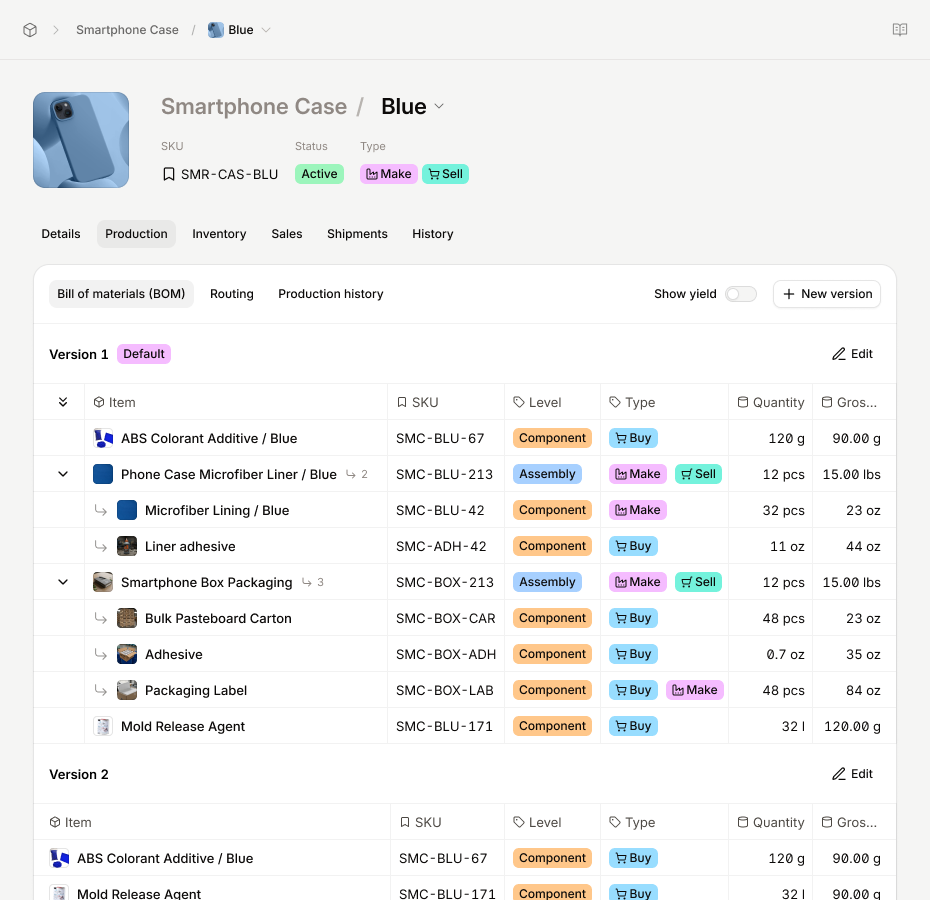
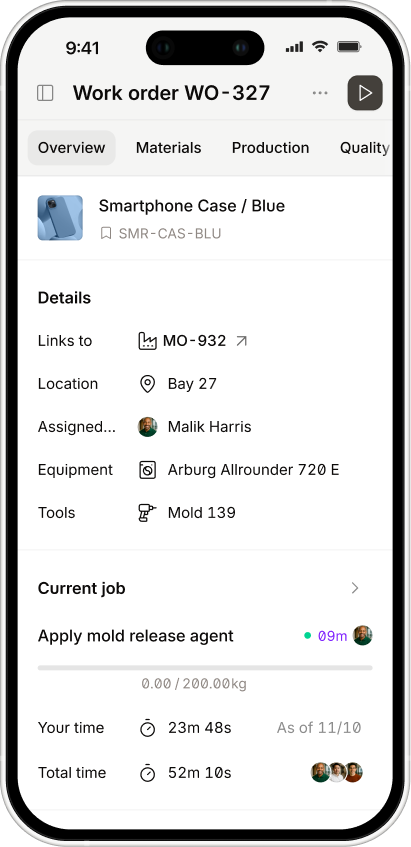
Digit is a cloud-based ERP solution that you can use to optimize and manage your manufacturing and warehouse operations, perfect for businesses that are stuck in the hell of Excel spreadsheets or need to escape the purgatory of legacy ERP systems.
It’s an upgrade for anyone looking to unify all their important business data for inventory, purchasing, production, warehousing, and fulfillment into a single, real-time system that’s fast to implement and easy for both your operators and managers to use.
Why Does Digit Win Best Warehouse Management Software Overall?
Digit will give you the technical depth and complexity of an older, more established ERP system, but with the simplicity that younger generations have come to expect when it comes to using an app.
Instead of spending tens of thousands of dollars and hundreds of hours implementing a bespoke on-premise ERP that is capable of managing warehouses, MRP, production scheduling, traceability, Digit gives you all this at a fraction of the cost (both in time and money).
If you head over to review sites, you will see that users love using Digit for its:
- Rapid implementation (days, not months)
- Extremely intuitive UI
- Best-in-class customer support
- Real-time, barcode-driven inventory accuracy
Digit’s Core Features
Digit gives you the ability to manage your manufacturing and warehouse operations from end-to-end (essential for some businesses like the ones in the food and beverage industry), so you can easily run your:
- Warehouse and Inventory Management — You can easily see what’s in stock at any point in time and at any of your warehouses and bin locations. When items are scanned in and out with either barcodes or QR codes, inventory levels update automatically, giving you accurate insights into what you have on hand when operators are receiving, picking, packing, or moving items. You can also use Digit to track batches, lots, serial numbers, and nested inventory items, helping you follow every product step-by-step, from the supplier all the way to the final shipment.
- Purchasing and Receiving — Creating purchase orders is simple and tied to your vendors and SKUs. You can receive an order in full or partially, and if something arrives that you weren’t expecting, you can retroactively create a purchase order for that shipment. Then, simply generate some labels for your pallets, boxes, or containers, print them off quickly to easily track and monitor your inventory levels and item movements with a barcode scanner.
- Manufacturing and MRP — Digit comes with single or multilevel BOMs so you can guarantee consistent builds of your products, and they also helps you automate and manage production schedules. What this means is when a manufacturing order is created, Digit automatically commits the necessary materials and resources to fulfilling that order. But if you need to reprioritize orders for whatever reason, you can do so and Digit will automatically reallocate resources based on the new schedule.
- Sales and Fulfillment — Digit helps guide you and your team through picking and packing, step by step, making instructions easy to follow. Plus, Digit automatically generates packing slips, bills of lading, and shipping papers, so all you have to do is print them off and include them in your shipments.
- Planning and Forecasting — You can set reorder points to establish safety stock levels to make sure that you always have the items you need to keep fulfilling orders on time, giving you one clear view of purchasing, production, and inventory.
- Integrations and API — You can use native integrations to connect with QuickBooks Online, Desktop, or Enterprise, as well as Shopify, WooCommerce, and Amazon. Digit also gives you access to an open API, so you can easily build custom workflows and integrations with your business-critical tools.
Pros
- Exceptional ease of use for warehouse and production teams
- Real-time, barcode-driven inventory accuracy
- Fast implementation with hands-on onboarding
- Outstanding customer support and responsiveness
- Flexible, modern API
- Strong value for money compared to legacy ERPs
Cons
- Some advanced manufacturing features are still in development
- Updates are system-wide rather than per-customer
Digit is ideal for:
- Mid-sized manufacturers
- Companies that need to escape Excel or cumbersome ERP systems
- Businesses needing WMS + MRP + ERP in one system
For all these reasons, this is why we’ve included Digit as one of the best warehouse management software solutions for manufacturers in 2026.
If you're looking for real-time visibility, barcode-driven accuracy, and production control in a system your team can be up and running on in around 30 days, this is a pretty good place to start. Book a demo and we'll walk a live receive-to-ship flow through a warehouse setup that looks like yours: bin tracking, mobile scanning, inter-warehouse transfers, the lot.
2. NetSuite WMS
Best for companies that want ERP and warehouse management in one system.
Rating: 4.2/5
Pricing: Contact vendor (but judging by online resources, typically higher than standalone WMS tools)
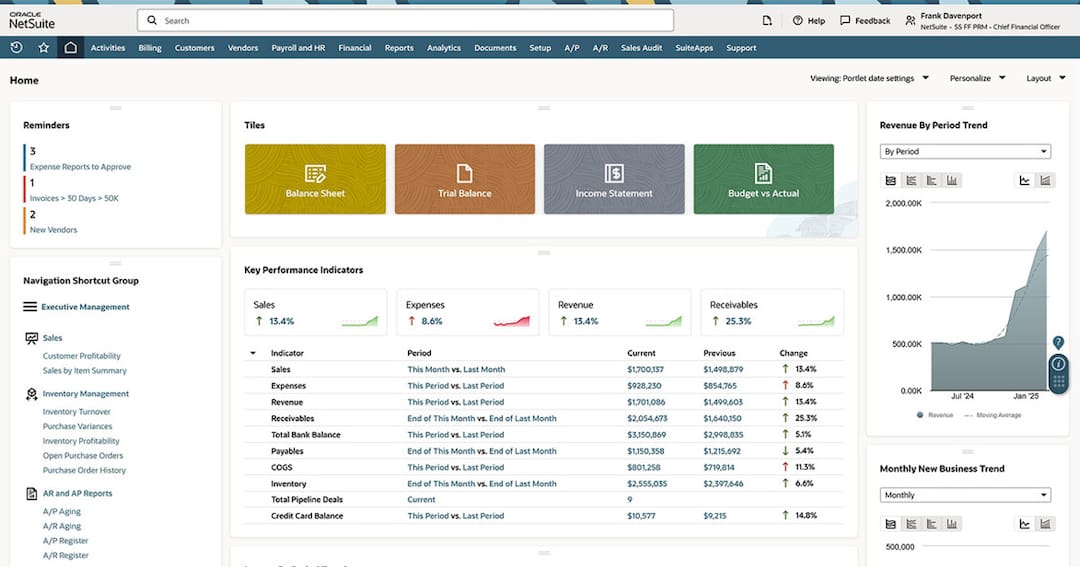
NetSuite Warehouse Management is built into Oracle NetSuite ERP, giving your warehouse and back-office teams a single, shared system for managing inventory, orders, and financial responsibilities. It’s a tool that is reserved for mid-market companies with the time and money to spare who want a unified ERP and WMS solution.
Core features
- Typical RFID and barcode scanning
- Directed picking and packing workflows tied to ERP inventory data
- Lot and batch tracking
- Real-time visibility into multi-location inventory
Pros
- It’s an ERP first, with a WMS module, so great if you’re already using NetSuite
- Has strong controls for traceability and inventory accuracy, important for businesses with perishable inventory
- Easily scales with your business as volume and process complexity grow
Cons
- A lot more expensive than getting a standalone WMS tool or a cloud-based version
- Implementation often requires paid consultants or onboarding, and longer implementation timelines
- Advanced automation or robotics is hidden behind add-ons or integrations
NetSuite WMS benefits
If you want warehouse and ERP data centralized and aligned, and are already using NetSuite or familiar with its software, then it might be a good choice as it will help you to reduce silos and improve accuracy through directed workflows. The trade-off is the costs and time to implement, but a larger business can potentially afford these downsides.
3. Fishbowl
Best for any business that needs to improve inventory control, but nothing else.
Rating: 4/5
Pricing: Starts at $150/month
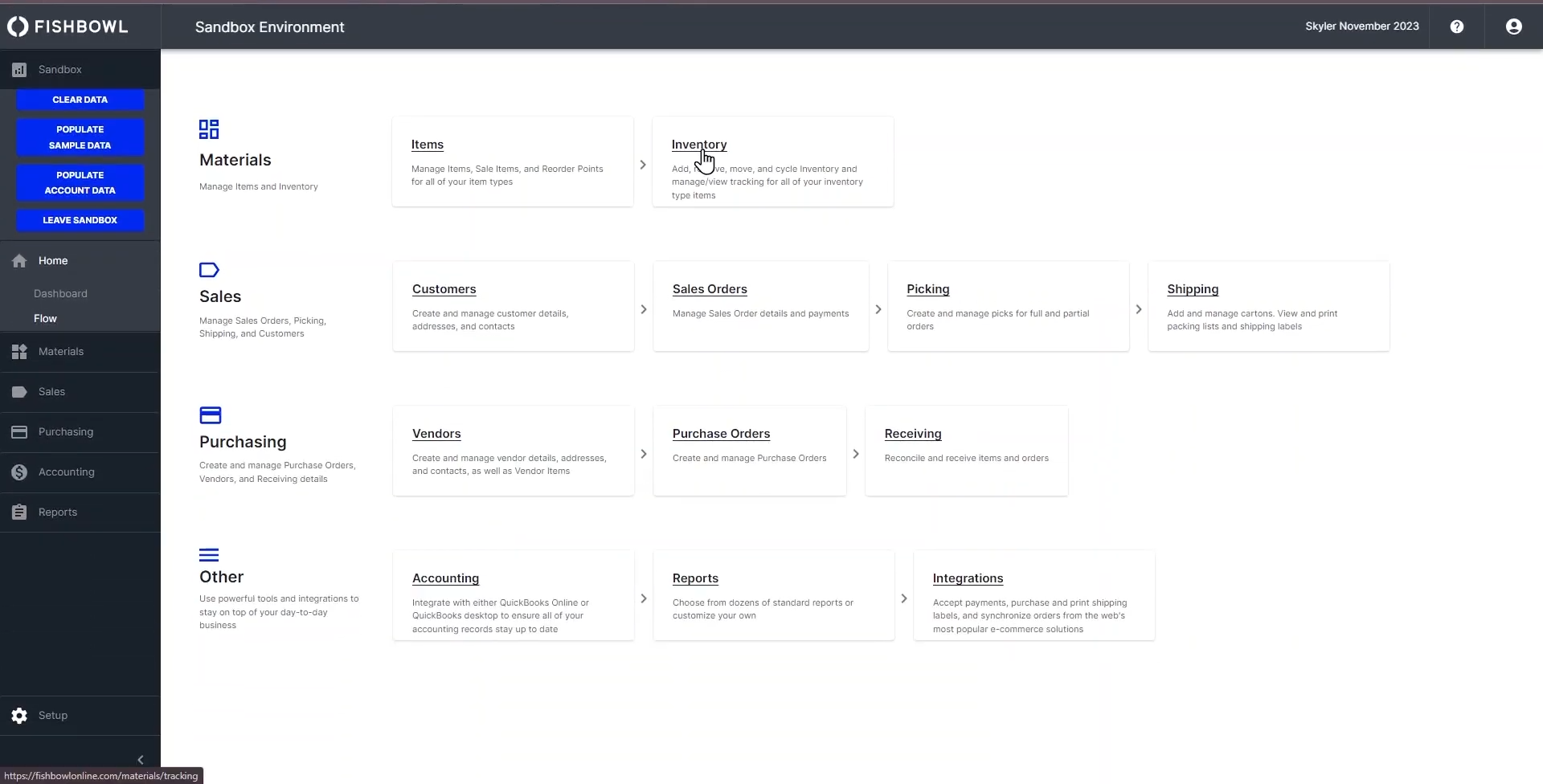
Fishbowl is built for SMBs that need to fix inventory issues caused by spreadsheets, with features to help you optimize order workflows and manage basic manufacturing setups. If you’re a manufacturer or distributor, you will likely need to integrate Fishbowl with several other tools to fully benefit from it.
Core features
- Multi-location inventory tracking
- Barcode scanning for warehouse operations
- Purchase, sales, and manufacturing order management
- BOMs and simple manufacturing support
- Serial number tracking and reorder points
Pros
- Strong inventory control for SMB operations
- Accessible inventory control functionalities without ERP costs
- Good fit for micro and small manufacturers
- Natively integrates with commonly used accounting and e-commerce tools
Cons
- Reporting customization is limited
- Users often report bugs and disruptions if you check reviews
- Complexity and costs of the software can rise when increasing modules, users, and locations
Fishbowl benefits
As briefly touched on earlier, if you have a relatively small manufacturing line, Fishbowl can be one of the best warehouse management tools as it will help you improve inventory accuracy and fulfillment reliability for smaller teams by combining barcode workflows, practical controls, and accounting integrations, while also giving you what you need to get your warehouse in order.
4. Zoho Inventory
Best if you need to manage multichannel inventory but don’t have a lot of capital to invest.
Rating: 4.5/5
Pricing: Starts at $39/month
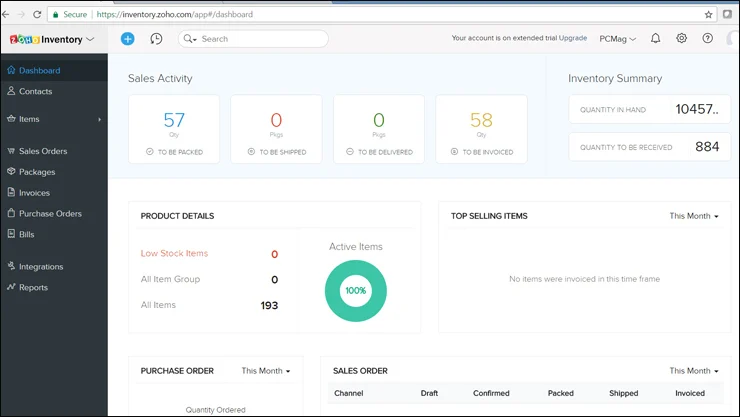
Zoho Inventory is a well-known solution in the world of inventory control, built for SMBs selling via e-commerce and retail, without the need to pay for an additional module or integrate your warehouse, since what comes with the software may be enough to get you up and running.
Core features
- Inventory tracking for single locations or across multiple locations
- Sales and purchase order management. If you need manufacturing, you will need to look elsewhere
- Barcode scanning
- The option to sync multiple e-commerce sales channels
- Shipping and fulfillment functionalities
Pros
- There’s no denying the affordability of this product, and they offer a free tier for piloting
- Reviews point out that it has a nice and simple UI and is pretty quick to onboard
- You can choose other Zoho products and build a pretty strong ecosystem
Cons
- Limited in terms of template customization, workflows, and reporting
- If you need more oomph from Zoho Inventory, you will need to pay for higher tiers
- Not suitable if you need 3PL or advanced warehouse automation solutions
Zoho Inventory benefits
Zoho Inventory can get the job done for SMBs selling physical products who need to track stock, orders, and fulfillment across multiple channels but don’t want to invest much money into an upgrade.
5. SAP Extended Warehouse Management
Best for large enterprises dealing with a complex supply chain and high-volume warehouse operations.
Rating: 4.2/5
Pricing: Contact vendor
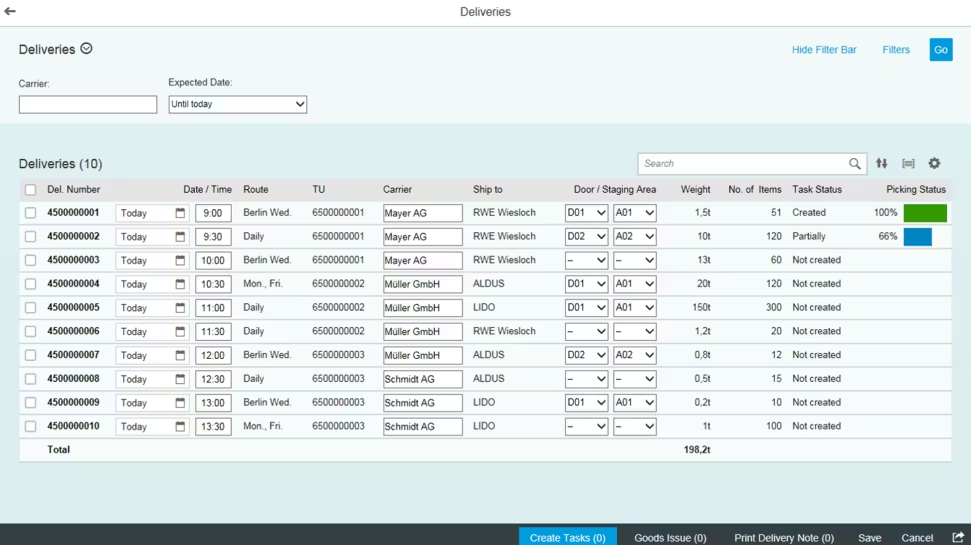
SAP Extended Warehouse Management is one of the big boys in this best warehouse management systems list, mainly for businesses handling a high-volume distribution chain and complicated manufacturing environments that require strict control, configurability, and are ideally already using SAP products and want to extend their SAP ecosystem integration.
Core features
- Real-time inventory visibility and advanced tools for managing warehouse operations
- Multi-site, high-throughput warehouse support
- Barcode scanning and support for RFID technologies
- Integrates with production, quality, and broader SAP supply chain processes
Pros
- Extremely powerful and configurable for complex operations, perfect for larger, Fortune 500-sized businesses
- Strong SAP ERP/S/4HANA integration and enterprise visibility
- Supports advanced workflows and high operational scale
Cons
- Extremely steep learning curve and will require heavy admin and engineering to implement and get operational
- Long, resource-intensive implementation timeline
- High costs and more than likely overkill for simpler warehouse setups
- It will require hiring an expert internally or finding a partner to support you with implementing it into your workflows
SAP Extended Warehouse Management Benefits
If you’re running a massive enterprise, handling a huge amount of orders, and have an impressive budget to spare, then SAP Extended Warehouse Management will likely be the only option for you.
6. Infor WMS
Best for 3PLs and warehouses
Rating: 4.2/5
Pricing: Contact vendor (enterprise-style pricing)
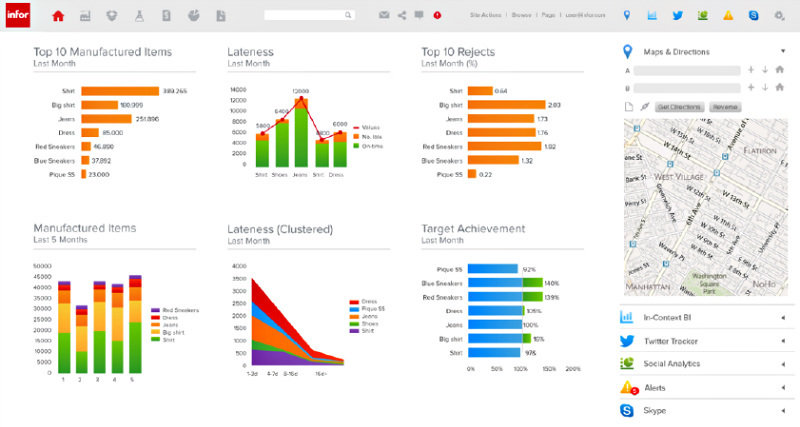
For 3PL distributors or fulfillment center warehouses is Infor WMS, providing your basic picking, packing, and shipping functionality, as well as the tools you need to successfully manage multi-client operations and labor-intensive workflows.
Core features
- Real-time inventory visibility and support for warehouse management operations
- As mentioned, receiving, putaway, pick, pack, and ship process support
- Wave picking and automation-oriented execution options
- Resource and labor management, such as tasking, productivity, and scheduling
- 3PL-oriented capabilities and mobile scanning
Pros
- A great option for warehouses that are 3PL or have complex distribution operations
- Many reviewers tend to point out the labor management as a standout capability vs many of the mid-market tools available
Cons
- Reporting is limited without customization
- Vendor-led pricing and implementation add evaluation effort
- May be too complex for smaller or straightforward warehouses
Infor WMS benefits
If your warehouse handles and ships products for clients, Infor WMS will give you what you need to boost accuracy and improve labor efficiency by combining real-time control with workforce optimization. But, if you’re just looking to manage your own inventory and warehouse, this could be over-the-top.
7. Oracle Warehouse Management
Best for large enterprises already using the Oracle Supply Chain suite
Rating: 4.3/5
Pricing: Starts around $25,000/year
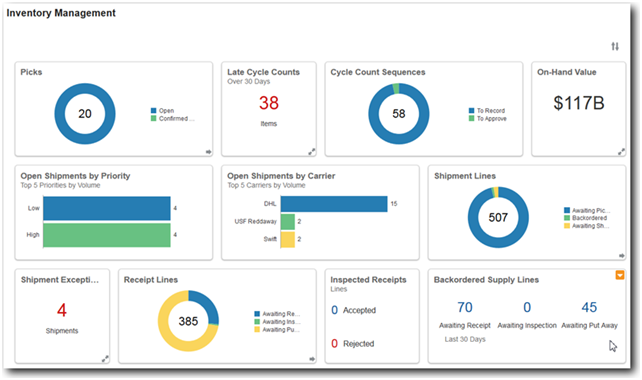
Just like SAP, another one for the big businesses, but this time for those already using Oracle products. Oracle Warehouse Management is an enterprise WMS that is a part of the Oracle ecosystem, aligning with the broader supply chain stack, built for complex, high-throughput operations that want strong inventory visibility and Oracle-native integration.
Core features
- Real-time inventory tracking and warehouse visibility
- Advanced pick, pack, and ship fulfillment workflows
- Reporting, analytics, and operational dashboards (However, some of these will be module-dependent and require more investment)
- Automation-friendly capabilities and material handling integration support
- Cloud-based deployment (depending on which product and version you use)
Pros
- Robust enterprise functionality for large-scale warehousing
- Since it’s an Oracle product, it fits perfectly with the Oracle ecosystem, so if you’re already a user this will be a great fit
- Scales for complex, high-volume operations
Cons
- Higher upfront costs and heavier implementation than mid-market tools, and will likely need to pay for a consultant or onboarding partner
- Steep learning curve for advanced configuration and operations
- Integration with other tools and software that aren’t Oracle products is extremely difficult
Oracle Warehouse Management benefits
Oracle Warehouse Management helps large enterprises improve warehouse accuracy and throughput most effectively when deployed as part of an Oracle supply chain footprint, integrating well with your other Oracle products. If you’re not already an Oracle user, there might not be much of a benefit to be had.
And there you have it, the 7 best warehouse management systems available on the market right now.
To make your hunt for the perfect tool for your business a little easier, we’ve included FAQs that other businesses often ask when implementing solutions to improve their warehouse operations.
Frequently Asked Questions
If you’re not sure whether a WMS solution is for you, here are some questions and answers to help you decide what to get.
What’s the difference between WMS and inventory management software?
First things first, both help you improve your inventory management. However, how they go about doing that is where they differ:
A Warehouse Management System — A WMS will focus more on the execution side of things, helping you optimize daily operations inside a warehouse, such as bin-level inventory tracking, picking routes, packing, and shipping.
Inventory Management Software — An IMS solution takes a broader approach to managing inventory, helping you track how much stock you have across all your different locations and giving you the tools to support demand forecasting, purchasing, and replenishment.
So, determining which one you need simply comes down to whether you need to know where items are and how they move through the warehouse (WMS), or if you need to know how many items you have and when to reorder more (IMS).
Larger, high-volume warehouses typically need a WMS, while smaller or multi-channel businesses may start with an IMS.
Do small manufacturers really need a WMS?
Not always, but it depends (sorry it’s not a straight answer)
Many small manufacturers can run effectively with basic inventory management systems or warehouse tools (spreadsheets, for example). But, this will only really work if you’re operating at a single location, with a low order volume, and simple picking processes. A WMS becomes more valuable as operations become harder to manage:
- Frequent picking errors
- Rising labor costs
- Limited space
- Rapid growth
- Multiple channels or locations
- Requirements for serial number tracking
- A need for end-to-end traceability
If your team spends too much time searching for items, reworking shipments, or reconciling inventory, a WMS can pay off by standardizing workflows and improving real-time visibility.
What’s better: standalone WMS or integrated ERP with WMS?
Again, it really depends on what you’re looking to achieve when you implement a tool.
An ERP might seem like the best solution since it usually comes integrated with WMS as well as giving you the tools to manage:
Finance
Purchasing
Sales
Warehousing
But what’s the point of all that if you only need to optimize your warehouse, and a standalone WMS can integrate with your current systems and provide the same functionality as an ERP, possibly even more capabilities? A standalone WMS is often stronger when warehouse operations are complex, and you need specialized features.
How Much Does Warehouse Management Software Cost?
Again, it’s hard to put an exact amount on this because, as you can see from our best warehouse management solution list, they come in different shapes and sizes.
The price will vary widely based on:
Deployment
User count
Warehouse complexity
The standard pricing model for a Cloud-based WMS is usually per-user-per-month, typically $100–$500 per user, with an additional base platform fee. On-premises WMSs typically require the largest upfront license per facility, ranging from a few thousand dollars to over $200,000, plus hardware and annual maintenance.
Most businesses should also plan for implementation, integrations, training, and customization, which can add $10,000–$150,000+, depending on scope.
However, these prices are dropping as more solutions adopt a broader, cloud-based approach to deliver their products to clients. Take QuickBooks, for example, they’re moving away from their desktop solutions to invest more in the online solution.
How long does WMS implementation take?
WMS implementation timelines typically range from 1 to 12 months, depending on system complexity. Some tools take a year or longer to fully deploy. In the case of Digit, most teams are up and running in 30 days or less.
Is cloud-based or on-premise WMS better for small manufacturers?
The best warehouse management software for small business manufacturers tends to be cloud-based solutions, as they have:
- Lower upfront costs
- Faster deployment
- Minimal IT burden
It’s also easier to scale as you begin to increase order volumes, users, or locations, and your updates are handled by the software provider, with disruptions being a rarity.




.jpg)