

Easily Move Inventory Between Warehouses
If you run operations across more than one warehouse, you already know the problem. Inventory needs to move for all kinds of reasons, from a main distribution center to a regional facility, from locations sitting on excess stock to locations running dry. But the moment that product leaves one building and hasn't yet arrived at the next, it enters a kind of operational no man's land.
Some teams handle this with manual inventory adjustments. Others repurpose purchase orders or sales orders to approximate the workflow. Both approaches create the same downstream problems:
- availability numbers that don't reflect reality
- receiving teams with no advance notice of what's coming
- audit trails that fall apart the moment someone asks a question.
Transfer Orders in Digit are built to solve exactly this.
The Real Cost of Unstructured Inventory Movement
When a warehouse team moves goods without a proper workflow, inventory at the source location often appears available longer than it should.
That means sales or planning teams are making decisions based on stock that's already been committed to a transfer. At the destination, the receiving team has no system-level visibility into what's coming, so they can't plan labor, space, or receiving schedules. And if anything goes wrong, a quantity discrepancy, a mislabeled lot, a missing item, there's no clean record of what was supposed to happen.
These aren't edge cases. For multi-location operations, they're the daily reality of working without the right tools.
What a Transfer Order Actually Does
A Transfer Order in Digit coordinates the full movement of inventory between warehouse locations, from the moment the transfer is planned to the moment it's received and put away. It creates linked documents on both sides of the transaction: an outbound shipment at the source and an inbound receiving document at the destination.
Four stages. Nothing falls through the cracks.
Commit. An admin creates the Transfer Order, selecting the source location, destination, items, and quantities. The moment the order is saved, inventory is committed at the source and marked as expected at the destination. Nothing has physically moved, but availability is accurate immediately.
Pick. The warehouse team picks the transfer using the same outbound shipment workflow they use for customer orders. No new screens, no retraining. Inventory is picked by lot, preserving traceability from the start.
Ship. Once the shipment is completed, inventory leaves available stock at the source and enters an In Transit state. It's no longer counted at the origin warehouse, and the system reflects that in real time.
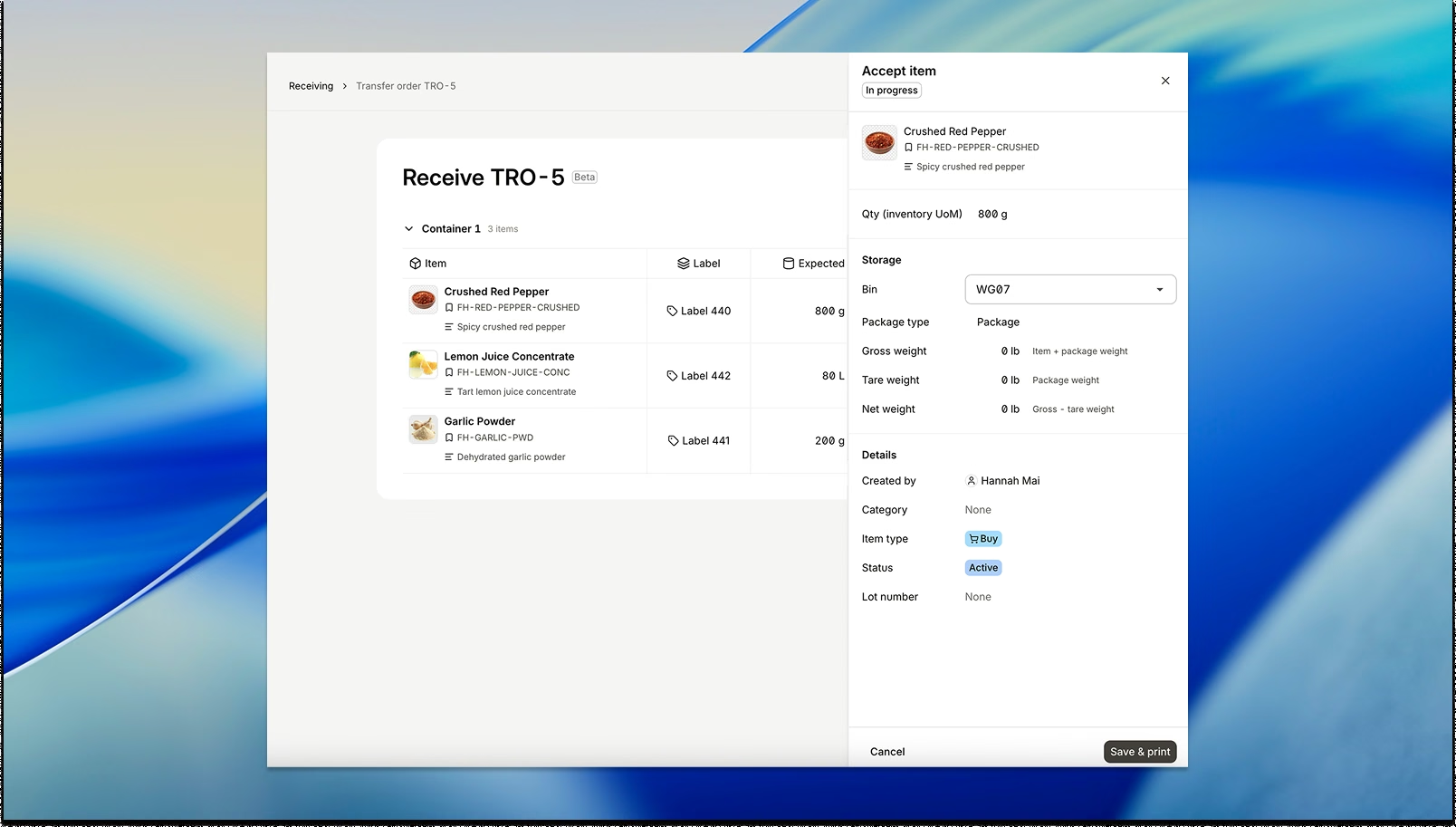
Receive. At the destination, the receiving team opens the inbound document and sees exactly what's expected: item, quantity, and lot. They receive it against those expected quantities, and stock at the destination updates immediately. The transfer is complete.
Lot Traceability Across Locations
Lot labels travel with the inventory through the entire transfer. When goods are picked at the source by lot, that lot assignment doesn't get reset or reassigned at the destination. The receiving team sees the same lot information the shipping team started with.
For operations in food, beverage, pharmaceuticals, or any regulated environment, that's a traceability record you can stand behind.
The Same Workflow for Teams
Transfer Orders don't add a new workflow in Digit. They extend the one your team already knows. Sales orders, purchase orders, and now transfer orders all follow the same commit-pick-ship-receive logic. That consistency means less training, fewer mistakes, and a team that can move between workflows without switching mental models.
Multi-location inventory management doesn't have to mean more complexity. With the right workflow in place, it just means more locations each with the same accuracy, visibility, and control you expect from the rest of your operation.
Commit, pick, ship, receive with clean inventory states, full visibility and no workarounds.