

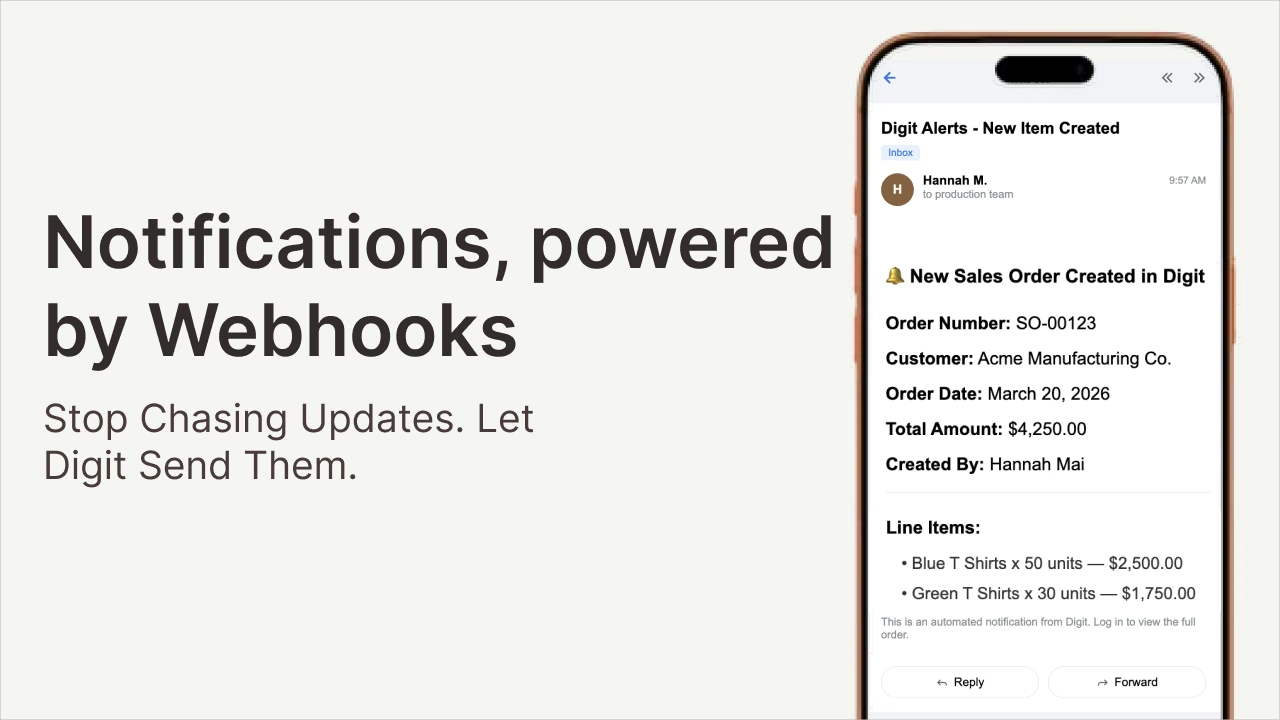
Stop Chasing Updates. Instead, Let Digit send Them.
Something changes in your operations every minute. A sales order comes in. A manufacturing order slips past its due date. A job hits a milestone. And every single time, someone on your team has to go find out about it.
Refreshing a screen to see if a sales order came in. Pinging someone to find out if a shipment went out. Logging in just to check if anything changed.
That's not operations. That's just clicking around hoping for good news.
The problem isn't that your team isn't paying attention. It's that the information is sitting inside your system waiting to be found. Every minute that passes between something happening and someone finding out about it is a minute where the wrong decision gets made, the wrong priority gets set, or the wrong customer gets left waiting. Until now, Digit gave you the visibility to make decisions, but you still had to go look for it. Not anymore.
Push Notifications: a New Way to Automate Actions In Digit
Notifications, powered by webhooks, are Digit's way of pushing out information the moment something specific happens. The alerts can go to your tools, your team, or directly to your customers. No delays. No manual handoffs. No one has to go looking.
Think of it like this. Digit shouts "dinner's ready" the moment something changes. Your tools, your team, and your customers hear it instantly and choose how to act.
The moment an event fires in Digit, a sales order created, a purchase order updated, a job hitting a milestone, anything important, Digit sends an alert out to wherever you've told it to go. From there, everything that happens next is up to you. You decide who gets notified, what they receive, and what happens as a result.
What You Can Build Today
The best way to understand automated notifications is to see what’s possible. Here are a few examples of what Digit customers can build right now. A sales order comes in for a make item, and before you’ve even left the screen, a manufacturing order is created automatically and the right people are alerted. No manual steps. No separate logins. Once it’s set up, it just happens.
- A manufacturing order slips two days past its due date. → Your production planner gets a Slack alert right then and not when they happen to check, or when someone remembers to tell them, but the moment it’s late. The delay gets flagged before it turns into a missed shipment and a frustrated customer.
- A job reaches 75% completion. Your customer gets an email update automatically, without anyone on your team touching their inbox. They feel informed and taken care of. Your team didn't lift a finger.
- A purchase order gets updated. Your 3PL, your CRM, or your accounting tool reflects it instantly. No copy and paste. No manual data entry. No version mismatch between systems.
- A big production milestone gets hit. Your team gets a notification to acknowledge the win. These aren't hypothetical. These are workflows you can configure today.
Three Levels of Power
Push notifications aren't one size fits all. Depending on where you are with automation, you can start simple and go as deep as you want. There are three distinct levels of what these notifications can do for your business.
The first level is notification. This is the most straightforward use case. Alert a human the moment something happens so they can act fast. A Slack message, an email, a text. Something changed in Digit, and now the right person knows about it immediately. For a lot of teams, this alone is a significant upgrade from the way things work today.
The second level is automation. Beyond just notifying a person, you can trigger entire workflows in the tools your team already uses. Make, Zapier, Monday.com, if it has an API, Digit can talk to it. A single event in Digit can kick off a chain of actions across your entire stack. Create a task, update a record, send a message, log an entry. The notification fires once and the rest takes care of itself.
The third level is closing the loop. This is where things get really powerful. You can automate from Digit and use it to trigger an action back inside Digit through the API. That's how the manufacturing order example works. A sales order is created, Digit fires the notification, logic runs in the background, and a manufacturing order gets created automatically before you've even navigated away from the screen. Digit now talks to itself, automating steps that used to require a human in the middle.
These are just starting points. If any of your tools has an API, Digit can connect to it. The combinations are essentially limitless, and many of the most powerful workflows are ones your team will design around your specific processes.
Why This Matters for Your Bottom Line
It's easy to frame the alerts as a convenience feature. Fewer clicks, faster notifications, less manual work. And yes, all of that is true. But the real value is preventing what happens when those tasks don't get done at all.
Without these notifications, it's easy for things to fall through the cracks. A manufacturing order slips and nobody finds out until the customer calls. A sales order sits unprocessed because the right person didn't know it came in. A shipment goes out and the customer hears nothing until they reach out to ask.
Quickly, it becomes lost revenue, missed shipments, and strained relationships, the kind of problems that creep in quietly and only show themselves when they’ve already become expensive.
A simple push notification closes those gaps before they open. The moment something happens, the right person or the right system knows about it and takes action. That's the shift. Setup takes minutes. Head to Settings in Digit, paste in your endpoint URL from Make, Zapier, or your own server, select the events you want to watch, and you're live.
If you want a full walkthrough, check out our knowledge base tutorial on how to configure your first webhook notification in Digit. Chat with Digit's free AI demo to learn how you can start building for better decisions.