



What Is Inventory Software for Manufacturing?
Inventory software for manufacturing is specifically built to give businesses that manufacture goods on-site or with a contractor the tools to track and manage raw materials, work-in-progress (WIP), and finished goods throughout the production cycle.
The difference between generic inventory management tools and ones built for manufacturers is that your stock levels are tied directly to production. This means when you create a manufacturing order, materials and subassemblies are automatically committed to production, and inventory levels update to reflect these movements, and the associated manufacturing costs are tracked. Inventory and manufacturing software will typically include features such as:
- Bill of materials (BOM) management
- Production scheduling
- Batch and serial number tracking
- Demand forecasting
Many manufacturers turn to this type of software when they have reached a point where they need to replace their disconnected spreadsheets with a single system that keeps purchasing, production, and inventory aligned in real time.
The Best Inventory Software
If you’re looking to implement the best inventory software into your business, here are the ones we recommend you add to your list to check out while you browse the market.
1. Digit

Digit is the best inventory software for manufacturers and distributors.
Rating: 4.9/5
Pricing: Starts at $320/month
Compared to other software featured in this list, Digit is relatively young and has quickly made its mark in the inventory management space.
Digit is a cloud-based ERP solution you can use to optimize and manage your inventory, purchasing, production, and fulfillment operations — perfect for businesses that are stuck in the hell of Excel spreadsheets or need to escape the purgatory of legacy ERP systems.
It's an upgrade for anyone looking to unify all their important business data into a single, real-time system that's fast to implement and easy for both operators and managers to use every day.
Why Does Digit Win Best Inventory Software Overall?
Digit gives you the technical depth and functionality of an older, more established ERP system, but with the simplicity that modern teams have come to expect when it comes to using software.
Instead of spending tens of thousands of dollars and hundreds of hours implementing a bespoke on-premise ERP, Digit gives you real-time inventory visibility, barcode-driven accuracy, purchasing, production, and traceability at a fraction of the cost, in both time and money.
If you head over to review sites, you will see that users love using Digit for its:
- Rapid implementation (days, not months)
- Extremely intuitive UI
- Best-in-class customer support
- Real-time, barcode-driven inventory accuracy
Digit's Core Features
Digit gives you the ability to manage your inventory from end-to-end, so you can easily run your:
- Inventory Management — You can easily see what's in stock at any point in time and at any of your warehouses and bin locations. When items are scanned in and out with barcodes or QR codes, inventory levels update automatically. You can also track batches, lots, serial numbers, and nested inventory items, helping you follow every product step-by-step from supplier to final shipment.
- Purchasing and Receiving — Creating purchase orders is simple and tied to your vendors and SKUs. You can receive orders in full or partially, and if something arrives unexpectedly, you can retroactively create a purchase order for that shipment. Generate labels for pallets, boxes, or containers and track item movements instantly with a barcode scanner.
- Planning and Forecasting — Set reorder points to establish safety stock levels so you always have the inventory you need to fulfill orders on time, with one clear view across purchasing, production, and stock on hand.
- Sales and Fulfillment — Digit guides your team through picking and packing step by step and automatically generates packing slips, bills of lading, and shipping documents, so all you have to do is print and ship.
- Manufacturing and MRP — Single and multilevel BOMs help you guarantee consistent product builds, while automated production scheduling commits materials and resources the moment a manufacturing order is created.
- Integrations and API — Native integrations connect with QuickBooks Online, Desktop, and Enterprise, Sage Intacct, Xero, NetSuite, as well as Shopify, WooCommerce, Amazon, and eBay, and so much more. Digit also provides an open API for building custom workflows with your other business-critical tools.
Pros
- Exceptional ease of use for inventory, warehouse, and production teams
- Real-time, barcode-driven inventory accuracy
- Fast implementation with hands-on onboarding
- Outstanding customer support and responsiveness
- Flexible, modern API
- Strong value for money compared to legacy ERPs
Cons
- Some advanced manufacturing features are still in development
- Updates are system-wide rather than per-customer
Digit is Ideal For:
- Growing manufacturers and distributors
- Companies that need to escape Excel or cumbersome ERP systems
- Businesses needing inventory management, MRP, and ERP in one system
| Industries using Digit | ||
|---|---|---|
| Electronics | Cosmetics | Furniture and woodworking |
| Plastics and rubber | Chemicals | Distribution |
| Packaging | Apparel | Recycling |
For all these reasons, Digit earns its place as the best inventory management software for manufacturers in 2026. If you're looking for real-time visibility, barcode-driven accuracy, and full inventory control in a system your team can be up and running on in around 30 days, this is a great place to start.
2. NetSuite ERP
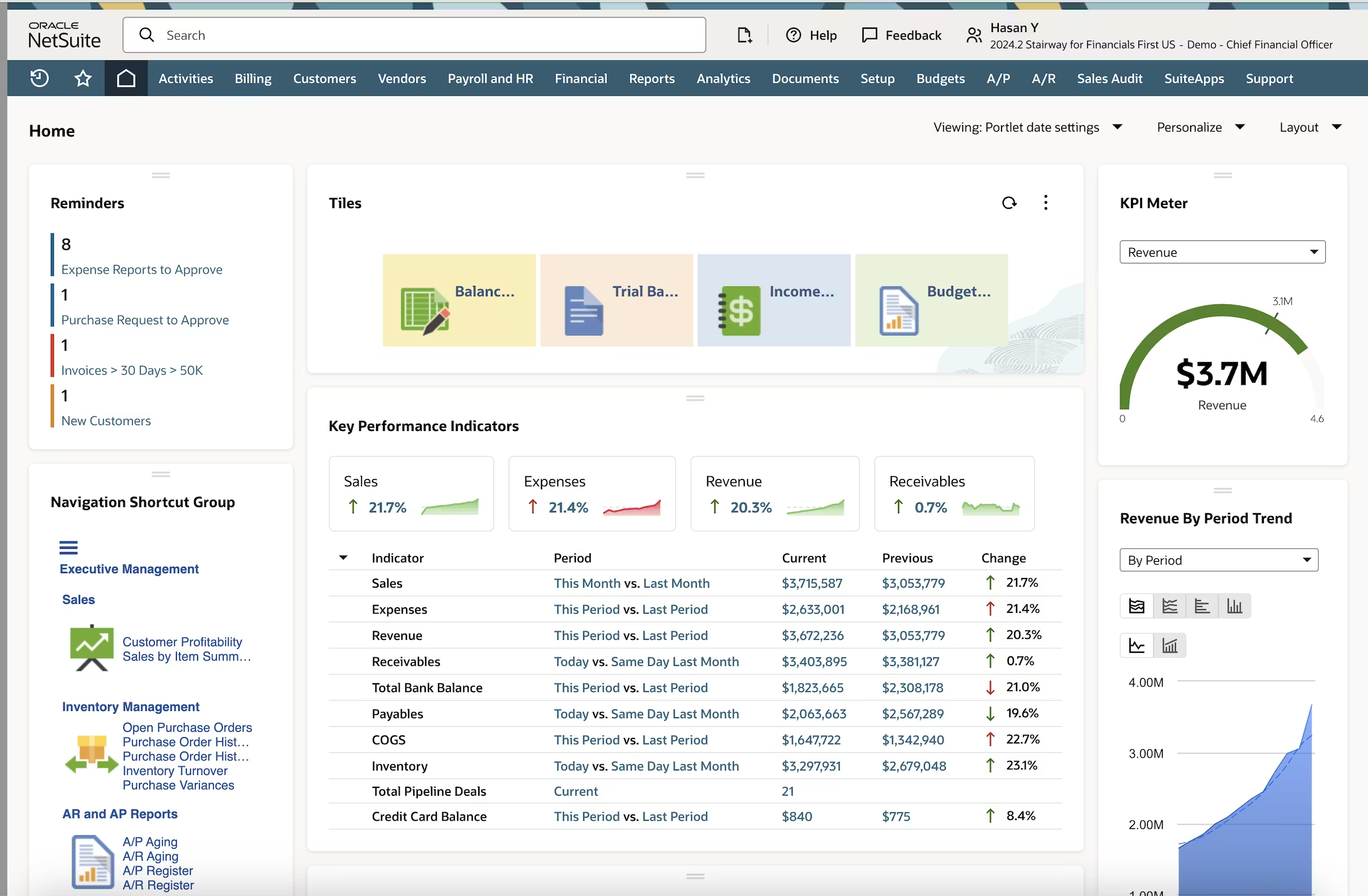
Best for mid-market and enterprise businesses with a large budget, seeking an ERP to centralize their business.
Rating: 4.2/5
Pricing: Contact vendor (but be ready to fork over a lot of money)
NetSuite is a cloud-based ERP solution built by Oracle that brings your financial management, inventory control, and back-office operations into a single, unified system.
If you’re a large business with oodles of cash and near-unlimited resources to invest, then NetSuite could be a good option as you can align your business, as well as most of your other departments, and manage everything from one place.
Core Features
- Multi-location inventory tracking with real-time visibility
- Demand planning and replenishment management
- Lot, batch, and serial number tracking
- Purchase order and supplier relationship management
- Billing, invoicing, and financial reporting
Pros
- NetSuite is a great choice if you want inventory and financial data centralized, and have the budget to spare
- It’s a comprehensive solution, so it can easily scale alongside your business as it grows (regardless of whether that's an increase in volume, users, and operational complexity)
- If you are in a regulated industry, it comes with traceability controls that are well-suited for managing perishable goods
Cons
- As already mentioned, it is going to cost you a pretty penny. Compared to standalone inventory tools, it’s significantly more expensive, with additional costs often tied to modules, users, and support tiers
- Implementation is lengthy and will take multiple quarters to get set up, with you likely needing help from paid consultants or external partners
- The interface has a steep learning curve, and advanced configuration often demands technical expertise
NetSuite Summary
If your business has outgrown entry-level tools like QuickBooks and needs a system that integrates inventory, financials, procurement, and reporting under one roof, NetSuite can deliver that visibility.
But the trade-off is the cost and implementation effort involved, which makes it better suited to businesses that have the time and internal resources to commit to a proper rollout.
3. SAP Business One
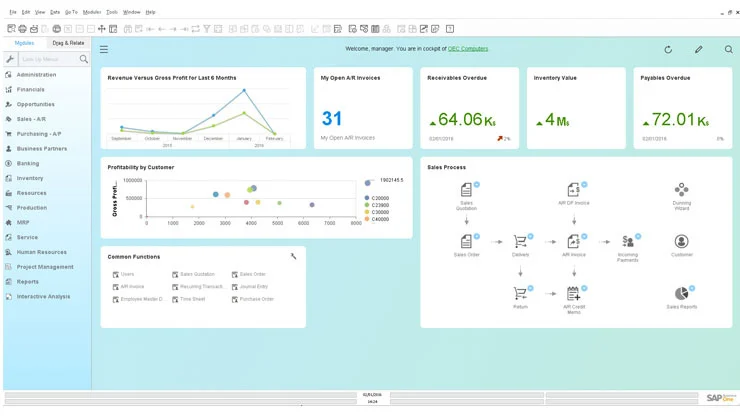
If you’re a small- to midsize business that needs an ERP solution, but would prefer to pick and choose the features that you want, this could be the solution for you.
Rating: 4.3/5
Pricing: Contact vendor
SAP Business One is a modular ERP system, meaning you can gradually introduce features into your workflows rather than going all-in on an expensive, overkill ERP solution.
SAP Business One will help you unify and manage a bunch of different functions and responsibilities in one place, including:
- Financials
- Inventory
- CRM
- Purchasing
- Reporting
If you want to get control over multiple different operations and workflows, but would prefer to do so bit by bit for stable scalability, this could be the solution for you.
Core Features
- Inventory tracking and control across multiple warehouses
- Financial reporting, like balance sheets, profit and loss statements, and cash flow statements
- Purchase order and supplier management
- Sales order and fulfillment management
- Customer relationship management
- The option to access via the cloud or get an on-premise deployment
Pros
- Comprehensive modules mean you might be able to reduce your tech stack and manage your entire business from here
- Highly flexible and customizable, with a wide range of industry-specific add-ons available, so you can configure it exactly to your workflows and business requirements
- Scales well for fast-growing businesses, including those managing multi-entity or international operations
Cons
- The total cost of ownership is high and comes with a bunch of additional costs when compared to others on this list, including licensing, implementation, customization, and ongoing maintenance
- Even though it’s modular, it’s still complicated to set up and will require you to hire skilled consultants to configure it. This becomes even more complicated if you’re a business with advanced workflows
- The interface, while functional, has a steep learning curve and can feel dated compared to more modern and cloud-based inventory management solutions
SAP Business One Summary
If you’re looking for something to replace your spreadsheets or inefficient inventory management system, and you want something you can slowly implement into your business while having the option to manage your entire business, SAP Business One is a proven option with a long track record.
The downside is, as is typically the case with ERP systems, you’re going to have to spend a lot of time and money upfront to get it working, as well as hiring implementation support. But, if you’re a business looking for a slow and controlled rollout as opposed to a quick and dirty deployment, SAP Business One is worth a look.
4. Microsoft Dynamics 365
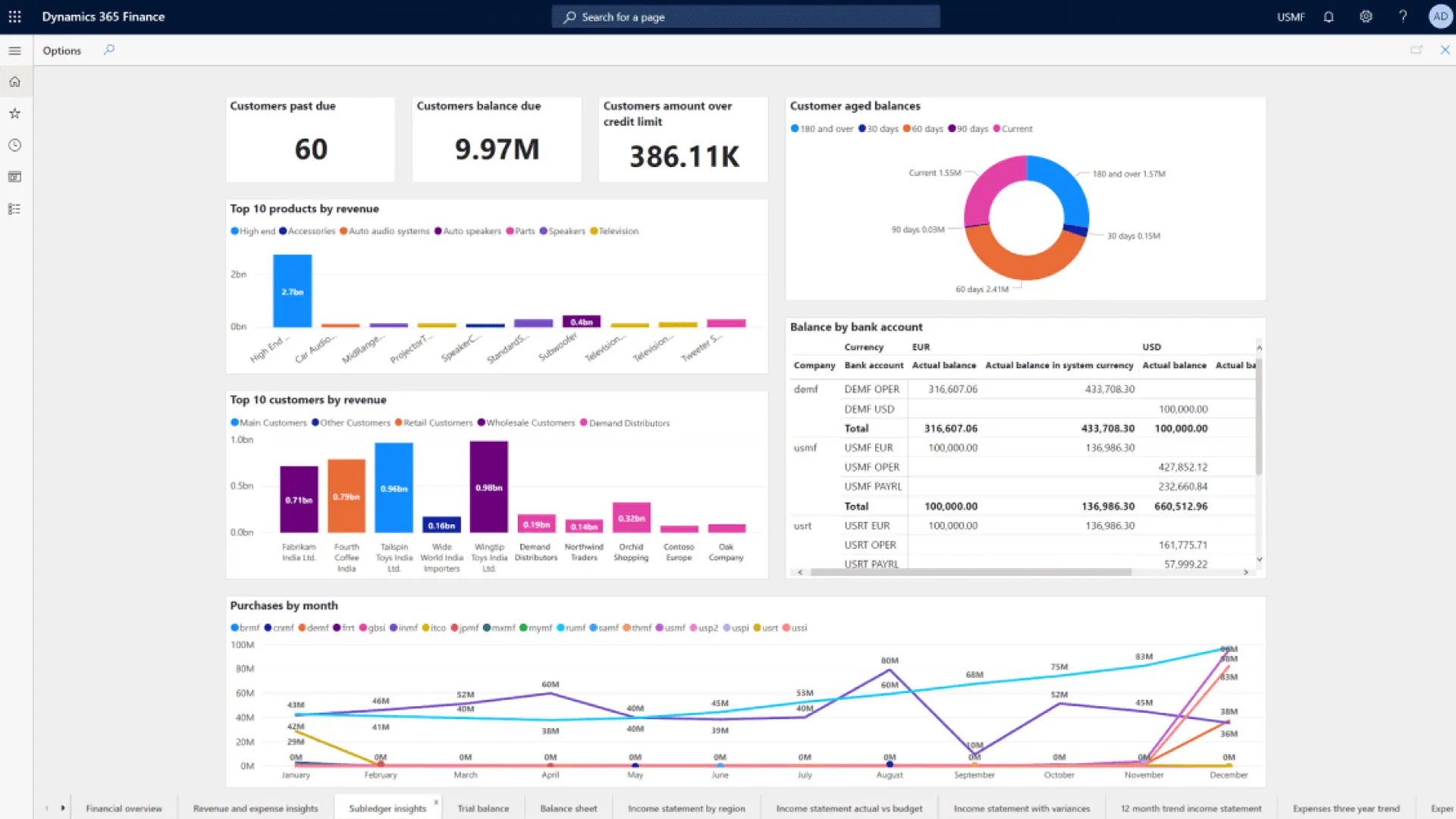
If you’re a bigger business and you’re already using Microsoft within your organization, what harm can more Microsoft products bring to your ecosystem?
Rating: 4.4/5
Pricing: Starts at $50/user/month
Microsoft Dynamics 365 is a cloud-based ERP and CRM suite that (and this is going to get slightly repetitive within this article, so please bear with us) centralizes and links your:
- Financials
- Inventory
- Sales
- Customer service
- Supply chain management
A lot of businesses are already using Microsoft tools. So, if you're already using tools like Outlook, Teams, Excel, and Power BI, and you want to easily integrate your inventory management solution into the same ecosystem, then you will be able to easily do so with Microsoft Dynamics 365.
Core Features
- Inventory and supply chain management
- Financial reporting, budgeting, and forecasting
- Contact management, lead tracking, and sales pipeline visibility with a built-in CRM function
- AI-powered analytics and reporting through Copilot and Power BI integration
- Modular structure allowing you to pick and choose exactly what apps you want and need
Pros
- It being a Microsoft product means it can natively integrate with your Microsoft 365 tools, which is perfect for businesses that run their workflows via these products
- Being a modular solution means you can start with specific functions and expand over time as you slowly get departments on-boarded or scale your business and operations
- Microsoft is renowned for its analytics capabilities, and you can take your analytics even further when paired with Power BI for real-time reporting and dashboards
Cons
- More modules, more users, more advanced features — these all mean more money out of your pocket, and for a smaller business with limited resources, the expenses can quickly get out of control
- Implementation will always be complex with these larger solutions, and there's no exception here — you will very likely need external partner support to configure properly
- The interface, while familiar to Microsoft users, can feel layered and unintuitive until teams have had time to get comfortable with it
Microsoft Dynamics 365 Summary
Again, if your business is already fully set up within a Microsoft ecosystem, and now just needs to plug the CRM, financials, and inventory gaps, Dynamics 365 will fit into that nicely and mean your teams don’t have to learn an entirely new software, as they’re likely already familiar with Microsoft products.
But with that said, you’re not going to be able to just plug it in and play — implementation works best with proper planning and expertise to help onboard you. If you’re looking to get set up with inventory tracking and management sooner rather than later, you’re likely going to find it more demanding than expected.
5. Fishbowl Manufacturing
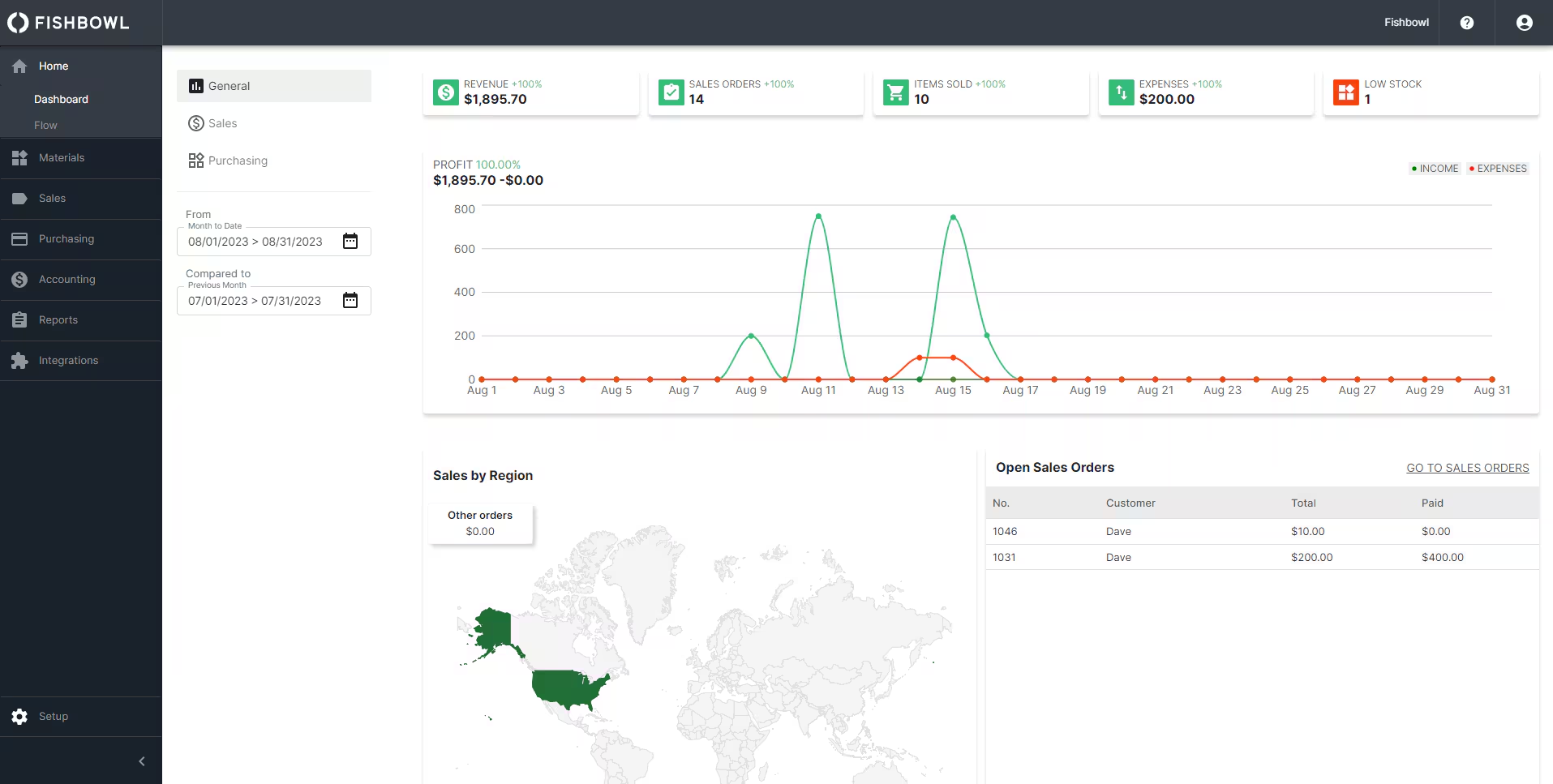
Best for small to mid-sized manufacturers and distributors that need inventory and production management in one place.
Rating: 4.2/5
Pricing: Contact vendor
Fishbowl is an inventory management platform built specifically for small and mid-sized businesses that need more than basic stock tracking.
It handles the full manufacturing and warehouse workflow in a single system, and is particularly well-suited for companies already using QuickBooks or Xero who want to add serious inventory and production capabilities without switching accounting platforms.
Core Features
- Bill of materials (BOM) and work order management for manufacturing workflows
- Barcode scanning and real-time inventory tracking across multiple locations
- Serial number, lot number, and expiry date tracking for full traceability
- Purchase order and sales order management
- Automated reorder points to prevent stockouts
- Integrations with QuickBooks, Xero, Shopify, Amazon, and WooCommerce
Pros
- Strong manufacturing tools, particularly BOM tracking and work order management, make it a practical step up for businesses moving off spreadsheets
- Native integration with QuickBooks and Xero means inventory and financial data can stay connected without a full ERP switch
- Customer support is consistently praised for being responsive and hands-on during implementation
Cons
- Reporting is limited out of the box, and customizing reports often requires additional cost or back-end configuration
- Some users report instability when syncing with QuickBooks, including occasional inventory valuation discrepancies
- The interface can feel dated, and certain workflows require more steps than expected, which slows teams down during busy periods
Fishbowl Summary
For small manufacturers and distributors that have outgrown spreadsheets but aren't ready to invest in a full ERP, Fishbowl offers a solid middle ground.
It gives you genuine manufacturing and inventory depth at a more accessible price point, especially if QuickBooks is already at the center of your operations. The trade-off is that you'll need to budget time for setup and training, and should go in with realistic expectations around reporting flexibility and integration reliability.
6. Acumatica Cloud ERP
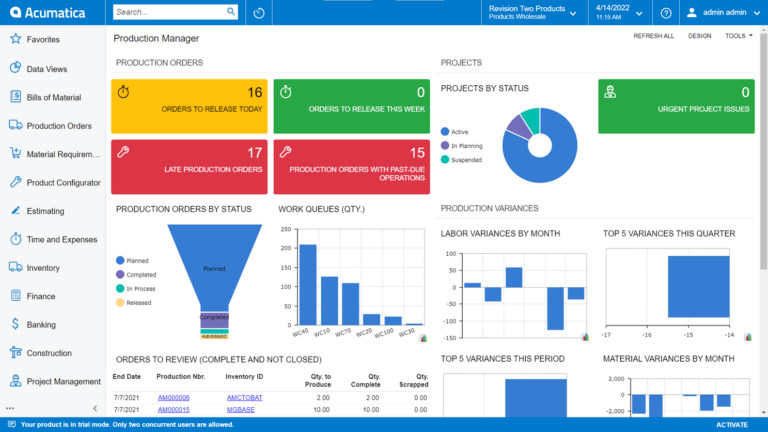
Not commonly found in the world of SaaS inventory management, but this is best for growing small to mid-sized businesses looking for an ERP-like solution while avoiding per-user licensing costs.
Rating: 4.4/5
Pricing: Contact vendor (consumption-based pricing model)
Acumatica is a cloud-based ERP system ideal for small to mid-sized businesses that operate in the following sectors:
- Manufacturing
- Distribution
- Construction
- Retail
The reason we included this manufacturing ERP system in this list, and what makes it stand out, is its licensing model. Most systems charge per user, but instead, Acumatica prices based on the computing resources your business consumes. This means Acumatica (theoretically) scales exactly alongside your business. So if something increases (sales, operations, or whatever), you’re charged when you need more from the software.
This makes it a unique tool, as it can be cost-effective to slowly roll out across your business.
Core Features
- Inventory management and real-time tracking across multiple warehouses
- Financial management, including general ledger, accounts payable and receivable, and cash management
- Sales order, procurement, and fulfillment management
- Open API for connecting your business-critical tools, including things like accounting, e-commerce, shipping, and whatever else you need
Pros
- Unlimited user access under the consumption-based model makes it cost-effective for businesses with large or growing teams
- Highly flexible and customizable, due to its open API, allowing businesses to adapt the system without always needing a developer
- Its pricing method allows it to be extremely scalable, and when you look at reviews online, users frequently champion it as a platform that grows alongside your business without requiring a system change
Cons
- But, just like all ERPs, this system is also complex and time-consuming to set up, and is best done by hiring external help from a certified partner
- Its reporting and analytics features are unfortunately limited, and if you need more detailed reports, you will need to turn to other solutions
- The pricing is also a downside, as the more your transaction volumes grow or additional modules and customizations are added, the price will only increase and reach a point where it might be financially better to turn to a different software
Acumatica Summary
If you want a solution and know that you’re likely going to need to add a lot of users to the software, then this can be a tool for you to get set up with an ERP that scales with your needs and won’t cost as much upfront.
The thing to be wary of with Acumatica is that eventually the costs will likely get out of control as you start to scale, and the other sacrifice you will have to make is dealing with its limitations when it comes to reporting and analytics.
7. AlleraTech
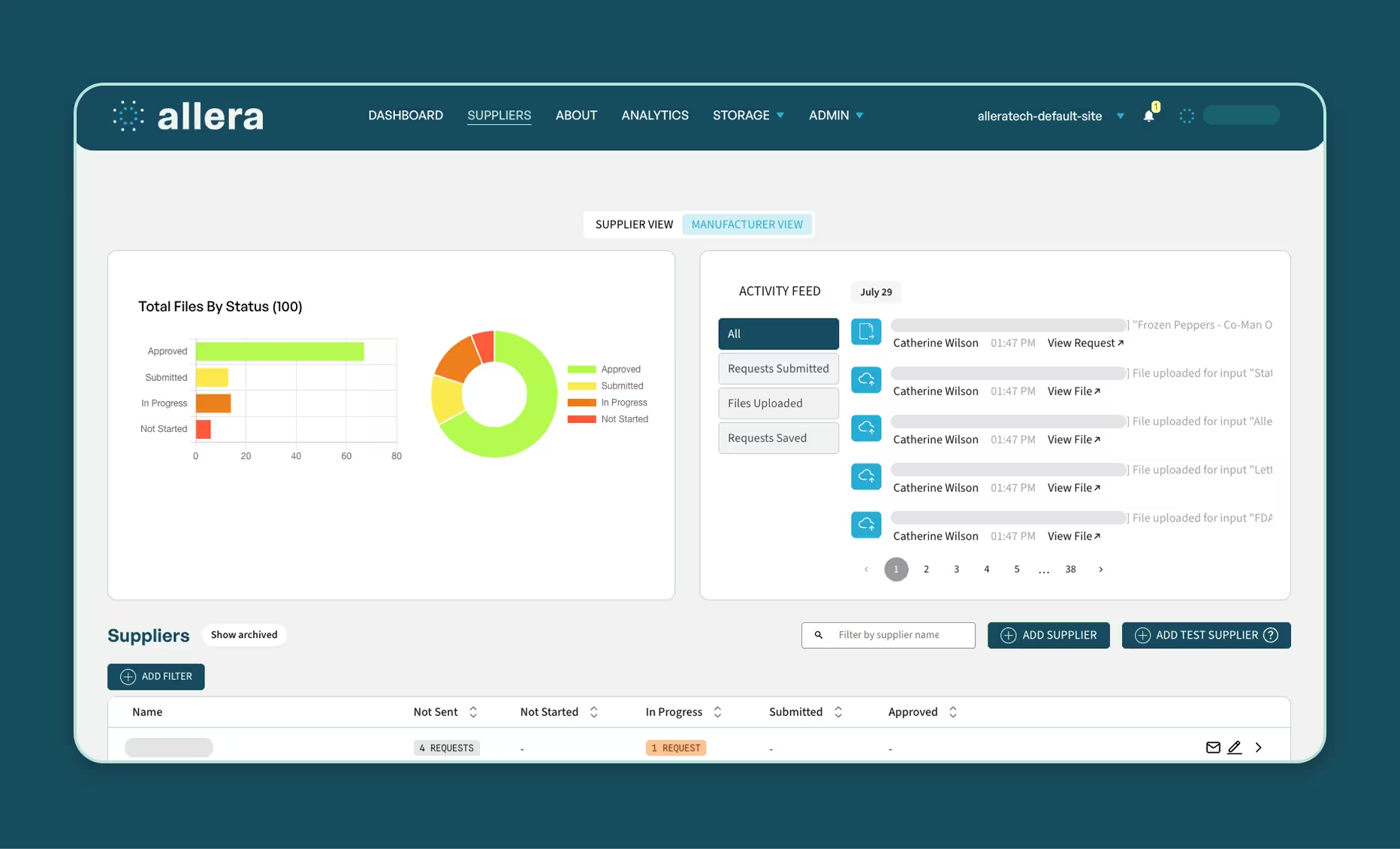
AlleraTech, a more specialized software for food manufacturers, is great if you need to manage inventory compliance, supplier documentation, and audit readiness in one place.
Rating: N/A
Pricing: Contact vendor
Allera is a digital food safety and quality assurance platform built specifically for food manufacturers, processors, and co-packers.
While it sits outside the traditional inventory management category, it addresses a critical dimension of inventory that most general-purpose tools overlook entirely — compliance. For food businesses operating under FDA, FSMA, SQF, or BRCGS requirements, managing what's in your facility is inseparable from proving that it was handled, tracked, and documented correctly. Allera is built to manage exactly that side of the equation.
Core Features
- Digital FSQA forms and checklists with timestamped, searchable records replacing paper binders
- Supplier onboarding and certification management with automated expiration tracking and approval workflows
- Document control with version tracking, access permissions, and audit-ready records
- Forward and backward traceability aligned with FSMA 204 requirements
- Recall management tools for rapid identification and execution
- AI-assisted compliance review to flag potential non-conformances before audits
- Mobile-ready with offline functionality and multilingual support for shop floor teams
Pros
- Designed specifically for the compliance and traceability demands of food manufacturing, which general inventory tools handle poorly
- Fast implementation, with most companies reporting they are largely operational within 30 days
- Strong supplier management tools that automate certification tracking and reduce manual follow-up across large supplier networks
Cons
- Purpose-built for food manufacturers, making it a poor fit for businesses outside that industry
- Advanced analytics features have a learning curve and may require additional training to use effectively
- Global supply chains may still require regional customization beyond what the platform offers out of the box
Allera Benefits
For food manufacturers where inventory compliance is just as important as inventory quantity, Allera fills a gap that traditional inventory tools leave open.
If your team is still relying on paper forms, spreadsheets, or disconnected systems to manage quality checks, supplier certifications, and regulatory documentation, Allera gives you a single digital environment where all of that lives together. It won't replace a full inventory management system, but paired with one, it closes the compliance loop that most platforms ignore.
Frequently Asked Questions
If you're not sure whether an inventory management solution is for you, here are some questions and answers to help you decide what to get.
What's the difference between inventory software and ERP?
Inventory management software focuses specifically on tracking and managing your stock levels, warehouse operations, and order fulfillment.
An ERP system manages not only your inventory but also the rest of your business, including financials, HR, purchasing, and CRM.
It might sound like ERP is just the best bet when it comes to deciding what you need, but realistically, you need to think about what it is that you want from your software. Inventory tools are faster to implement, less expensive, and purpose-built for stock control. ERPs require significantly more investment and time but handle complex, company-wide operations.
So, if you’re looking to improve inventory visibility, an inventory management system is likely enough. If you’re looking for something to manage your entire business, then ERP is likely the better option.
Can inventory software integrate with QuickBooks?
Yes! The Best inventory software integrates with QuickBooks Online, but some do integrate with QuickBooks Desktop.
Generally, these integrations are there to eliminate manual data entry and keep your books accurate in real time by automatically syncing:
- Inventory levels
- Sales orders
- Purchase orders
- Financial data
Take, for example, Digit — Digit offers a native two-way sync with QuickBooks Online and Desktop, automatically creating invoices and bills, updating COGS, and reflecting true inventory values in your financial reports.
What is demand forecasting in inventory management?
Demand forecasting is the process of using historical sales data, market trends, and predictive analytics to estimate future customer demand.
The purpose of doing this in inventory management is to ensure that you have enough stock to meet demand, while avoiding tying up cash in excess inventory, and keeping space free within your warehouse.
If you or your system is properly doing demand forecasting, it will help you prevent two costly problems:
- Stockouts that lose sales and damage customer relationships
- Overstocking that drives up carrying costs and creates dead stock
What is batch tracking and lot traceability?
Batch tracking and lot traceability are inventory management practices that assign unique identifiers to groups of products or materials so you can track them from end to end in your supply chain.
However, even though the names are often used interchangeably, there are slight differences in their functions.
In batch tracking, groups of items are produced or received together under a single record.
In lot traceability links that record to specific suppliers, production runs, quality checks, and customers.
By using both, you will have a complete and auditable trail for every item in your facility, enabling you to perform:
- Recalls
- Compliance audits
- Quality control
Choosing the right inventory software comes down to finding a system that gives you real-time visibility, keeps production and inventory aligned, and actually works for the way your team operates. Whether you need simple stock control or a full ERP, the goal is the same: fewer mistakes, faster decisions, and a smoother operation overall. For manufacturers looking for a modern, easy-to-use solution, Digit is one of the strongest inventory management platforms available today. Try chatting with Digit's free AI demo to ask questions tailored to your workflow.