%201.svg)





What Is a Multi-Level BOM?
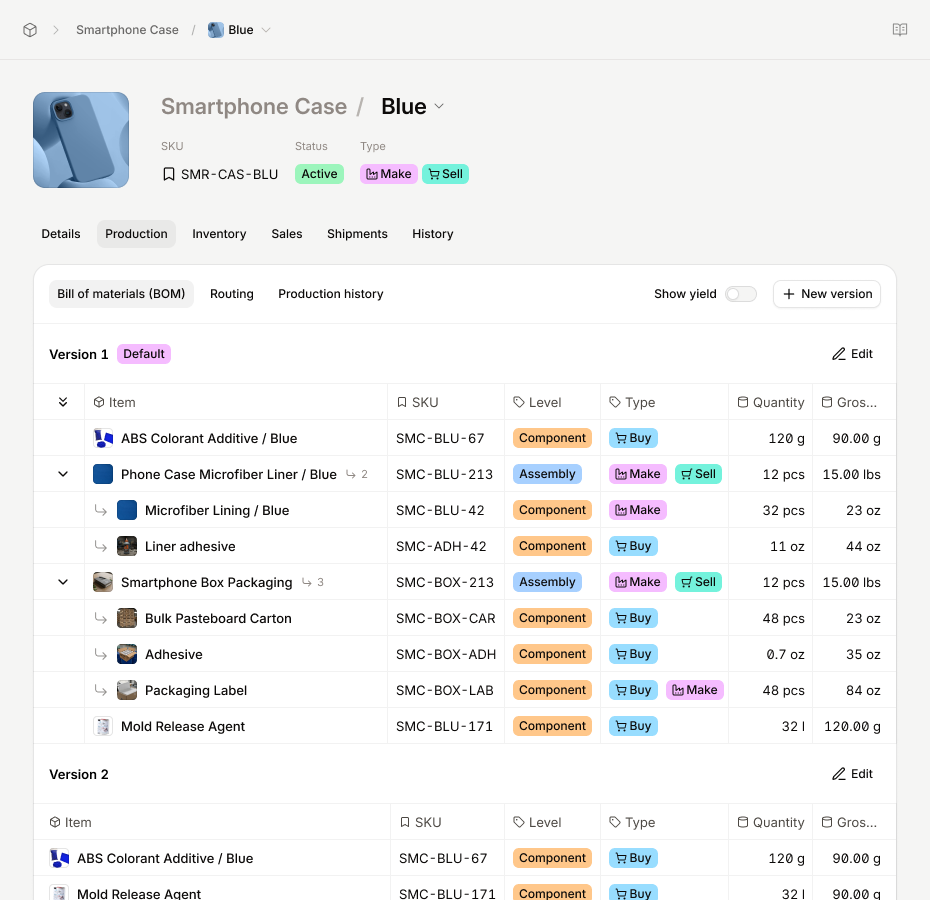
A Bill of Materials sounds simple enough. It's a list of everything you need to build a product. But once your product has subassemblies, intermediate build steps, and components that feed into other components, a flat list stops being useful. That's where a multi-level BOM comes in.
What Is a Multi-Level Bill of Materials?

A multi-level BOM, sometimes called an indented BOM, is a hierarchical list of everything required to manufacture a finished product. It doesn't just tell you what goes into a product. It tells you how those inputs relate to each other at every stage of the build.
The structure works like a tree: the finished product sits at the top, and each level below represents a deeper stage of assembly, from major subassemblies down to individual raw materials. Each line item typically carries a part number, description, quantity, unit of measure, and cost. The hierarchy is what separates it from a simple parts list.
This level of detail matters most when your production process has distinct stages. If building your finished product requires assembling intermediate components first, each with their own materials, lead times, and quality checks, a multi-level BOM is how you represent and manage that reality.
Single-Level vs. Multi-Level: When One Stops Working
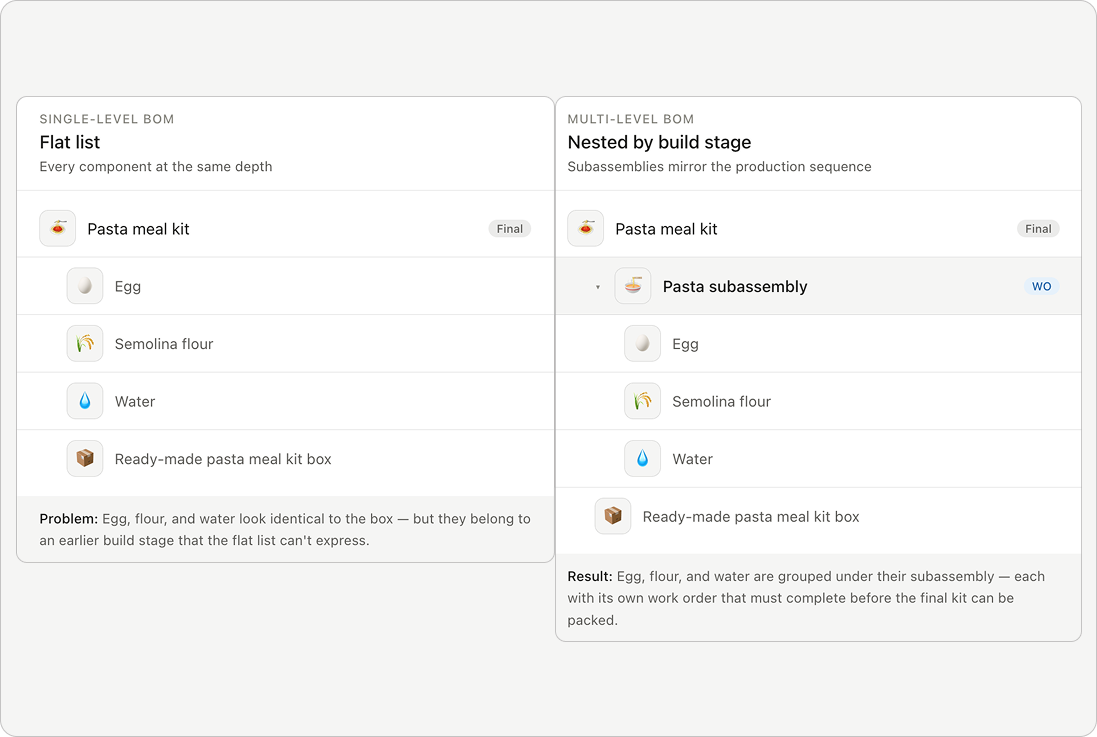
A single-level BOM lists every component in one flat layer. For simple products where every part feeds directly into the final assembly, that works fine.
The problem appears when your product requires intermediate build steps. If you manufacture a sauce before it goes into a packaged meal, or assemble a motor before it goes into a machine, a flat list can't represent that sequence. Everything looks like it belongs to the same stage, even when it doesn't.
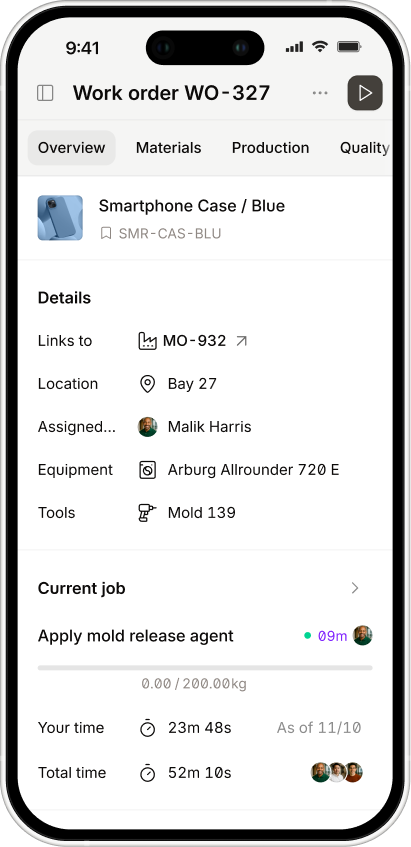
A multi-level BOM solves this by nesting components under the subassemblies they belong to. This mirrors a visualized sequence in which your product is actually built and in what order. The work order (WO) translates that into who does it, where it happens, and when it needs to be ready so downstream assemblies aren't waiting on upstream ones.
For manufacturers running multiple production lines or managing components that feed into more than one finished product, this distinction stops being academic very quickly.
What a Multi-Level BOM Actually Looks Like
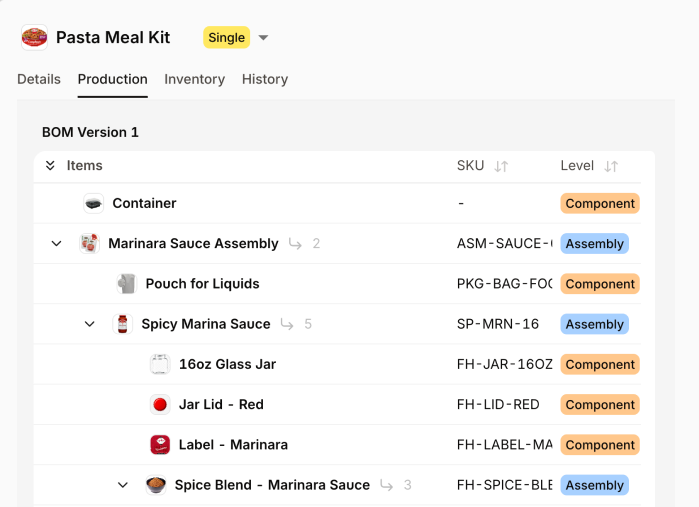
The structure is organized into levels:
- Level 0 — the finished, sellable product
- Level 1 — the major subassemblies that make up the finished product
- Level 2 and below — the individual components within each subassembly
Here's a simple example using a packaged pasta dish:
Level 0: Packaged Pasta Dish — 1 ea
- Level 1: Sauce Subassembly — 1 ea
- Level 2: Crushed Tomatoes — 200g
- Level 2: Olive Oil — 15ml
- Level 2: Garlic — 2 ea
- Level 1: Pasta Subassembly — 1 ea
- Level 2: Semolina Flour — 150g
- Level 2: Water — 50ml
- Level 1: Packaging — 1 ea
- Level 2: Box — 1 ea
- Level 2: Inner Tray — 1 ea
Each subassembly has its own production process, its own quality checks, and often its own lead time. A product can have as many levels as its complexity requires — the structure just keeps nesting deeper.
4 Areas Where Multi-Level BOMs Break Down in Practice
The structure itself isn't the hard part. Managing it as your product line grows is.
1. Version Control
When a component changes, like a supplier substitution, a formula tweak, a packaging update, every BOM that references it needs to reflect that change. In a manual system, it's easy for one version to drift from another without anyone catching it until production is already underway. By then, you're dealing with scrapped materials, rework, or worse, a finished product that doesn't match spec.
2. Shared Components
When the same subassembly appears across multiple finished products, updating it in one place without breaking another is harder than it sounds on a spreadsheet. Most teams end up maintaining duplicate records, which means updates have to be made twice, and mistakes get made once.
3. Costing
Material costs live at the bottom of the BOM tree. Rolling them up accurately through every level to get a reliable cost-per-unit requires either careful spreadsheet discipline or a system that does it automatically. When raw material prices shift, recalculating manually across a full product catalog is a half-day job that most ops teams don't have time for.
4. Scale
A product with three subassemblies and fifteen components is manageable manually. A product catalog with fifty SKUs, each with its own multi-level BOM, is not. The overhead of maintaining, updating, and cross-referencing BOMs by hand compounds fast.
7 Best Manufacturing Practices for Multi-Level BOM
Getting the structure right from the start saves a significant amount of pain later. These are the habits that separate manufacturers with clean, reliable BOMs from those constantly firefighting BOM-related errors.
1. Standardize your naming conventions
Part names, units of measure, and numbering formats should be consistent across every BOM in your system.
If one BOM lists "semolina flour" in grams and another lists "Semolina - Fine" in kilograms, you've already created a reconciliation problem. Set the convention early and enforce it uniformly. It pays off every time someone searches for a component or runs a materials report.
2. Define ownership for each BOM
Every BOM should have a single person or team responsible for keeping it accurate. Without clear ownership, updates get deferred, errors go unnoticed, and nobody feels accountable when a production run goes sideways because the BOM was out of date.
This is especially important for shared subassemblies that appear across multiple finished products.
3. Treat Your BOM as a Living Document
BOMs change. Suppliers change. Formulations get refined, and packaging gets updated. Build a review cadence into your operations:
any time a component changes, the BOM gets updated the same day, not eventually. A BOM that was accurate six months ago and hasn't been touched since is a liability.
4. Version Every Change
When a BOM is updated, the previous version should be preserved, not overwritten. This matters for two reasons: traceability and troubleshooting.
If a quality issue surfaces in a product made three months ago, you need to know exactly what the BOM looked like at that time and not just what it looks like today. Version history also gives you a clear audit trail if you're operating in a regulated industry.
5. Keep Your BOM Levels Aligned With Production Stages
A common mistake is adding BOM levels that don't correspond to a real manufacturing step, essentially using the hierarchy as a filing system rather than a production map.
Each level should represent a meaningful stage where something is built, checked, or handed off. Extra levels that don't reflect real workflow add complexity without adding value.
6. Audit For Phantom Subassemblies
A phantom subassembly is one that exists in your BOM but isn't actually built as a discrete unit in your facility. Its components pass directly into the next assembly without a separate manufacturing step.
These are fine when intentional, but when they accumulate unintentionally over time, they inflate your BOM complexity and confuse materials planning. Review your subassembly structure periodically and clean out anything that no longer reflects how production actually works.
7. Keep Units of Measure Synced
Don't let your BOM and your inventory system fall out of sync. If your BOM says a subassembly requires 200g of crushed tomatoes but your inventory system is tracking tomatoes in cases, your materials requirements planning will produce nonsense.
Unit of measure alignment between your BOM and your inventory is unglamorous but critical. Mismatches at this level are one of the most common causes of stockouts and overordering in mid-market manufacturing.
How Software Handles Complex Multi-Level BOMs
Manufacturing ERP software handles multi-level BOMs in a way that manual systems can't replicate cleanly. When a component is updated, the change cascades through every BOM that references it automatically.
Costs roll up from raw material to subassembly to finished good in real time. When a production order is created, the system explodes the BOM to calculate material requirements at every level, rather than requiring someone to trace through the hierarchy manually.
The more levels your BOMs have, and the more products share common subassemblies, the bigger the gap between what software handles natively and what spreadsheets require you to maintain by hand. Version history, audit trails, and cost visibility at the batch level come standard. They don't require a separate process or a dedicated person to maintain.
How to Build Your First Multi-Level BOM in Digit
Once you have the concepts down, setting up a multi-level BOM in Digit is straightforward. Here's how it works in practice.
Digit lets you build and manage multi-level BOMs across your entire product catalog, with version control, actual cost tracking, and materials requirements planning built in. When something changes, it changes everywhere it needs to go..
If your current process involves maintaining BOMs in spreadsheets and reconciling them before every production run, it's worth seeing what a connected system looks like. Try Digit free and set up your first multi-level BOM in minutes.




.jpg)