



What Is a Warehouse Management System (WMS)?
A Warehouse Management System, WMS for short, is a piece of software that helps you and your workers manage the day-to-day operations inside your warehouses, distribution centers, and fulfillment centers — basically any location where inventory is stored and shipped.
The main purpose of a Warehouse Management System is to:
- Organize inventory
- Automate warehouse processes
- Integrate warehouse operations with your supply chain
It is able to achieve this by providing real-time visibility into inventory levels at specific locations and tracking item movement, supporting you in managing the operational foundation for nearly every process in a warehouse. Whereas inventory management software might, at least at its basic function, help you with performing stock counts, a WMS solution will ensure that your inventory moves through your warehouse in the most efficient and cost-effective way possible.
Another reason many businesses turn to this software is that it allows them to coordinate the receipt of purchase orders, warehouse inventory management, and picking, packing, and shipping.
Again, and simply put, if you have an activity that needs to be performed in a warehouse, a WMS will:
- Record it
- Manage it
- Optimize it
But not all WMS platforms are designed the same. Many require heavy training, workarounds, or constant oversight to keep data accurate. The best systems make it easy for your entire team to follow processes and stay aligned without friction.
4 Key Functions of a Warehouse Management System

For a Warehouse Management System to work, it requires features to help manage inventory, labor, and workflows, but in a way that is going to be the most efficient way to handle inbound receiving and outbound fulfillment.
That’s why we’re going to quickly review the core capabilities a WMS should support, since each tool has its own set of features and quirks. When implementing a Warehouse Management System in your business, be sure to find one with the following key functions.
1. Inventory Management
Warehouse inventory management is the backbone of any WMS.
Whatever system you choose to implement, ensure it can maintain precise control over stock levels, locations, and movements throughout the warehouse. The best WMS tools will have the option to use technologies such as barcode scanning, RFID, and QR codes to track inventory in real time, helping your warehouse operators reduce manual data entry errors and record detailed movement histories for every item.
But, to take it even further, some modern systems can provide advanced location management, meaning you can organize inventory into zones or bin locations, based on:
- Velocity
- Storage requirements
- Handling needs
Setting up your WMS tool will allow you to adjust storage decisions based on product characteristics, demand patterns, and available space.
Finally, a great tool will be flexible, supporting different business models and compliance requirements, and accommodating multiple inventory control methods, including FIFO, LIFO, and FEFO, to ensure proper stock rotation and traceability.
2. Order Processing and Fulfillment
Order processing and on-time fulfillment are pivotal to the success of any warehouse, so you’ll need a tool that can manage the entire order lifecycle.
This means finding a tool that is capable of receiving and managing orders from multiple channels, including any:
- E-commerce platforms
- EDI transactions
- Marketplaces
- Customer portals
Your WMS will help you manage all your orders by supporting a range of picking strategies like wave, batch, and zone picking. With your WMS, you will then be able to coordinate packing and shipping by recommending materials, verifying weights and dimensions, generating carrier labels, and assigning serial number tracking.
3. Warehouse Operations and Labor Management
Beyond inventory and orders, a WMS will be here to help you completely overhaul your daily warehouse operations.
A Warehouse Management System helps you improve receiving and putaway processes with guided input and information on shipping notices, dock scheduling, inspection rules, and optimized storage assignments. Labor management, on the other hand, will be easier to sort out as most WMS tools can track individuals and team performance metrics, assigning tasks based on skills, priority, and availability, as you’ll have an overview of task progress and be able to balance workloads if conditions change within your warehouse (like a priority order that needs to be rushed out).
4. Ease of Use for Teams
The most overlooked factor: can your team actually use it?
Most WMS comparisons focus on features—inventory tracking, picking logic, automation. But in practice, the biggest point of failure isn’t missing functionality.
It’s adoption.
If your team avoids the system, enters incomplete data, or falls back to spreadsheets, even the most powerful WMS breaks down.
When evaluating your options, ask:
- Can warehouse operators use it without constant training?
- Can managers trust the data without double-checking everything?
- Can different teams (purchasing, warehouse, production) stay aligned in the same system?
The right WMS should reduce coordination. It should be clear enough that your team actually uses it and reliable enough that they don’t need a backup system. So, now you know the basic requirements you need to look out for, now it’s time to understand the different types of Warehouse Management Solutions... Yes, there are different types of solutions that you can hunt for when trying to find the perfect tool, making things even more complicated.
The Different Types of Warehouse Management Systems
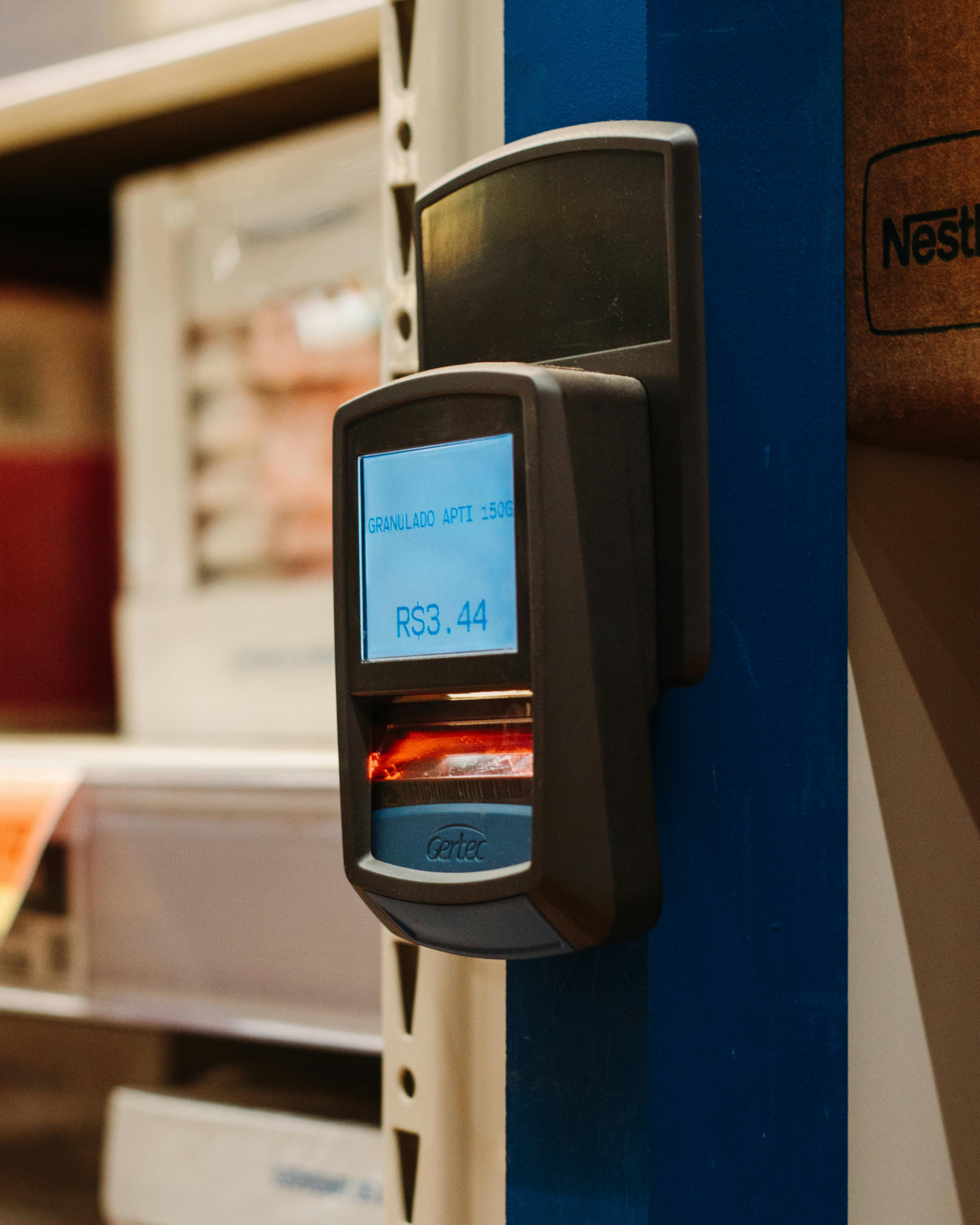
No business is the same, and the same goes for Warehouse Management Systems.
This is because businesses have different requirements. Some might only need to manage inventory at one warehouse, buying products and reselling them, while others might manufacture and sell their finished goods to both businesses and directly to consumers. This is why it’s important to understand the different types, so you’re investing in the tool that best suits your business needs.
Standalone Warehouse Management Systems
Standalone isn’t part of the official name of this type of software, it’s just to illustrate that one type of software you can invest in is a Warehouse Management System… Let us explain.
This is a WMS that only focuses on warehouse operations, and no other functions, such as your back-office. This version of a Warehouse Management System is preferred by small to midsize businesses that want to ditch their manual processes and automate their warehouse activities to improve:
- Picking
- Packing
- Shipping
- Returns
- Cycle counting
- Barcode scanning
- Inventory tracking
If your short-term goal is to improve your warehouse operations, and you have no intention of having these activities integrated with the rest of your business, then a simple WMS might be the solution for you to check out. But if you have a complex business, and your warehouse relies on knowing what is happening elsewhere in your business, you’re going to need something a little more complicated.
Supply Chain Management (SCM)–Based WMS
SCM systems are built to help businesses manage their end-to-end supply chain processes, so whatever needs to happen within the warehouse (inventory planning, product lifecycles, supplier relationships, risk management, etc.) can happen with consideration of the demands of the supply chain.
An SCM will give you an overview of your entire supply chain, but it will be costly and a lot more difficult to implement than a standalone Warehouse Management System. However, once you’re up and running with an SCM, you’ll have far greater control over your warehousing and upstream or downstream supply chain activities.
ERP-Based Warehouse Management Systems
An Enterprise Resource Planning (ERP) solution includes warehouse management modules… and a whole lot of other functionality, too.
This is because an ERP is designed to control all aspects of your business, combining different functions such as:
- Accounting
- Customer relationship management
- Supply chain planning
- Inventory control
- And other departments, like HR and sales
ERP systems are priced differently and come in different versions, but most ERP solutions are expensive and better suited for larger organizations that want centralized data and standardized processes across the entire business.
However, because the functionality of an ERP is so broad, you should double-check if the ERP does have the features you need, as the WMS module might be underwhelming in the bigger, legacy tools. That’s why some businesses that make their own goods turn to options like Digit's manufacturing ERP software, which includes essential WMS features to optimize warehouse operations.
Cloud-Based Warehouse Management Systems
Not too dissimilar to the standalone Warehouse Management Systems, these versions have been growing in popularity over the years due to their:
- Flexibility
- Scalability
- Lower upfront costs
Often also labeled as software-as-a-service (SaaS), these systems are hosted off-site, reducing the need for in-house IT infrastructure and ongoing maintenance. Cloud WMS solutions can be deployed quickly, scale easily with business growth, and receive regular updates that keep functionality current. But the benefits of a Cloud-Based Warehouse Solution go beyond that, as it also gives you real-time remote access, built-in disaster recovery, enhanced security, and easier integration with other systems.
5 Essential Warehouse Management System Features
.jpeg)
You know what the core capabilities are, and you know the different types of solutions that’ll give you what you need to optimize your warehouses.
That still doesn’t make choosing the right Warehouse Management System any less overwhelming.
Platforms vary in depth and specialization, but more importantly, they vary in how easy they are for your team to actually use. The best systems make them accessible and part of your team’s daily workflow.
1. Omnichannel Visibility and Real-Time Inventory Control
With the tools available to most businesses and the explosion of AI in recent years, omnichannel fulfillment is becoming a more common selling strategy and an expectation among customers.
Finding a tool that can provide you with real-time visibility into all your different inventory locations across all your sales channels should be something to look out for. It will need an omnichannel view to see if orders can be fulfilled accurately regardless of where they originate, while preventing excess inventory and stockouts.
Real-time inventory tracking supports you in performing continuous cycle counting, where small sections of inventory are counted on a rotating schedule rather than shutting down operations for a full stocktake, alongside automated replenishment triggers and precise inventory allocation.
2. Order Management and Fulfillment Optimization
Now that you have a tool that can give you an omnichannel view, you need to make sure it has the flexibility needed to help you manage your orders and optimize your fulfillment rates.
Try to keep an eye out for a system that prioritizes orders based on shipping deadlines, customer requirements, and inventory availability, to help you generate the most optimized pick paths to minimize travel time within your warehouse. The bare minimum you’ll want from your tool is packing and shipping tools to streamline fulfillment by:
- Validating accuracy
- Generating labels
- Selecting optimal carriers
3. Labor Management and Workforce Productivity
Labor is one of the largest warehouse cost drivers, making labor management a critical WMS feature.
Task assignment is generated automatically based on predefined operations and workload balancing helps your managers deploy labor efficiently, while using performance dashboards to support training, engagement, and retention. And, if something happens and you need to change schedules, you can easily reconfigure your task order, and materials, labor, and deadlines will update automatically based on the new plan.
4. Seamless Integration and Cloud-Based Accessibility
Since the cost and time expense of integrating an ERP is astronomically expensive, most businesses nowadays save money and time by building up their tech stack.
The likelihood is that your WMS won’t replace all your tools, so it will need to cooperate with you:
- ERP platforms
- E-commerce marketplaces
- Transportation management systems
- Carrier networks
- And any other business-essential tool
Seamless integration eliminates data silos and enables end-to-end visibility across your entire supply chain.
Cloud-Based WMS solutions further enhance flexibility by enabling rapid deployment, automatic updates, remote access, and easier integration with partners and warehouse automation technologies such as barcode scanning, RFID, and material handling equipment.
5. Advanced Reporting and Analytics
Finally, and essential to monitoring the success of your business, is finding a tool that is capable of providing robust reporting and analytics for measuring KPIs like:
- Order accuracy
- Inventory turns
- Labor efficiency
As well as maintaining historical data for forecasting.
Anything else beyond these warehouse management system features is a luxury. Just finding a tool with these features and the core capabilities mentioned earlier is going to be more than enough to meet customer demand and improve your operations with greater speed, accuracy, and resilience.
6 Benefits of Implementing a Warehouse Management System
You know what you’re looking for, but maybe you’re still not convinced that you truly need to upgrade.
After all, perhaps paper, whiteboards, and spreadsheets have been working just fine. And since items essentially just pass through a warehouse, what’s wrong with having it disconnected from the rest of your business and just eyeballing it? This worked at some point for most businesses.
Let’s explore what you’ll see in your business once you commit to a Warehouse Management System and get it implemented in your workflows.
FYI: As WMS solutions come in all different shapes and sizes, we’ll focus on Cloud-Based WMS, as that is the most common version businesses implement.
1. Faster Deployment and Lower IT Overhead
Cloud-based WMS platforms can be deployed much faster than traditional on-premises systems, enabling businesses to ramp up fulfillment capabilities in weeks rather than months — 2–6 weeks for Digit.
Because the software is delivered as a service, there is no need to purchase hardware, manage infrastructure, or maintain in-house IT specialists. Updates are automatic, ensuring warehouses operate on the latest version without costly upgrades or system downtime.
2. Reduced Costs and Predictable Spending
A WMS helps reduce operating costs across multiple areas of the warehouse.
Improved labor productivity lowers staffing expenses, while automated workflows eliminate manual, paper-based processes that slow operations and increase errors. Better inventory visibility reduces carrying costs by improving demand planning and increasing inventory turnover. Cloud warehouse management is usually subscription-based, meaning you don’t have to worry about unpredictable operating costs that come with legacy ERP when you start to scale.
3. Improved Operational Efficiency and Accuracy
By streamlining processes from receiving through shipping, a WMS removes inefficiencies and helps standardize processes, as well as reduce picking and packing errors with:
- Automated task management
- Optimized pick paths
- Real-time validation
4. Scalability and Business Agility
Modern WMS solutions are designed to scale alongside the business.
Warehouses can easily adjust to seasonal peaks, new sales channels, or expanded distribution networks without reengineering their systems. This level of flexibility allows organizations to respond quickly to any changes in the market and unlock growth opportunities without the limitations of fixed infrastructure or insanely long WMS implementation cycles.
Essentially, you can get up and running fast, regardless of whether you’re about to implement WMS or you need to upgrade your service.
5. Real-Time Visibility and Better Decision-Making
A WMS provides continuous, real-time insight into:
- Inventory levels
- Order status
- Warehouse performance
Having visibility into and an understanding of your warehouse’s current state will help you make more accurate forecasts, solve problems faster, and better coordinate across the supply chain.
6. Stronger Customer and Partner Relationships
Faster, more accurate fulfillment directly improves the customer experience, leading to higher satisfaction and loyalty.
At the same time, improved dock scheduling, inventory accuracy, and system integration create smoother interactions with suppliers and logistics partners, resulting in a more reliable, transparent operation that strengthens relationships across your entire supply chain.
And that’s it.
You know what to look out for. You know the different solutions and the ones that are better suited for your particular business. And you know what is at stake if you delay implementing a WMS any longer.
If you’re a manufacturer, big or small, who wants to find an affordable tool that you can implement sooner rather than later to start increasing efficiency, reducing costs, and enabling scalable growth, we recommend checking out Digit.
How Digit Supports Warehouse Management
Digit is a Cloud-Based Warehouse Management Software that gives you and your team clear, flexible control over how inventory is organized, tracked, and moved within your supply chain.
It’s the perfect solution for businesses that make products and want to unify all their data, such as:
- Purchases
- Sales
- Manufacturing
- Warehousing
- Shipping
But let’s delve deeper into how Digit helps you get your warehouse under control.
Structured Warehouse and Bin Locations
In Digit, warehouse locations (bin locations) are physical locations where inventory is stored, think of your:
- Racks
- Shelves
- Floor space
- Receiving bays
- Staging areas
Locations can be assigned to specific warehouses, making it easy to manage inventory across multiple sites. Each location can include a location code, description, tags, and custom fields, allowing businesses to align digital records with their real-world layout.
Barcode– and QR Code–Enabled Inventory Movement

Every warehouse location created in Digit allows you to automatically generate barcodes and QR codes. These can be printed and placed directly on racks, shelves, or floor locations, giving your warehouse operators a simple, scan-based workflow for every inventory movement.
In practice, this means operators can scan items at each stage of the warehouse flow:
- Receiving: scan incoming goods against a purchase order to confirm quantities and log their location
- Putaway: scan the bin location to tie inventory to a specific shelf or rack
- Picking: scan items during picking to validate accuracy before packing
- Shipping: scan outbound goods to update inventory levels and close the order
Every scan updates inventory in real time, ensuring stock is always tied to a known location and reducing manual data entry errors throughout the process.
Real-Time Visibility and Ease of Use
Digit provides a centralized view of all warehouse locations, showing how many inventory items are stored in each location and the total value of that inventory, making it super easy to understand where stock is concentrated, helping you identify congestion points and plan inventory routes more effectively.
Digit also supports cycle counting, so instead of halting operations for a full stocktake, your team can count specific bin locations or product groups on a rolling basis. Any discrepancies are flagged immediately, keeping your records accurate without disrupting daily warehouse activity.
A Practical Foundation for Growing Operations
Whether setting up an initial warehouse or expanding to multiple locations, Digit makes it easy to add new warehouse areas and bins as operations grow.
By combining structured location management, scan-based inventory tracking, and real-time visibility, Digit provides the core tools warehouses need to stay organized, reduce errors, and streamline day-to-day inventory operations.
Test it in your own warehouse and see what you can improve. Try Digit for free and get set up with a Warehouse Management System that integrates with your other essential business operations.

%20(2).jpg)