%201.svg)


.jpg)


What Is a Manufacturing Execution System (MES)?
.jpg)
A Manufacturing Execution System (MES) is software that helps businesses get more control over their manufacturing processes, allowing them to:
- Monitor
- Track
- Document
- Manage production
Although the line has become more blurred over time, traditionally, it would be the link from the shop floor to high-level business operations and planning by integrating with an ERP system, allowing upper management to make better business decisions based on actual data from the shop floor.
But back to focusing on MES systems, it’s a tool that can be used by any-size manufacturing operation, giving businesses big and small the means to improve productivity and profitability by giving them access to real-time data, meaning if there’s a problem on the shop floor, operators can quickly address it and keep production chugging along.
And, as already touched on with the blurred lines, in recent years MES systems have grown more robust and complex (and, in some cases, powerful enough to help you run your entire business without integrating other tools).
The reason MES systems have become more powerful is the release of more advanced technologies, including:
- AI
- Industry 4.0
- Industrial Internet of Things (IIoT)
In particular, IIoT capabilities have enabled MES systems to access networked equipment that collects and transmits real-time data and can respond to live inputs through automation.
And because MES systems have changed so much over the years, the market share of these tools has continued to grow.
For example, according to a Fortune Business Insights publication, the MES system market is projected to reach $56.65 billion globally by 2034. But, as we pointed out, MES is primarily focused on operations taking place on the shop floor. So, what other tools are available to manufacturers, and which is the best for their operations?
MES vs. MRP vs. ERP: Key Differences

The manufacturing industry is awash with tool acronyms, each representing a different tool with specific functions focused on a different area of manufacturing.
Maybe you already recognize some of the following:
- MES
- MRP
- ERP
We’ll delve into these further, but at the surface level, you can distinguish the differences between these tools to figure out which one is missing from your operations as follows:
- MRP — This software helps get everything ready before production starts
- MES — This software helps execute and track production
- ERP — Manages the entire business, not just the shop floor, but also other departments like HR and accounting
Let’s go through each of these tools.
MRP: Planning Production Before It Starts
Material Requirements Planning (MRP) software is a tool for planning and scheduling production based on the materials needed and on hand to fulfill open sales orders and forecasted demand with a specific deadline.
The timeline for production can be short-term or long-term, from a couple of days to scheduling months in advance. How MRP works is by using production and procurement data to make its calculations, looking at a business's:
- Inventory levels
- Bills of Materials (BOMs)
- Supplier lead times
- Purchase planning
Compared to the other tools listed above, MRPs are quite limited in scope, focusing on production planning and raw material inventory management, and thus are generally faster and less expensive to implement.
MRPs are a great option for businesses with limited resources, such as startups and micro or small manufacturers.
Pro tip: If you’re looking for an MRP system to implement in your business, we’d recommend checking out our article so you can start your comparisons — The 6 Best MRP Software for Manufacturers.
MES: Executing and Tracking Production in Real Time
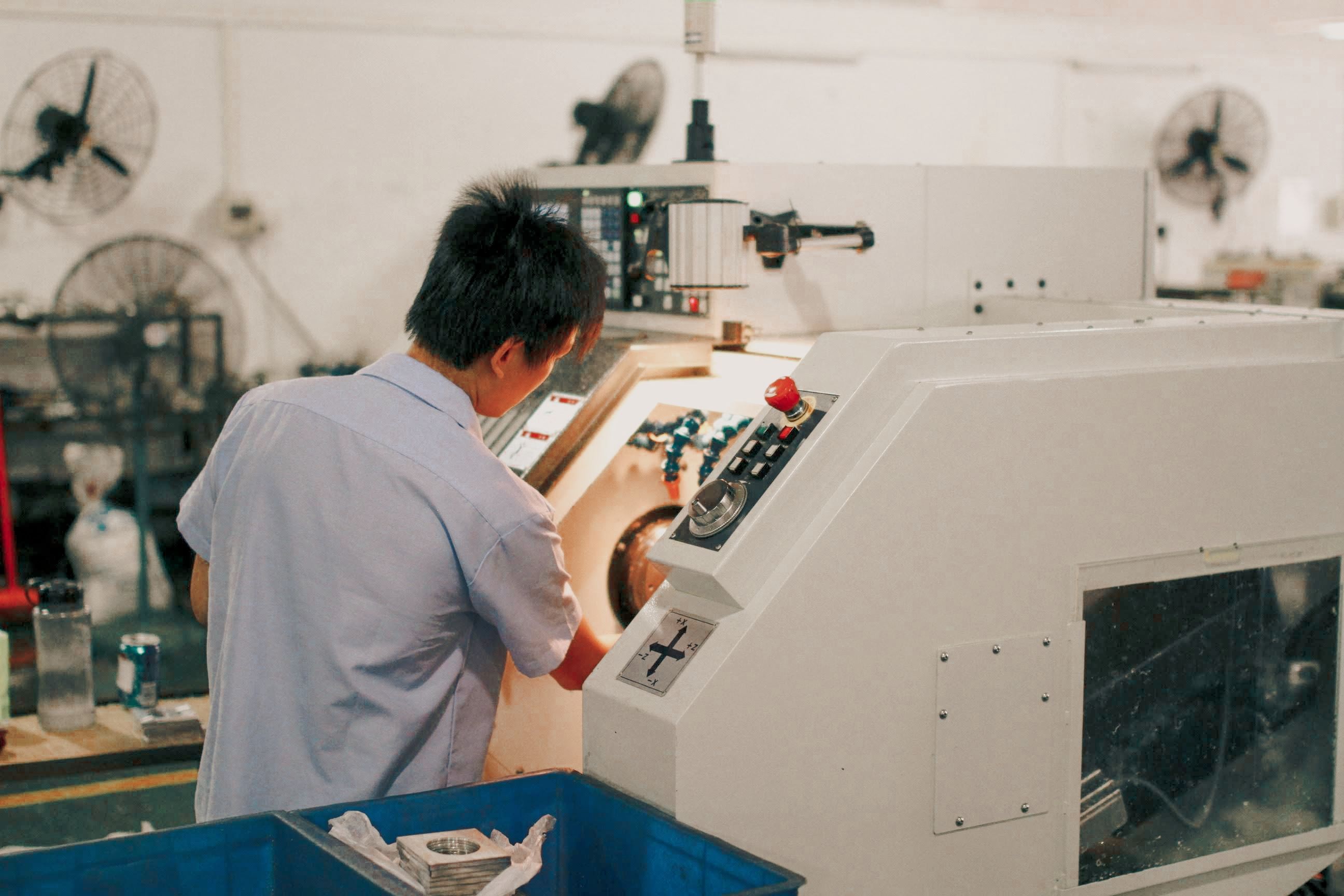
If an MRP is your production scheduler, your MES system will take that schedule and translate it into something that can be actioned on the shop floor — so operators know what needs to be done and when, while your managers have a way to track the progress of manufacturing orders.
Your MES system is going to help you:
- Track when production started and how long a setup took
- Monitor operator and machinery efficiency and document scrap rates
- Track and monitor WIP inventory as it moves through production
- Confirm whether all the operation steps were correctly followed, like quality checks
However, it’s not unusual nowadays for MES software to also help with production planning and inventory management. But traditionally, it was built to document and manage the tactics needed to complete a production run while allowing plans to be adjusted based on reality.
ERP: Managing the Business as a Whole
Finally, we have the Enterprise Resource Planning (ERP) tool — helping businesses develop and track their strategic long-term goals, and making sure every team and department has access to data that everyone can use and understand, making it a resource the whole business relies on, like:
- Finance
- HR
- Procurement
- Sales
- Supply chain
- Manufacturing
As an ERP system is designed to help manufacturers run their entire business (for example, resource allocation, financial management, and organizational growth planning), implementation of this solution tends to be a lengthy and expensive process, often taking months to years to successfully onboard an entire company.
Hidden costs like having to hire onboarding specialists make it off-putting for businesses with limited capital to start using it, which isn’t a problem, because for many manufacturers, an ERP solution could be overkill.
Now that you are clued up on the different types of software out there for manufacturers and what those tools specialize in, let’s bring everything back to MES systems.
Pro tip: If you’re shopping for an ERP system, you can already start shortlisting solutions by checking out our article on The Best Manufacturing ERP Systems in 2026.
The 11 Core Functions of an MES

If you're on the hunt for an MES solution, there is actually a gold standard for evaluating whether a system delivers on what it advertises.
Regardless of what you’re looking at now, there is a checklist you should follow that covers the 11 core functions a solution should have — originally defined under the MESA-11 model.
The MESA-11 model is a basic framework developed in the 1990s by the Manufacturing Enterprise Solutions Association (MESA) that outlines the 11 main jobs of an MES solution. This model connects the automated systems on the factory floor with a company's larger business systems, acting as a bridge between the two.
Here are those 11 core functions:
- Operations Scheduling — it must be able to sequence operational steps on production lines and machines, including changeovers, lot sizing, and resource balancing.
- Resource Allocation and Status — it must be able to provide real-time insights into the status of machines, tools, fixtures, materials, and operators.
- Dispatching Production Units — it must help you manage workflows by releasing and routing orders and materials onto the shop floor.
- Document Control — it must be able to save, manage, and distribute documents that are necessary to complete production, including work instructions, drawings, specifications, and inspection forms.
- Data Collection — it must be capable of capturing and saving data to give manufacturing information on production runs, such as quantities, times, machine states, and WIP process values.
- Labor Management — it must help manage your workforce by tracking and documenting their qualifications and highlighting their availability, attendance, and task assignments.
- Quality Management — it must facilitate quality control and management by documenting inspection plans, in-process controls, statistical process control (SPC), and non-conformance handling.
- Process Management — it must be able to monitor processes while allowing real-time control, giving manufacturers the tools to manage process flows, routings, recipes, and in-process parameter enforcement.
- Maintenance Management — it must be able to schedule preventive maintenance for tools and machinery by tracking fault history and supporting condition-based maintenance.
- Product Tracking and Genealogy — it must be able to manage BOMs and track version history, as well as assign components, batches, process steps, and quality results to a lot or a serial number.
- Performance Analysis — it must be capable of calculating OEE, tracking lead times, recording scrap rates, and monitoring other KPIs relevant to operations and management.
Now, with those 11 core functions understood, here’s what else you can do to evaluate if an MES system is a good fit for your business or not.
How to Evaluate MES Software
.jpg)
Most MES evaluations start backward — vendor demos and feature lists before your own requirements.
A better approach starts with your operations. What's actually broken? Only then compare platforms. Here's how, from requirements through post-go-live support.
Define Your Requirements Before Talking to Vendors
Before you issue an RFP, audit your workflows, silos, and data gaps. Where do the pain points sit? Is it in:
- Downtime tracking
- Work order dispatch
- Inventory traceability
- Quality control
Pin down the metrics you want to move, like first-pass yield or changeover duration, and confirm your plant floor networks can support real-time data. Bring in production, IT, and quality, and mark what's non-negotiable.
Look Beyond Feature Lists to How the System Actually Operates
MES platforms get marketed by module: batch, SPC, scheduling, and traceability.
But module names only tell half the story. Gartner's 2025 Market Guide frames evaluation around three pillars:
- Execution — does it guide operators and prevent steps from being skipped?
- Orchestration — does it coordinate materials, equipment, and schedules across sites?
- Monitoring — does it provide visibility, history, and KPIs?
A strong MES doesn't just collect data. It’s a tool for coordinating production and preserving context.
Prioritize Integration, Openness, and Long-Term Scalability
Production data is only useful when connected, so integration is a day-one question, not an afterthought.
Ask vendors to demonstrate integration with your specific ERP, not a generic connector, and check whether it runs on open APIs or lock-in middleware. ISA-95 (IEC 62264) alignment reduces that risk.
Scalability matters in two ways: can it absorb more data without slowing down, and can it extend to new sites without a full reimplementation? A modular setup helps. Start with OEE and downtime tracking, and add batch or SPC later.
Confirm the System Fits Your Operating Model and Real-World Conditions
A platform built for a single-site, discrete manufacturer won't suit a global, multi-site process operation.
Check for reference customers at your plant size and model. Confirm the system handles production as it actually happens, including exceptions, unpredictable equipment, and batches that pause or repeat, not just its ideal path. For batch manufacturing, favor a system that separates recipe logic from equipment control.
Prioritize Usability and User Adoption
Functionality means nothing if operators just route around the tool.
Map users by role and technical comfort, then test with real users. A line operator on a touchscreen needs something different from a quality engineer at a desktop. Look for role-based views, mobile access for the floor, and a real adoption plan: training and clear communication.
Vet the Vendor and Calculate the True Total Cost of Ownership
Sticker price is the smallest part of the MES cost.
Build a three-to-five-year TCO model covering licensing, implementation, integration, and training, paired with an ROI case: less scrap, less downtime, less manual reporting. Vendor stability matters, too: implementations run 6 to 18 months, and a vendor that's changed hands twice in three years is a continuity risk.
And there you have it! Everything you need to know about MES systems and the questions and checklists you need to find the perfect system. If you’re on the hunt for a tool that can help you manage your entire business instead of having to adopt MRPs, MESs, and ERPs, we recommend checking out Digit.
The MES and MRP Combination for Growing Manufacturers

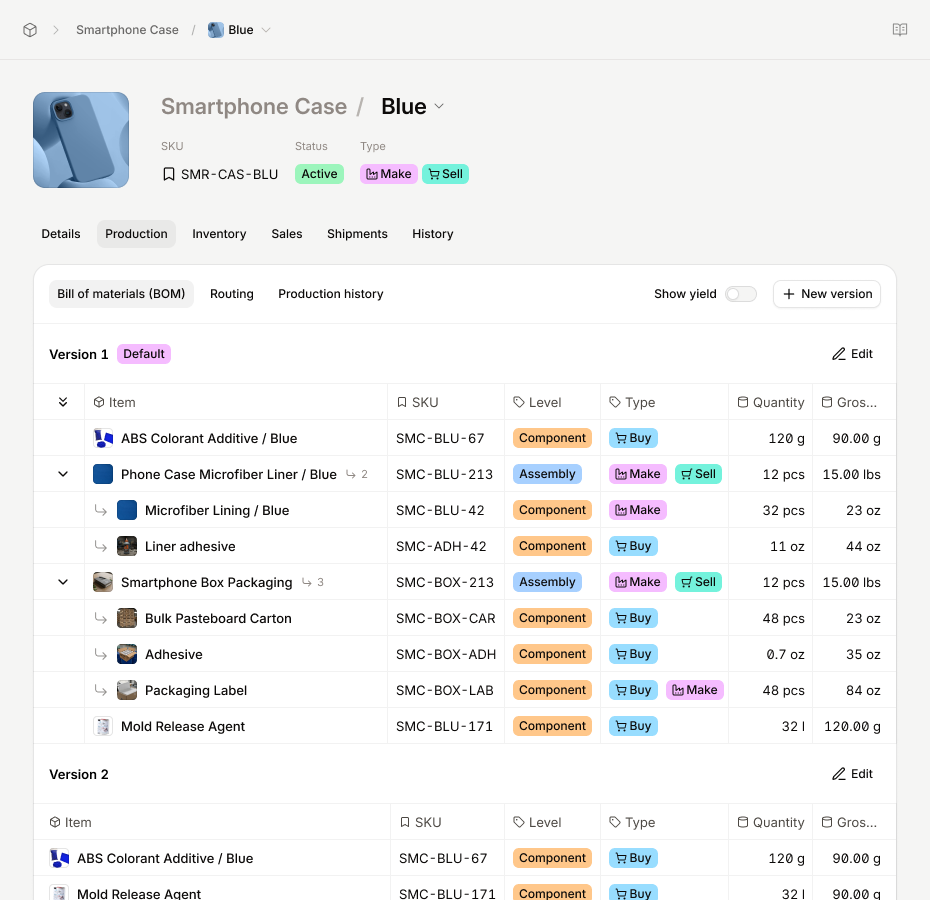
Digit is a platform built around this combined approach, bringing shop floor control and material planning into a single connected system rather than requiring manufacturers to stitch two separate tools together.
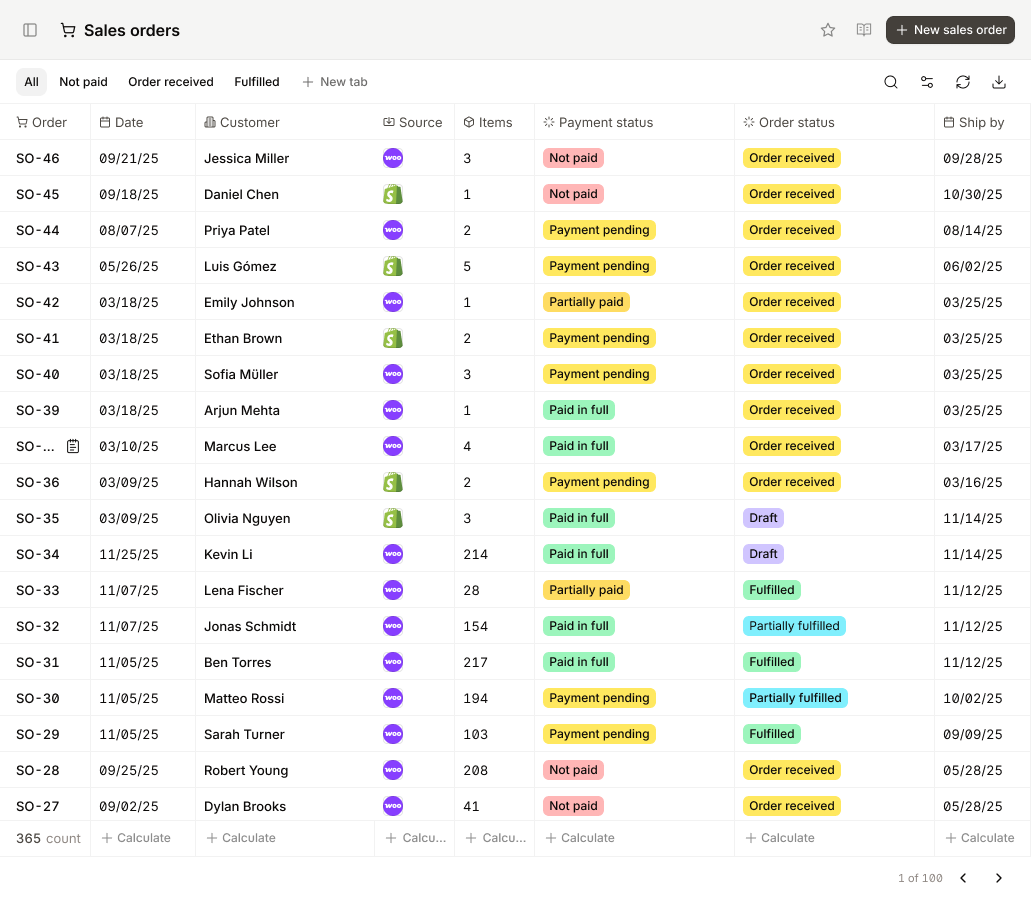
On the MRP side, it centralizes purchasing, inventory, and demand planning, generating automatic alerts for shortages and bottlenecks while keeping material availability aligned with the production schedule.
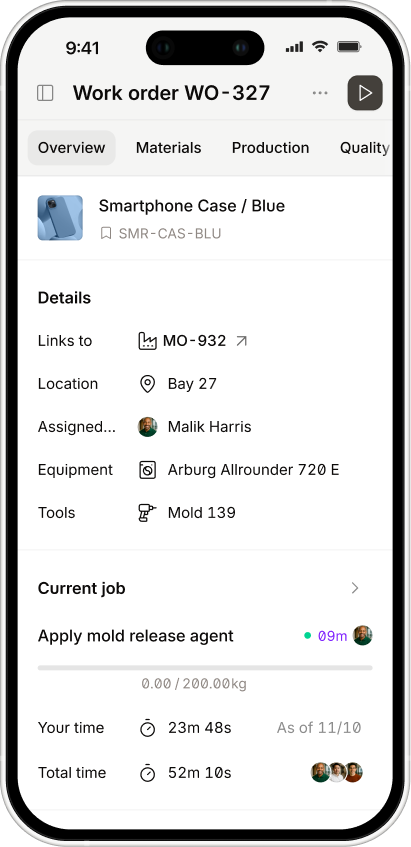
On the MES side, it gives operators a way to log time, labor, and job progress directly from the floor using any phone, tablet, or browser, with full barcode support for scanning materials, locations, and finished goods.
Because both functions run on the same data model, information captured on the floor feeds directly back into planning without manual reconciliation between systems, giving you everything you need to monitor:
- Labor hours
- Material consumption
- Yield
This is particularly relevant for smaller and mid-size manufacturers evaluating whether to adopt MRP and MES separately or as a single platform: a combined system like Digit reduces implementation complexity and cost compared to running two disconnected tools, while still giving both production planners and floor operators the real-time visibility each role depends on.
Want to see how Digit is a great choice for businesses that need MES systems? Head over to our website and feel free to book a demo with one of our manufacturing experts, who’d be happy to take you through Digit and show you exactly where it fits in your process flows.



.jpg)